87
7.4 #901 DOOR OPENED
If the base is detached, install the base back first.
1. Go to touchscreen > Maintain, observe the icon on
the top right corner. Check if the door icon is changed
to “closed” when the front door is closed. If the icon is
changed, the machine should operate normally.
: Door opened : Door closed
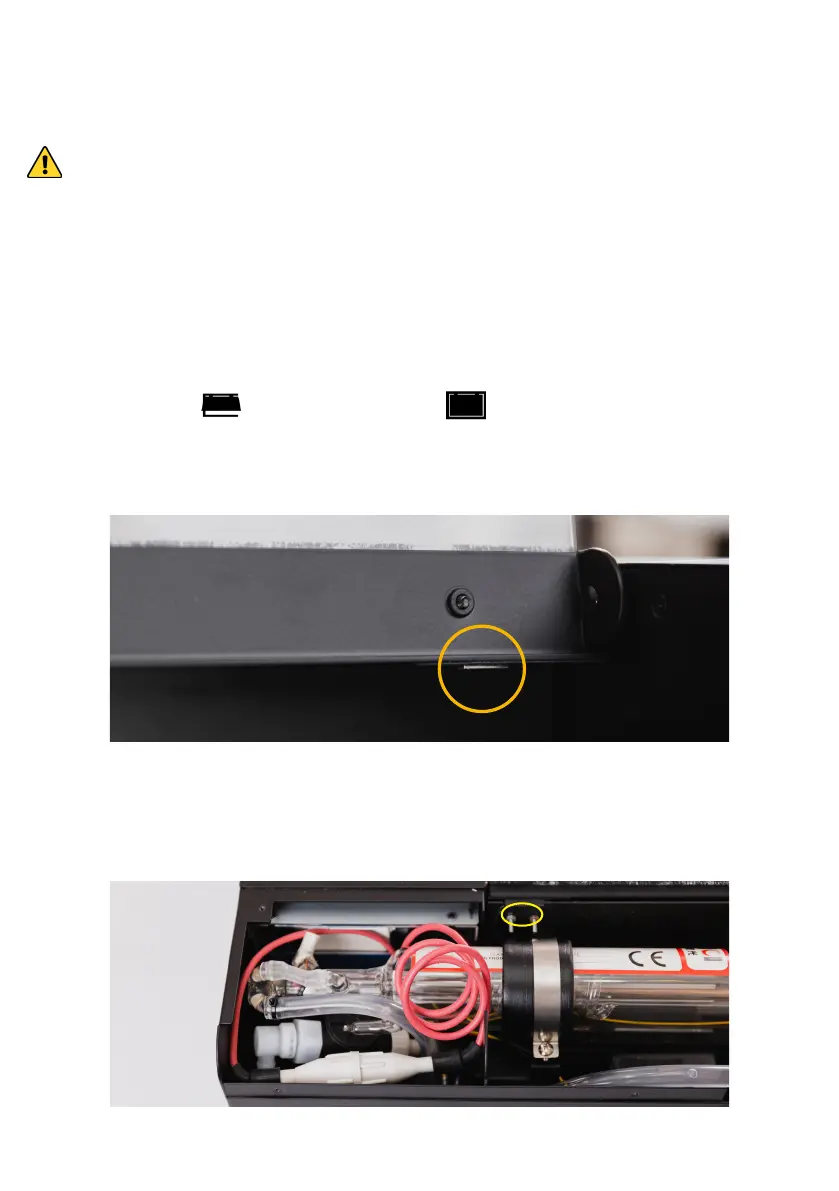
2. If the icon didn’t change, please check if the door
magnet fell off.
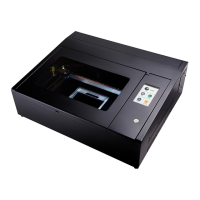
3. If the magnet is still in place, open the back lid, take a
magnet and place it over the sensor.


 To Next Page