58
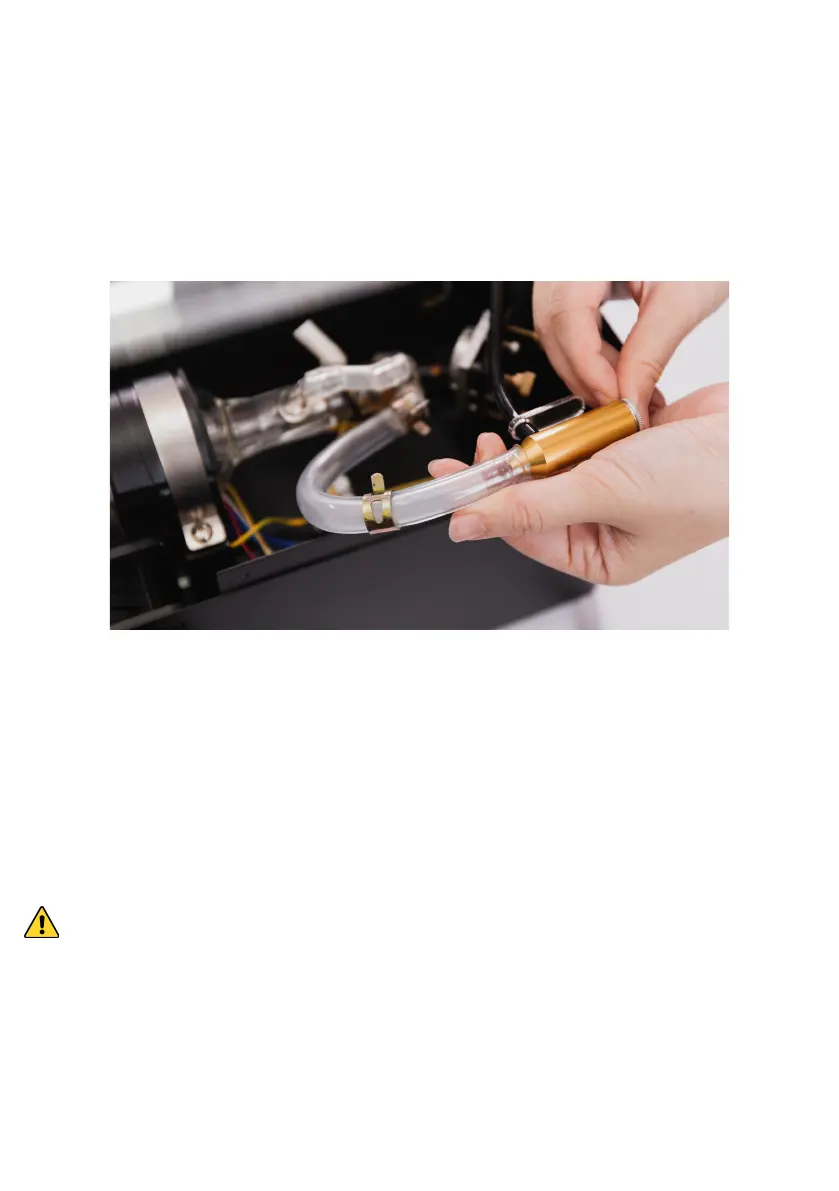
3. Remove the laser head, plug the air outlet into the
water pipe. Go to touchscreen and press Action >
Air Pump, the water will be blown out from the other
end. Press "Air Pump" again when water is drained
from the water tank and hose.
4. Repeat Step 3 and 4 of "Adding Water".
5. Restart the machine. Go to touchscreen and press
Action > Air Pump. The water in the tank will be
pushed into the cooling system. Repeat Step 4 until
the wate level no longer decreases.
Excessive bubbles in the laser tube may decrease the
cooling efficiency. It is recommended to fill the water
tank more than 80% to decrease bubble generation.


 To Next Page