70
The power of the laser can now be distributed evenly to
any spot of the workarea after the adjustments above. The
performance should meet the needs of regular operation.
Make sure you run "Camera Calibration" again after the
optical adjustment. If the verticality of the optical path is
required in specific applications, then steps below can be
carried out for advanced adjustments.
Verticality of the Optical Path (Advanced)
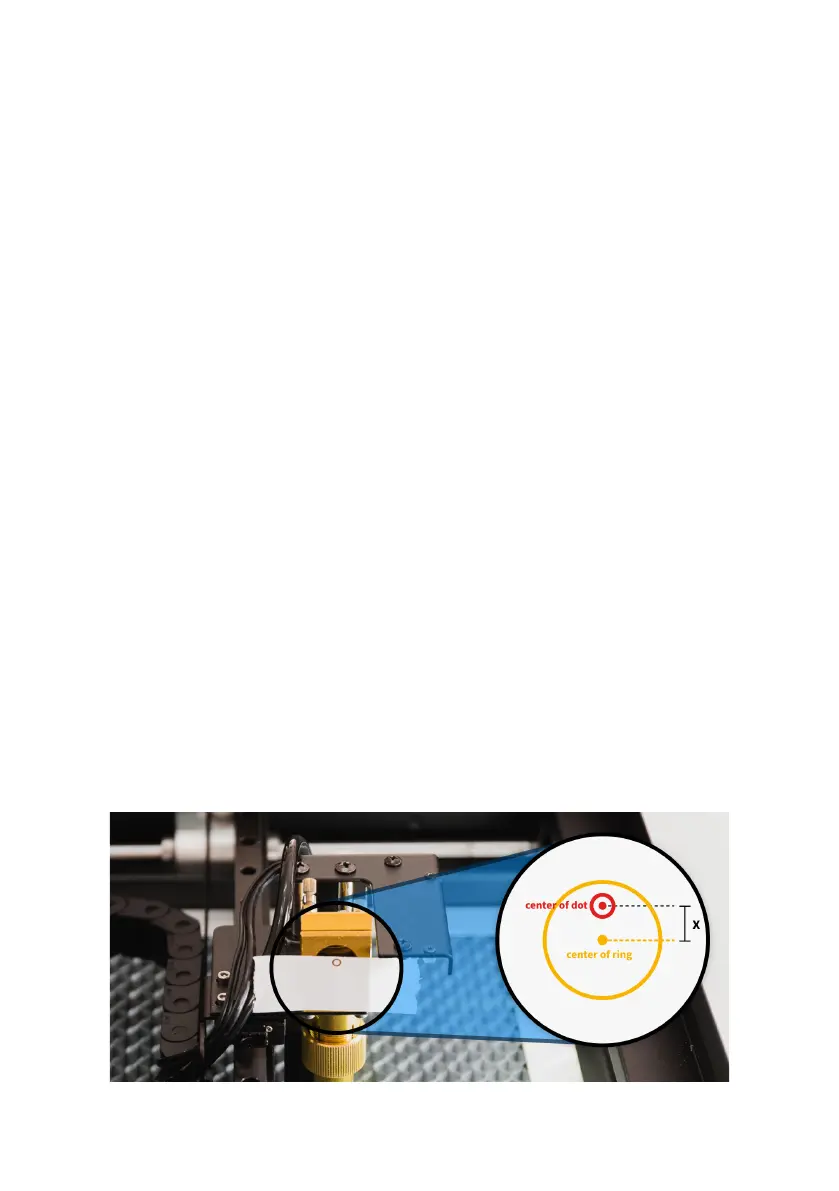
Goal: Both dots on the lens holder and the laser beam
outlet be on the center of the circle.
1. Move the laser head to the center of workarea
manually. Place a piece tape on the metal ring in
front of the third reflecting mirror.
2. Close the door and press "Laser Pulse".
3. Open the door and measure the distance between
the center of the dot and the center of the ring. Let
the distance be X.


 To Next Page