EasyManua.ls Logo

Fly Sky FS-IT4S - Main Screen Layout

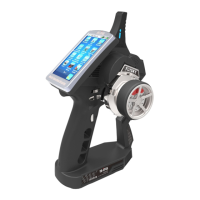
Fly Sky FS-IT4S
46 pages
Print Icon
To Next Page IconTo Next Page
To Previous Page IconTo Previous Page
Loading...
메인화면
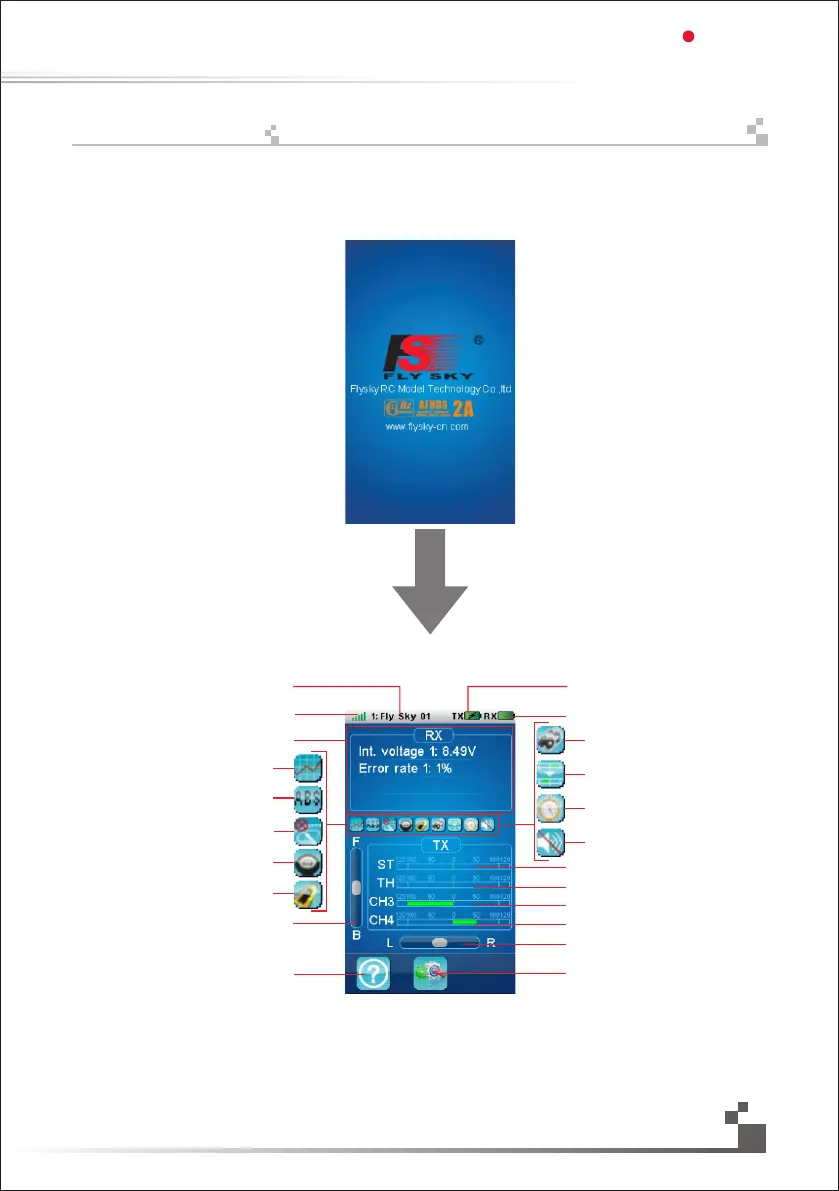
화면에 FLYSKY 로고가 나와있습니다.2초후 메인 메뉴가 열립니다.메인메뉴는 다음 그림과 같습니다.
조종기배터리
수신기배터리
핸들 표시
설정버튼
도움말
수신감도
모델이름
가속기 표시
3채널 표시
4채널 표시
핸들 미세
가속미세
가속기중립
음소거
타이머
설정
브레이크설정
보트모드
가속기설정
ABS
엔진정지
The screen display the logo of FLYSKY. Entering the main menu after two seconds . the main menu is as the
following picture:
Model name
Receiver signal
Receiver sensor ’s state feedback
수신기 센서 표시창
Throttle curve
Engine cut
TH trim state
Help icon
Settings icon
Steering trim state
4 channel state
3 channel state
Throttle channel state
Steering channel state
Turn sound
Race timer
Mixes
Break mixing
Boat modle
Throttle idle
Receiver battery
Transmitter battery
17
Digital propotional radio control system
FS-IT4S
14. Mainscreen

Table of Contents