ELIOS 2 USER MANUAL Page 15 of 106
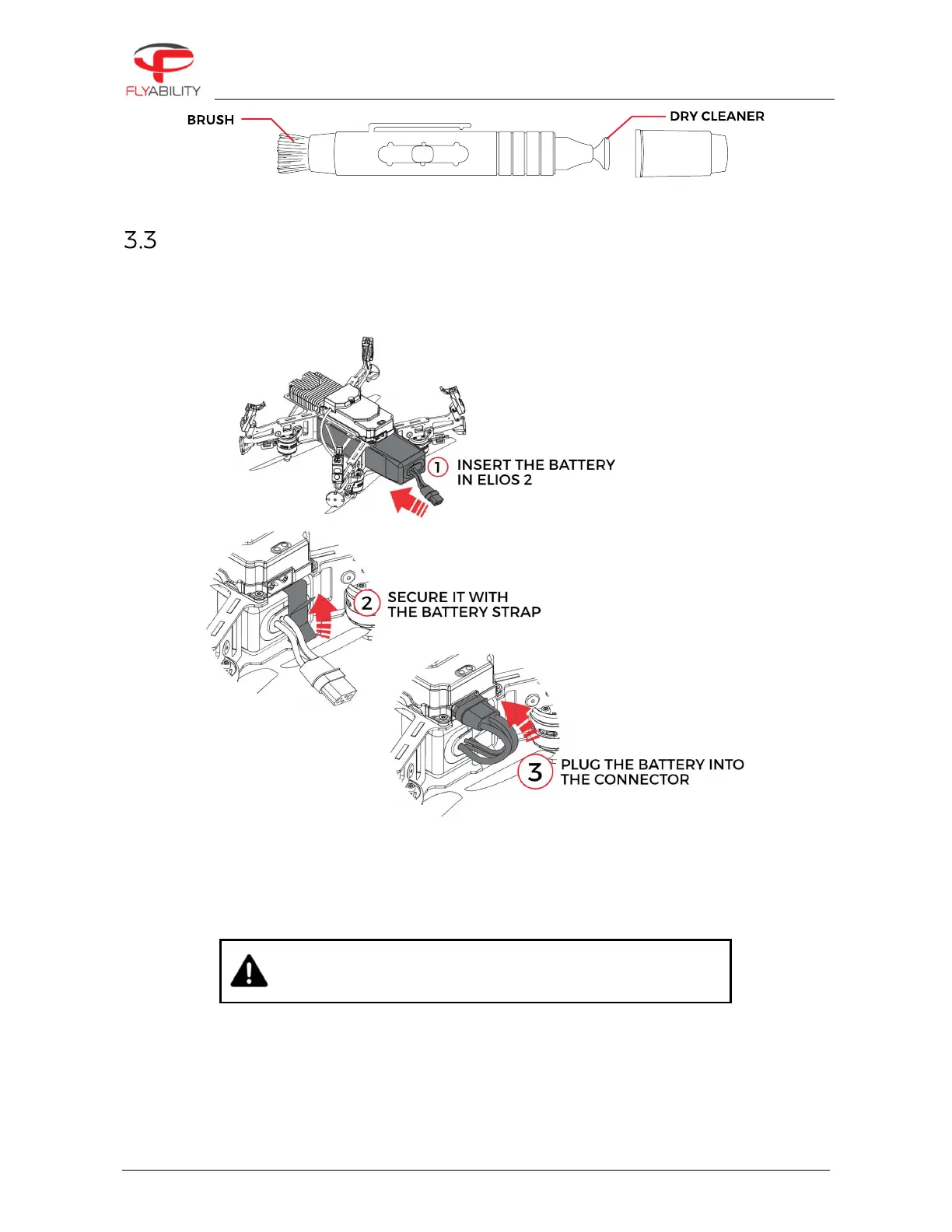
Figure 3.2: Lens cleaner overview
Insert and plug in the Battery
1.
Slide the Battery into the Battery Holder.
2.
Secure the battery by gently tightening the strap.
3.
To plug in the battery, slide the yellow battery connector all the way into the ELIOS 2 Power connector.
Figure 3.3: Battery insertion and connection
Once the battery is plugged in, ELIOS 2 is starting goes in standby – ready to fly.
IF THE BATTERY STRAP IS NOT PROPERLY SECURED, THE
BATTERY MAY SLIDE OUT DURING FLIGHT. THIS WILL SEVERELY
AFFECT THE STABILITY OF THE DRONE AND CAN LEAD A CRASH.
After the flight, the battery can be removed in reverse order:
1.
Unplug in the battery connector
2.
Unstrap the battery
3.
Remove the Battery from the drone



 To Next Page