ELIOS 2 USER MANUAL Page 24 of 106
Lighting controls
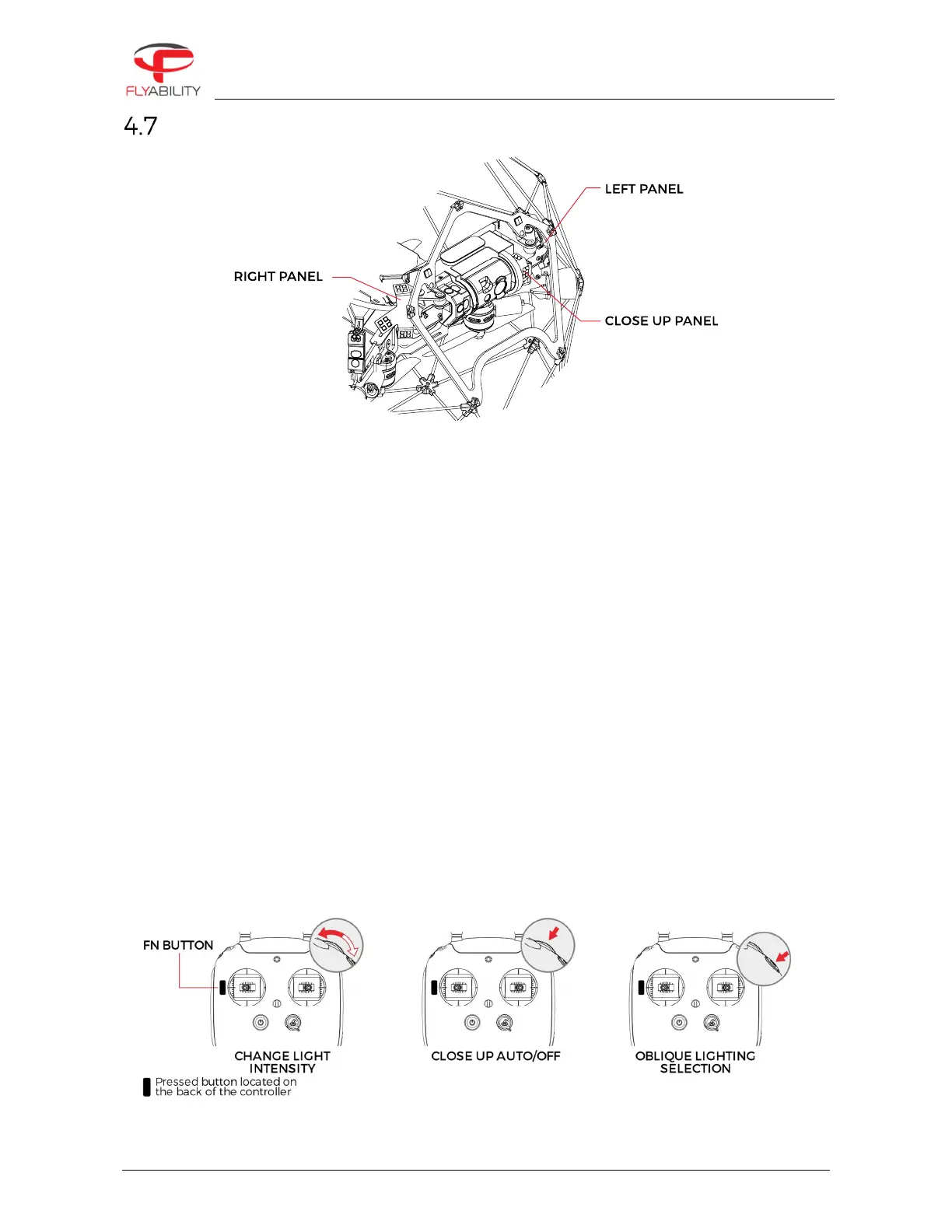
ELIOS 2 has a smart lighting system composed of 9 LED panels. The panels can be controlled independently
to offer the best lighting for the inspection footage. The intensity of each panel is adjusted automatically
according to the pitch of the Camera head to ensure the optimal lighting, while saving battery capacity and
flight time.
The Smart onboard lighting is clustered as followed:
–
Left light panel with 4 LED clusters
–
Right light panel with 4 LED clusters
–
Close-up panel with 1 LED cluster
The Smart onboard lighting has 3 settings:
–
Normal – all the panels are lit.
–
Dust proof light – left and right light panels are lit, the Close-up panel is off.
–
Oblique lighting – Left or right are lit individually offering improved depth perception of defects such
as pitting or cracks.
The intensity of all panels can be controlled in flight via the GSC.
DUST PROOF LIGHT/CLOSE UP LIGHT
In automatic mode, the Close up light will be only be turned on when the measured distance to an object is
below 90cm. This avoids creating a shadow in the center of the image. The close up light can also be turned
on or off manually. Use the menu in the Cockpit app to switch from automatic to manual mode.



 To Next Page