ELIOS 2 USER MANUAL Page 91 of 106
Controller pairing
REQUIRED TOOLS:
-
T6 screwdriver
-
Binding pin
Every drone is paired to its own GCS controller, if you wish to pair a drone to another GCS controller then you
must first perform this pairing procure.
–
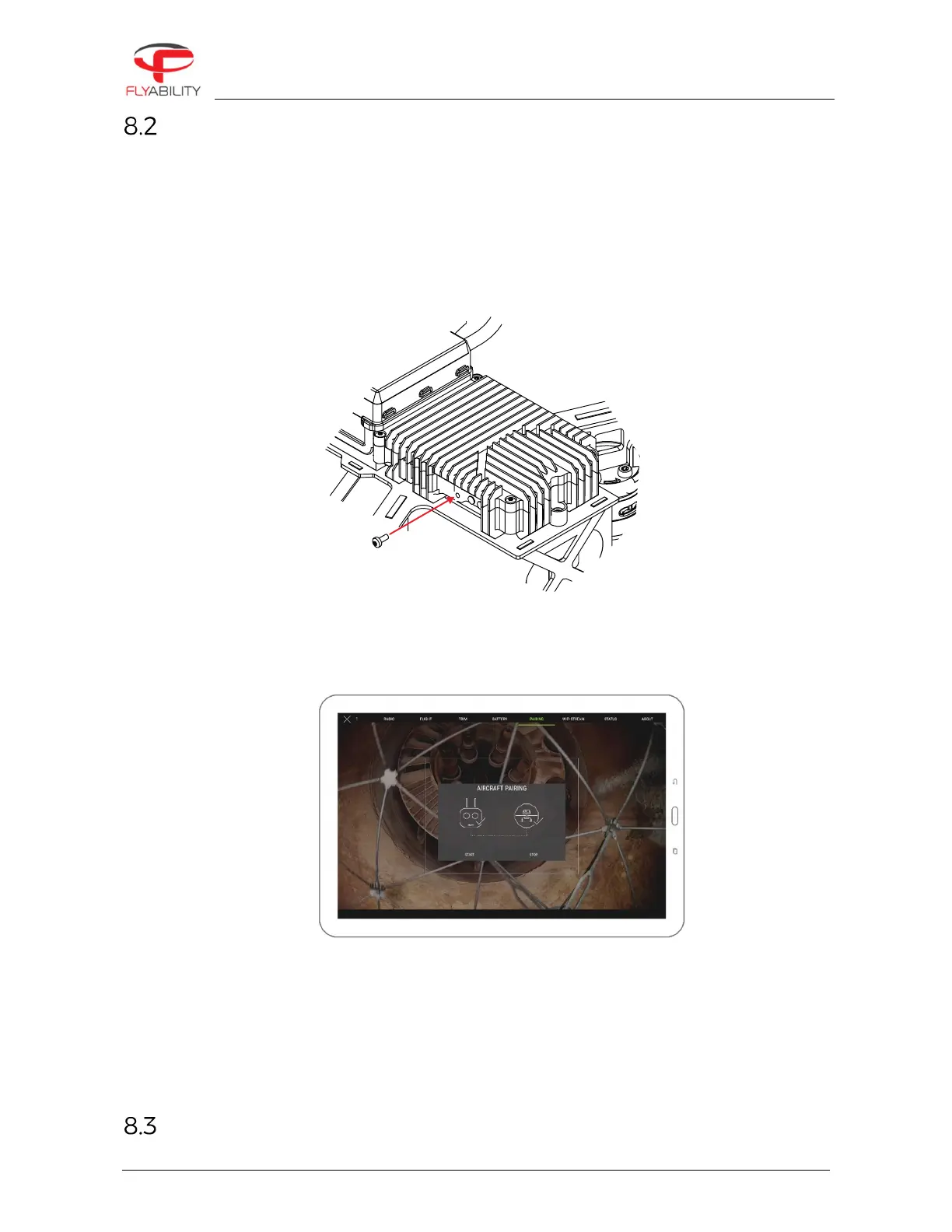
Remove the screw located on the side of the transmitter block of the aircraft.
–
Place the controller and Elios at 1.5 m from each other.
–
Turn on Elios and the controller with the tablet connected.
–
Open Elios Cockpit and go to Settings > Pairing and tap on START.
–
The Controller Status Indicator will blink blue and emit a beep sound when the Controller is ready to
link.
–
Using the Sim card remover provided in the Tool kit (or a paperclip), press the link button on the
transmitter block on Elios. The controller status indicator will glow solid green and stop beeping if the
pairing is successful.
–
Put back the screw.
Connect a Camera Operator GCS to a Pilot GCS



 To Next Page