ELIOS 2 USER MANUAL Page 18 of 106
THE AIRCRAFT CAN ALSO BE DISARMED IN MID AIR, RESULTING IN A
FREE-FALL. IF PERFORMED AT MORE THAN 1M ABOVE GROUND THIS
WILL SERIOUSLY DAMAGE THE AIRCRAFT.
THE CAMERA OPERATOR CONTROLLER IS ALSO CAPABLE OF
DISARMING ELIOS BY USING THE SAME SEQUENCE.
Aircraft control
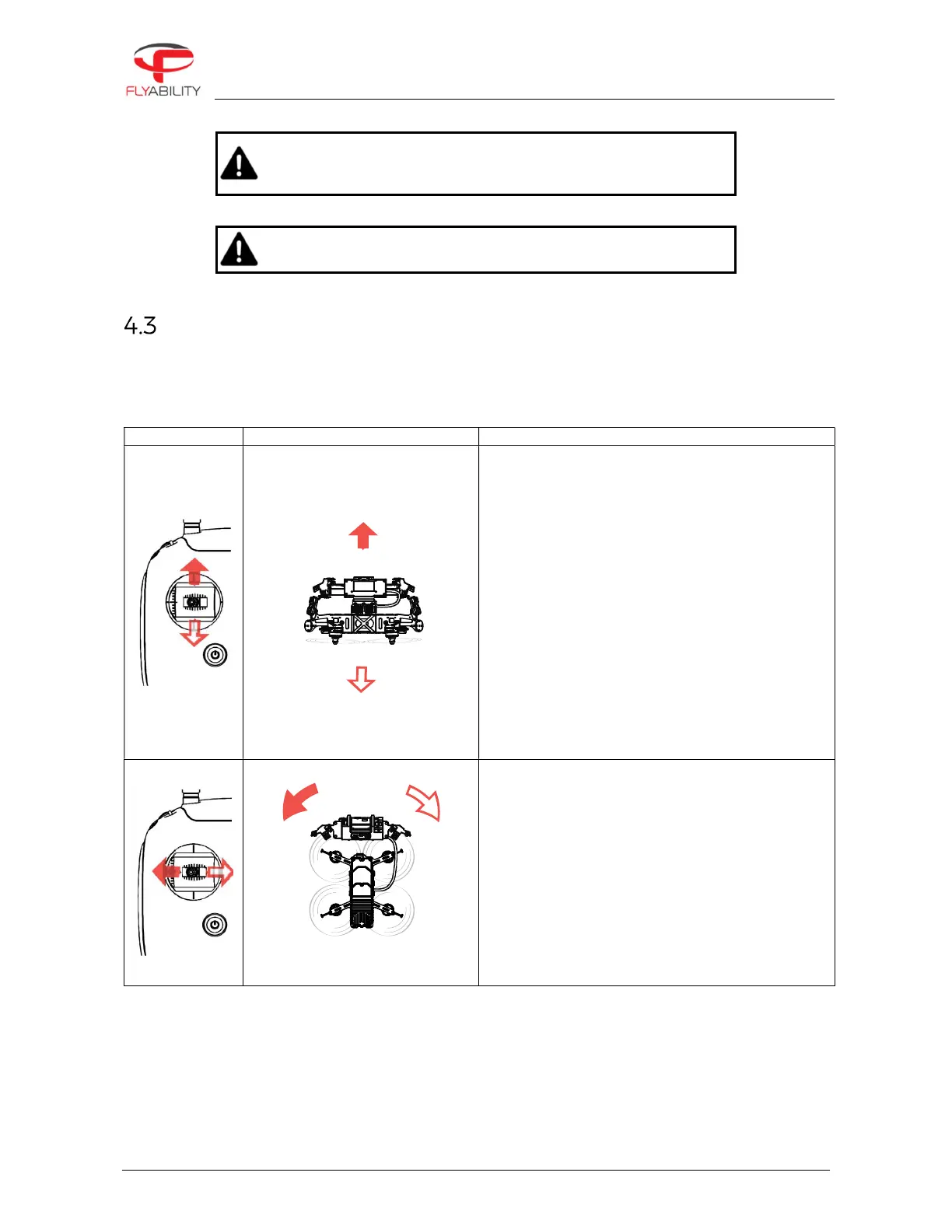
ELIOS 2 orientation and flight direction are defined regarding its inner-frame.
By default, the control of Elios is mapped to the control sticks in mode 2. The setting can be changed to other
modes via the Cockpit App.
In Automatic Altitude control:
Moving the left stick up and down changes Elios’
altitude.
Up increases altitude.
Down decreases altitude.
Centered Elios maintains its altitude.
In Manual Thrust control:
Moving the left stick up and down changes Elios’
thrust.
Up increases thrust
Down decreases thrust
In this mode, the pilot has to give constant inputs to
maintain the aircraft at the desired altitude.
Moving the left stick sideways controls the rotation
(yaw) of the drone.
Left makes the aircraft rotate counterclockwise.
Right makes the aircraft rotate clockwise
Centered, Elios maintains its orientation with a drift
of max. 1°/minute.
The pilot should remain aware of the heading at all
times, as the right stick inputs are relative to the
drone’s heading, i.e. where the front of the drone is
pointing.



 To Next Page