ELIOS 2 USER MANUAL Page 23 of 106
Camera Control
The following control inputs can be made either by the Pilot of Camera Operator.
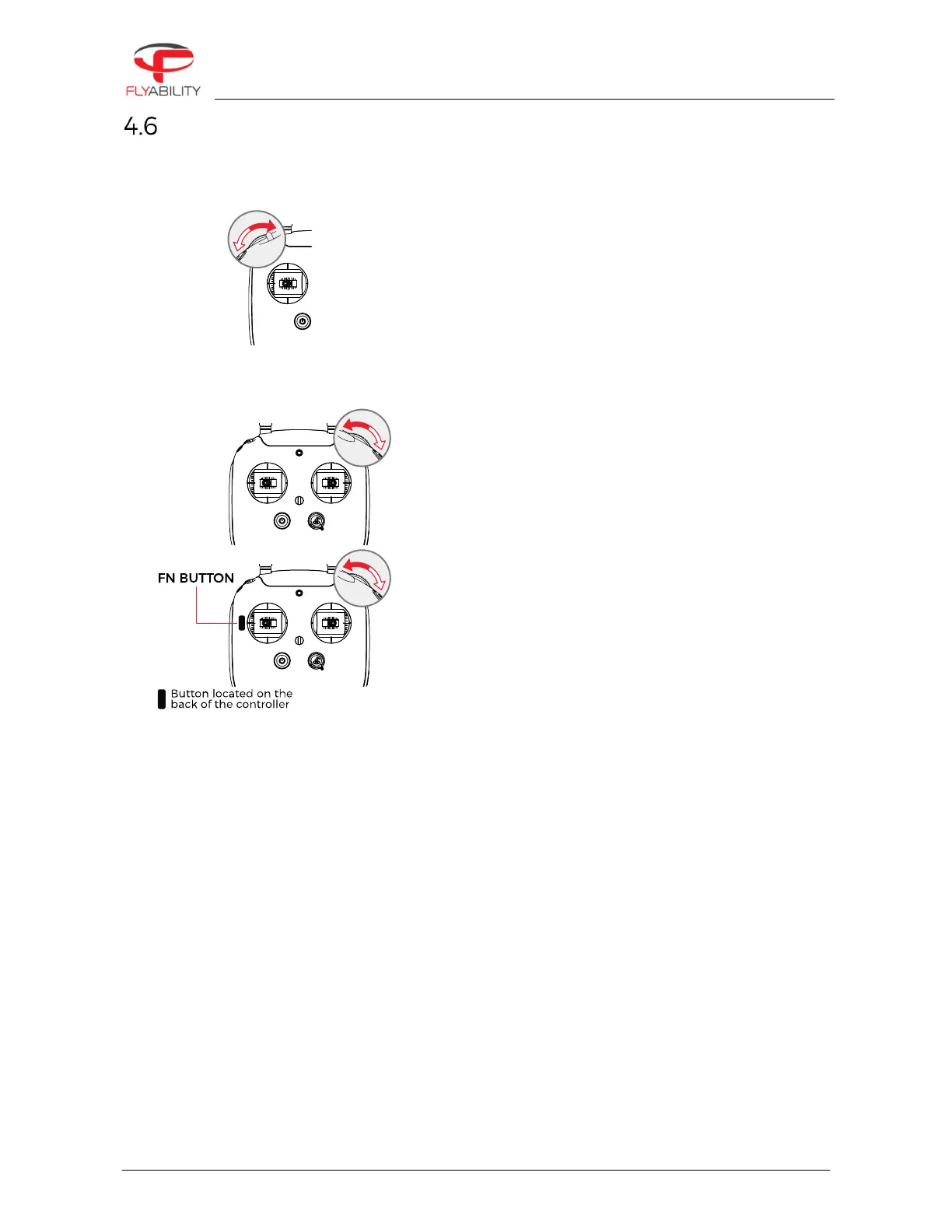
The left wheel of the Controller allows you to change the pitch of the cameras.
The left dial controls Elios camera’s pitch.
Counter-clockwise makes the camera look downwards.
Clockwise makes the camera look upwards.
Centered, the camera will keep its current pitch.
It is possible to reset the camera position to level with the red
While flying, you can set several different parameters on the Full HD optical camera.
The right wheel sets the camera’s exposure value (in
automatic mode), or the camera’s exposure time (in the
manual low ISO mode and manual high ISO mode).
Clockwise increases brightness.
Counter-clockwise decreases brightness.
Pressing the wheel resets the brightness to 0EV
With the FN button on the back side of the controller is
pressed, the right dial sets the onboard lighting LED's
power.
Clockwise increases light intensity.
Counterclockwise decrease light intensity.



 To Next Page