ELIOS 2 USER MANUAL Page 80 of 106
Analysis
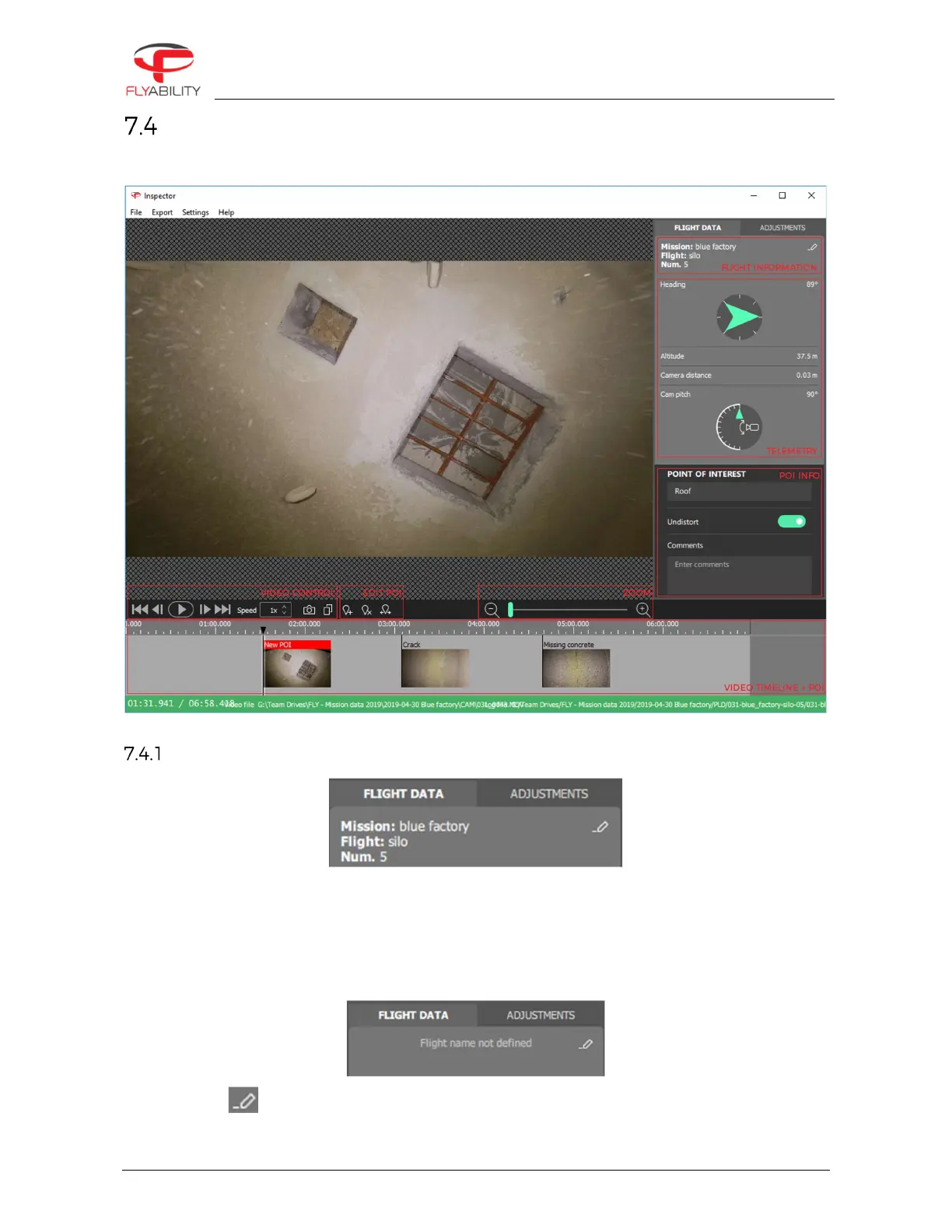
Once a flight is opened, the inspection interface is displayed.
Flight information
If this was inserted into Cockpit before the flight, Inspector will displaythe flight information:
-
Mission name (on the picture blue factory)
-
Flight name (on the picture silo)
-
Flight number (on the picture 5)
If no flight information was filled in Cockpit, it will be displayed as not defined.
Clicking on edit allows to add or edit the flight information.



 To Next Page