ELIOS 2 USER MANUAL Page 59 of 106
3.
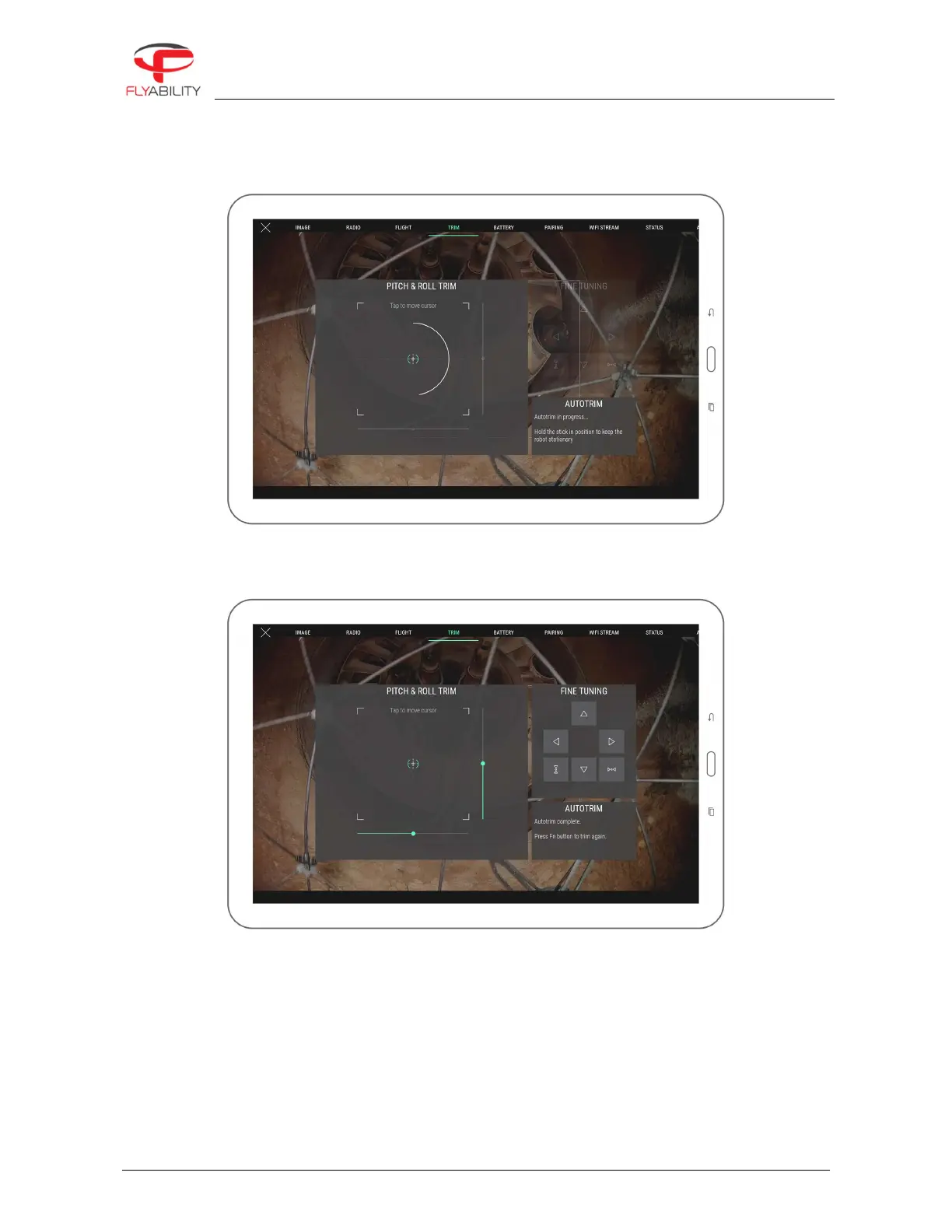
Press the Fn button on the remote controller to begin recording.
4.
While the recording progress bar fills up on the screen, hold the stick into the position that makes the
aircraft steady. During this moment, values from the stick are collected to compute an average that
will be the new trim position.
5.
New position is then recorded unless the stick has moved too much during the recording. The trim
target takes the position of the small cross when recorded. Success is confirmed by the message
shown in the Autotrim box on the screen and a sound signal.
6.
You can attempt autotrim as many times as you want in a row. Each autotrim take is relative to the
previous trim setting; all that is needed is to fly the aircraft in the steady position, and the application
takes care of saving it.



 To Next Page