ELIOS 2 USER MANUAL Page 67 of 106
Checking streamed video recordings
Cockpit automatically starts recording the tablet screen when the aircraft is flying and stops when the flight is
over. Telemetry in the form of movie subtitles is also recorded.
Main uses of streamed video recordings are:
1.
Immediate review of flight on the tablet, without extracting data from SD card
2.
Backup in case aircraft cannot be recovered
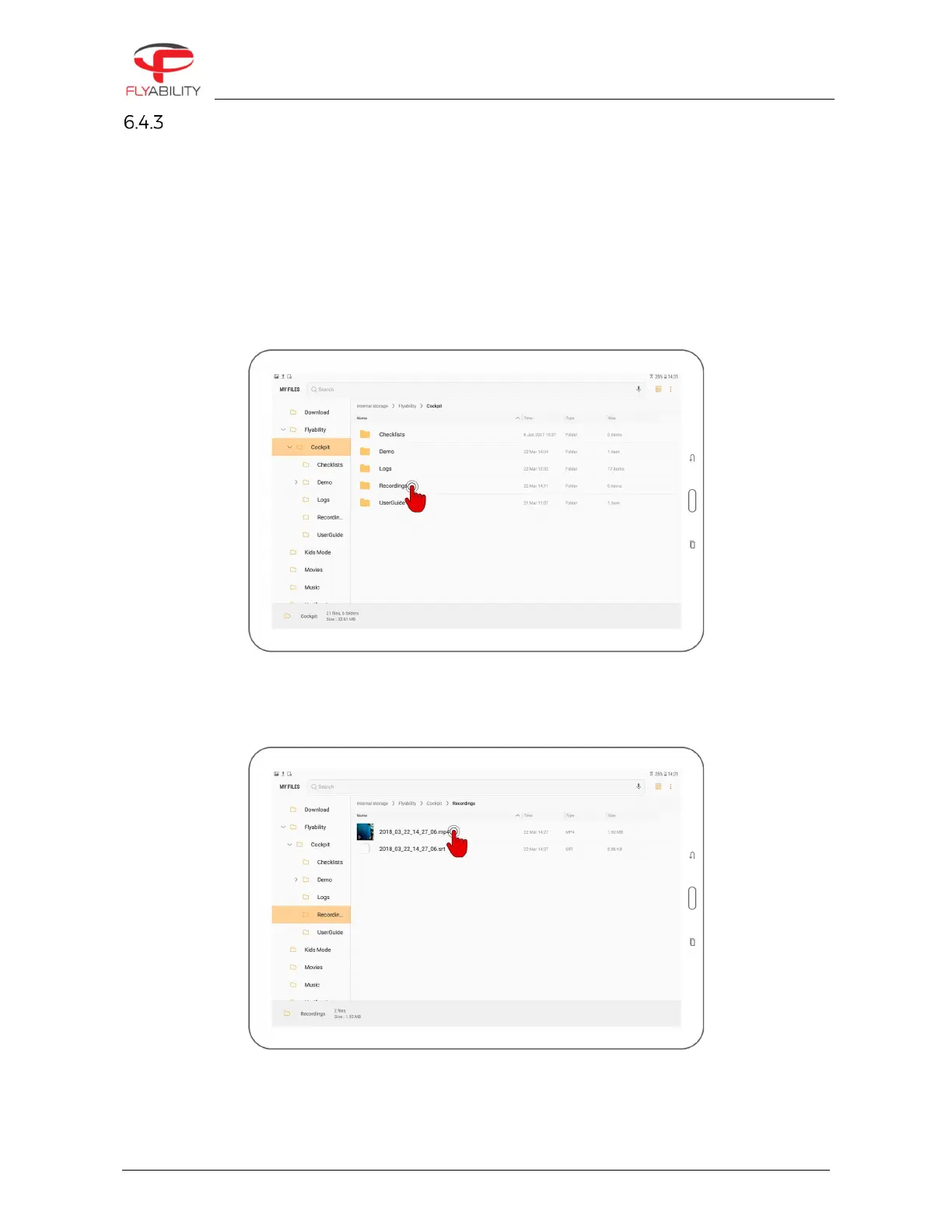
Such recordings have lower quality than the onboard footage. To review those videos:
1.
Open the file manager application on your Android device
2.
Browse into Device Storage/Flyability/Cockpit/Recordings
3.
Find the video files corresponding to your previous flights. Files are named by date and time of
recording. SRT-files accompanies videos recorded with Cockpit 1.2 and later; they contain recorded
telemetry in the form of subtitles.
4.
Tap a video file to play it using the system video player.



 To Next Page