ELIOS 2 USER MANUAL Page 84 of 106
Adjust image
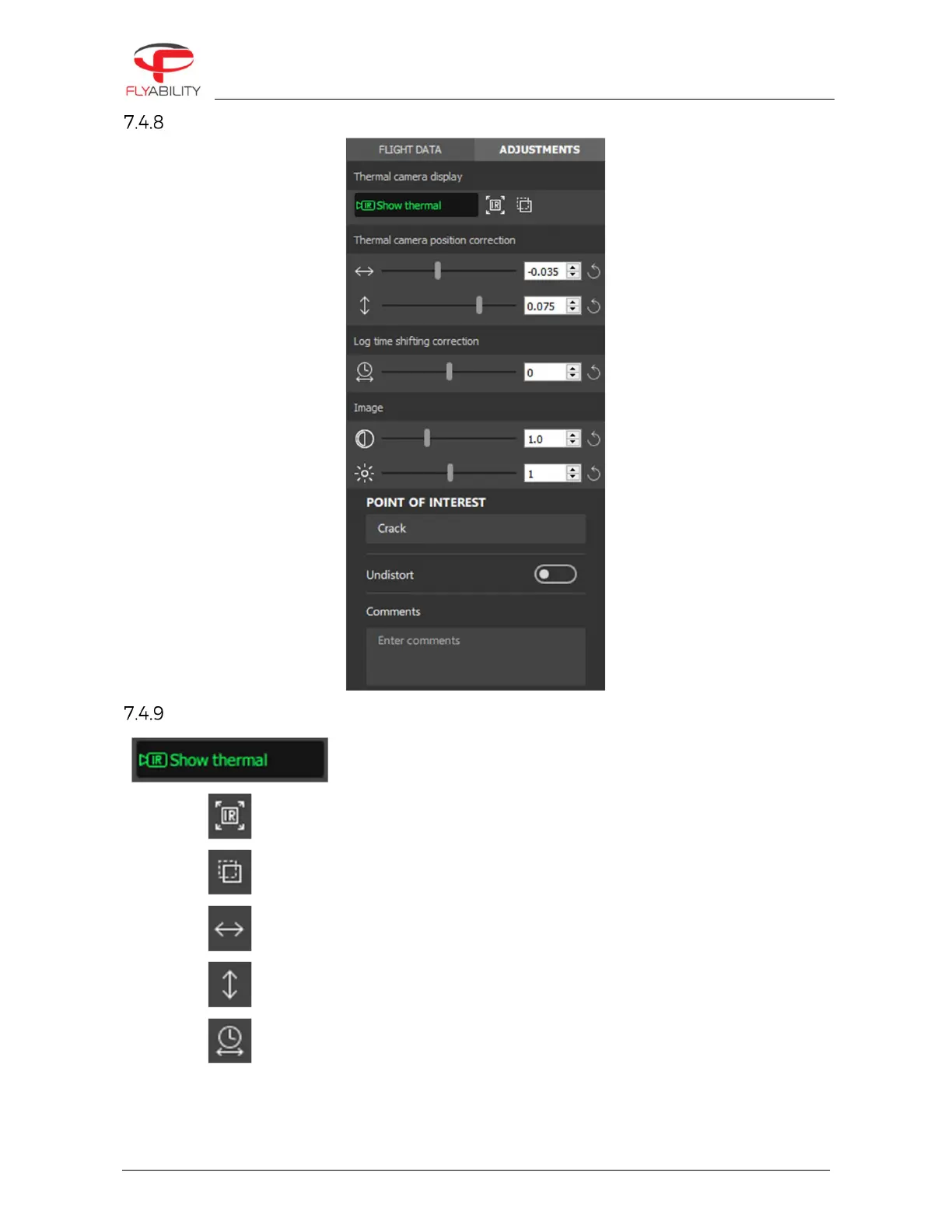
Thermal camera
Enables or disables thermal image overlay on top of the visible image
Full-screen thermal image
Thermal overlay transparency.
This feature works on systems with Windows 8 or higher.
Horizontal shift of thermal image overlay
Vertical shift of thermal image overlay
Adjustment of the time difference between video and information from
LOGs, including thermal imagery. It is used to compensate for an eventual
lack of synchronization between camera and flight recorder.



 To Next Page