Configure Analogue Level Sensor
An analogue level sensor can detect the sump level.
Before using this function
Obtain data on maximum sensor range. (Reference: Sensor documentation).
Zero-level
When the sump level is below the sensor range, the RTU should show "0.00" or some other
acceptable value as sump level.
Since value are rounded, it is not necessary to have exactly "0.00". For example, "0.01" can
be acceptable as zero-level.
Sensor calibration
It may be necessary to trim the zero-level.
Example: If the displayed zero-level is -0.20, required offset is 0.20.
Configure analogue level sensor
1. Specify the maximum sensor range in the Sensor range menu (2_12).
2. Raise the sensor out of the liquid.
3. Level menu (2_) should read "0.0". If not, specify the offset in the Sensor calibration
menu (2_13). (This is usually the distance between the sump bottom and the sensor).
4. Lower the sensor into its proper location.
Related configuration
Configure also analogue levels. (Reference: “Start, Stop, High and Low Levels”.
Start, Stop, High and Low Levels
The specified levels determine when a pump normally starts and stops.
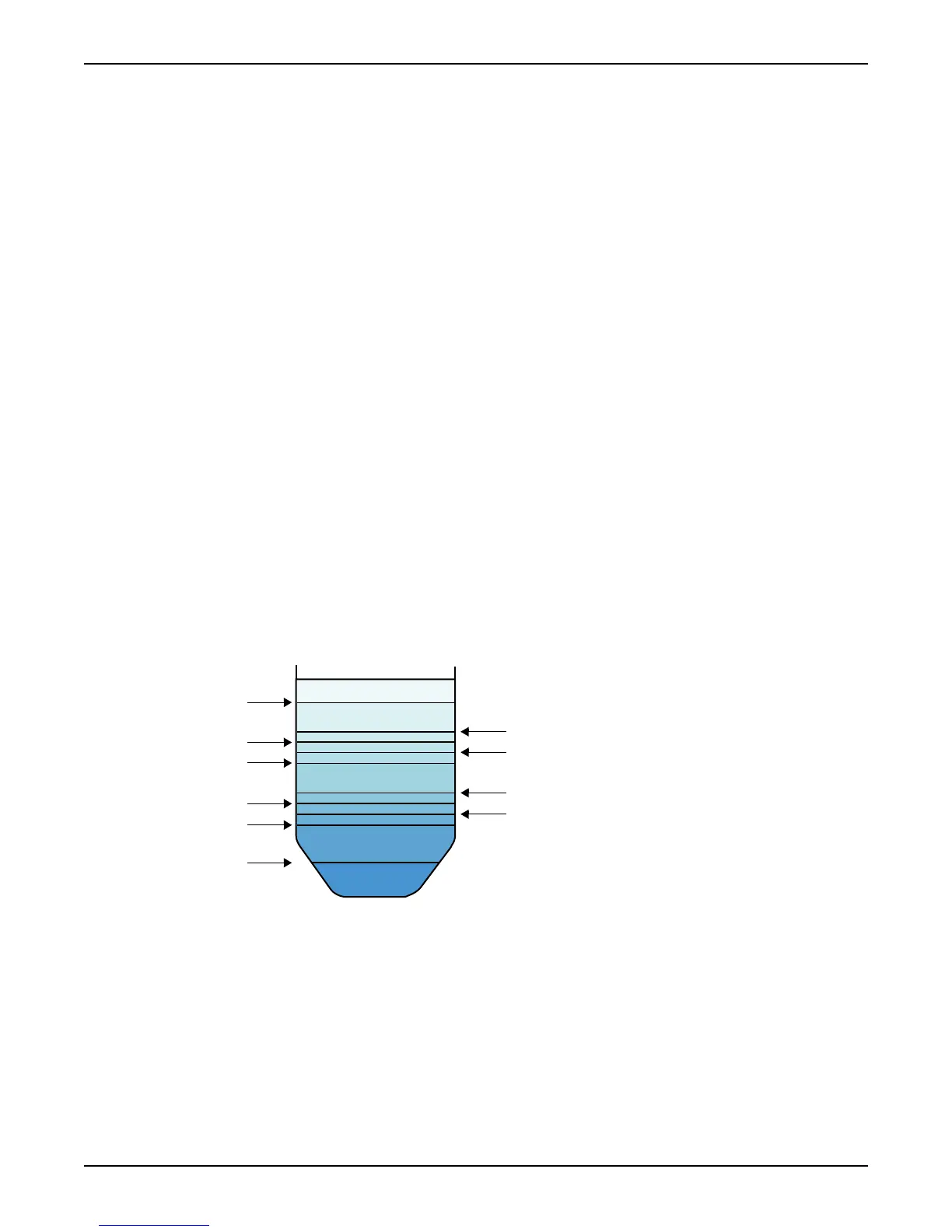
Illustration: Type of levels
1. Low level
2. Stop level 1
3. Stop level 2
4. Stop level 3
5. Stop level 4
6. Start level 1
7. Start level 2
8. Start level 3
9. Start level 4
10. High level
Function: Analogue levels
Configure Basics
12 APP 541 User manual



 To Next Page