The inputs for pump 4 are assigned automatically as inputs for high and low level switches.
(Reference: “Extra Options With Three Pumps or Less”.)
Menus to use
Function gen.input 1–8 menus (17_5_1 – 17_5_8).
Related configuration
• Automatic and manual mode is further described.
• External alarms can have local alarm texts.
• If a high level switch is used, configure the high level runtime.
• Manual mode is further described.
• If used, configure the personnel alarm.
• Optionally, configure overflow calculations.
• If used, configure the rain meter.
Other Inputs
Automatic/Manual Mode for a Pump
An external device can be used to switch between automatic, manual and blocked mode
for a pump. Example: manual-0-auto switch.
Before using this function
• Optionally, configure a General purpose input as manual mode input.
• Optionally, configure a General purpose input as automatic mode input.
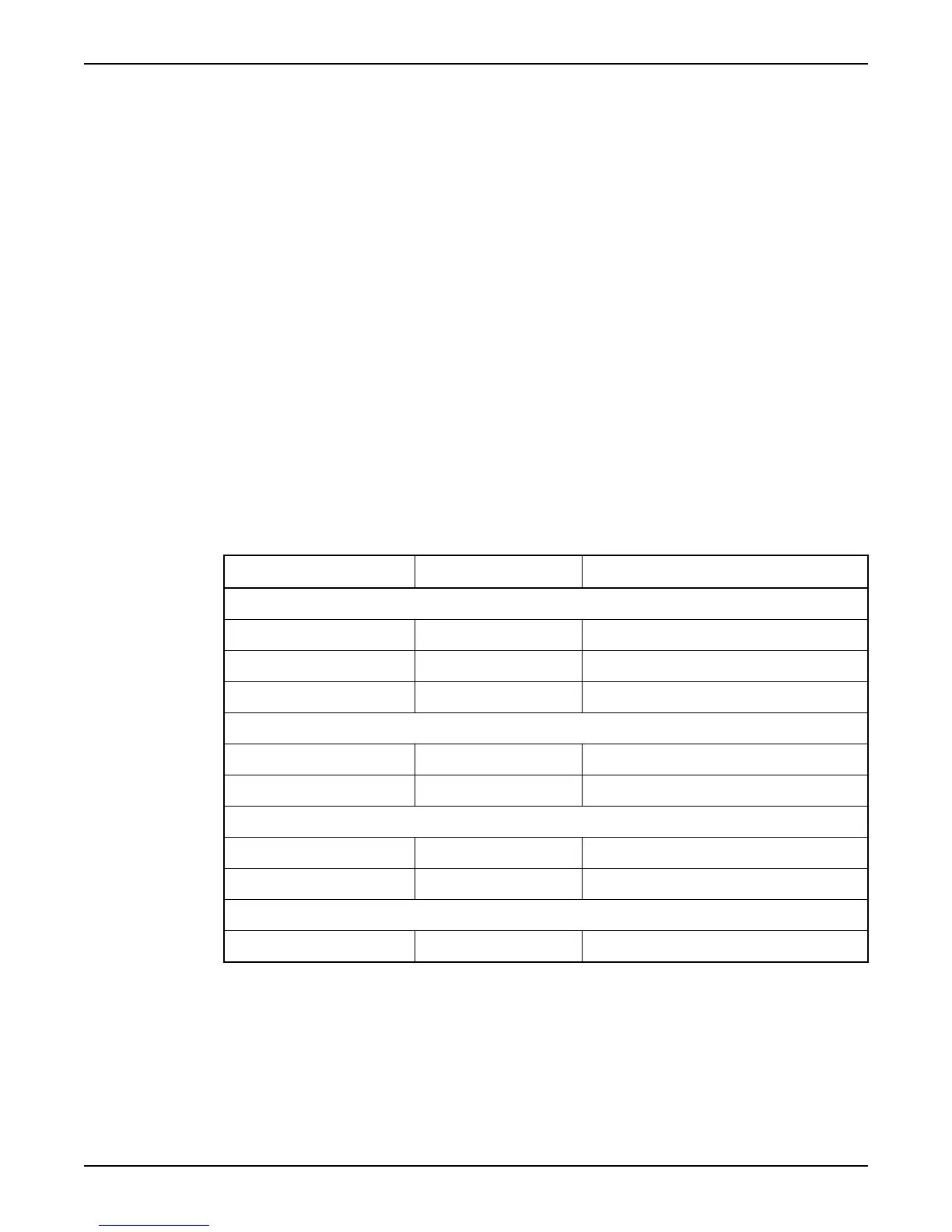
Input configurations
Manual input
Auto input Pump state
Both inputs are used:
Active Passive Running
Passive Active Controlled automatically
Passive Passive Blocked
Only a manual mode input is used:
Active Not connected Running
Passive Not connected Controlled automatically
Only an automatic mode input is used:
Not connected Active Controlled automatically
Not connected Passive Blocked
No inputs are used:
Not connected Not connected Controlled automatically
Motor Protection
A pump can use motor protection.
Before using this function
This function requires that the motor protection is connected to the Motor protector input
for the pump.
Function: Motor protection
Configure I/O
APP 541 User manual 15



 To Next Page