Shortguides
Shortguides
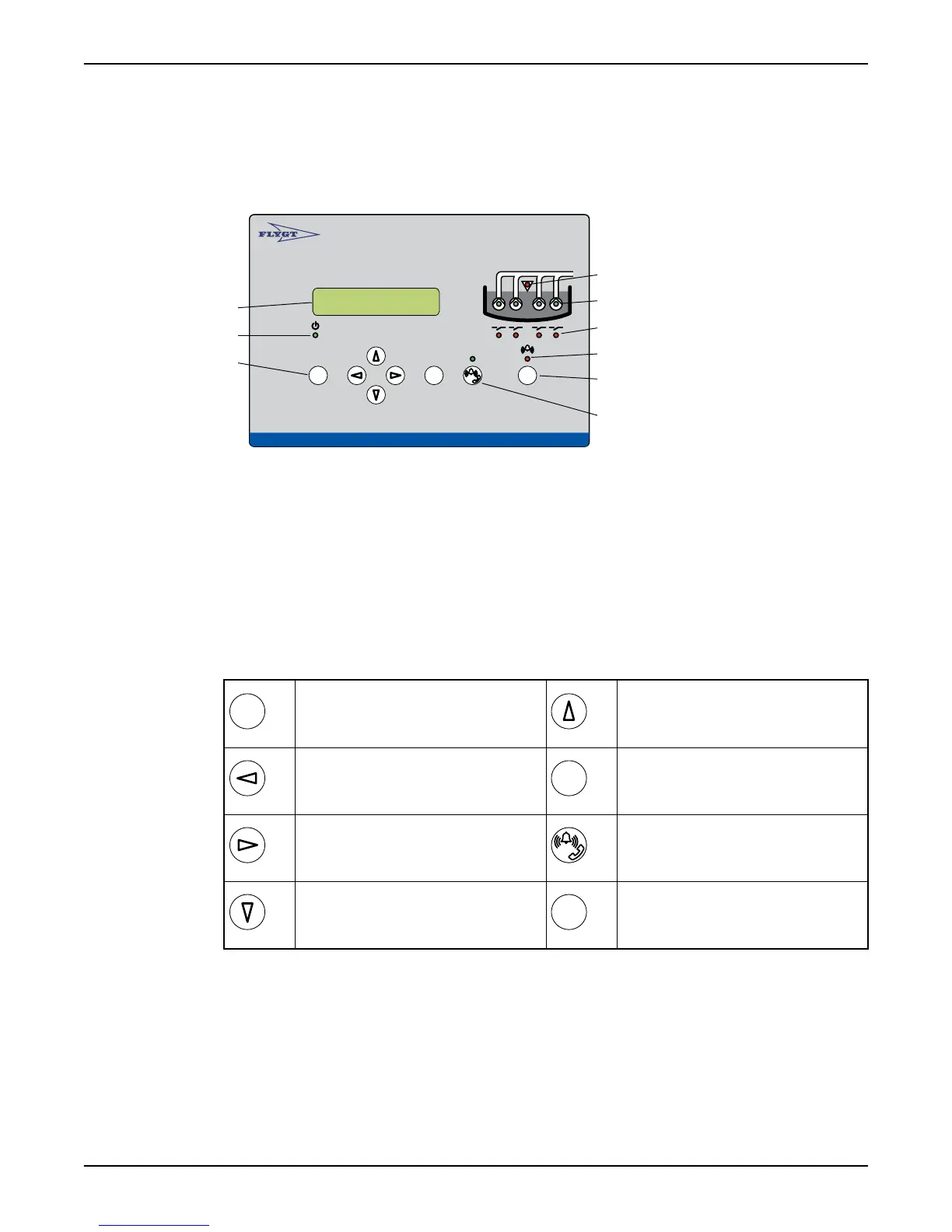
Front panel
Autamatic Pump Pilo t APP 541
Rese t
Esc
OK
1
2
3
4
5
6
7
8
9
1. Display
2. Power LED
3. Push buttons
4. High level LED
5. Pump status LED
6. Relay status LED
7. Alarm status LED
8. Reset
9. Remote alarm On/Off
Push buttons
Escape:
Exit a menu without saving any changes.
Exit a sub-menu.
Up arrow:
Scroll backwards one menu at a time. Edit a
value.
Left arrow:
Go back. Move the cursor to the left, while
editing a value.
OK:
Display the first menu in a sub-menu group.
Save a specified value.
Right arrow:
Advance. Move the cursor to the right, while
editing a value.
Remote alarm On/Off:
When remote is on, alarms are transmitted
to CS/SMS.
Down arrow:
Advance one menu at a time. Edit a value.
Reset:
Acknowledge a new alarm. It is not removed
from the alarm log.
View pump running hours and number of starts
1. Display the Operating data (7_) menu, and press OK.
2. Repeat for P1 Start counter (7_1), and P1 Run hour (7_2) to P4 Start counter (7_3) and
P4 Run hour (7_4) respectively.
View and delete alarms
1. Display the Alarm log (1) menu and press OK.
2. Browse the log by repeatedly pressing the Down button.
Shortguides
APP 541 User manual 5



 To Next Page