Information about the charging process can be seen in the shutdown page, or in the center
of the display when the device is turned off. In both cases information displayed includes:
the charging mode, slow or quick; the current battery level in percentage; and the
remaining charging time in hh:mm format.
Note: Charging should be avoided at high temperatures in order to reduce the
probability of battery overheating.
3.2 VARIO Keys
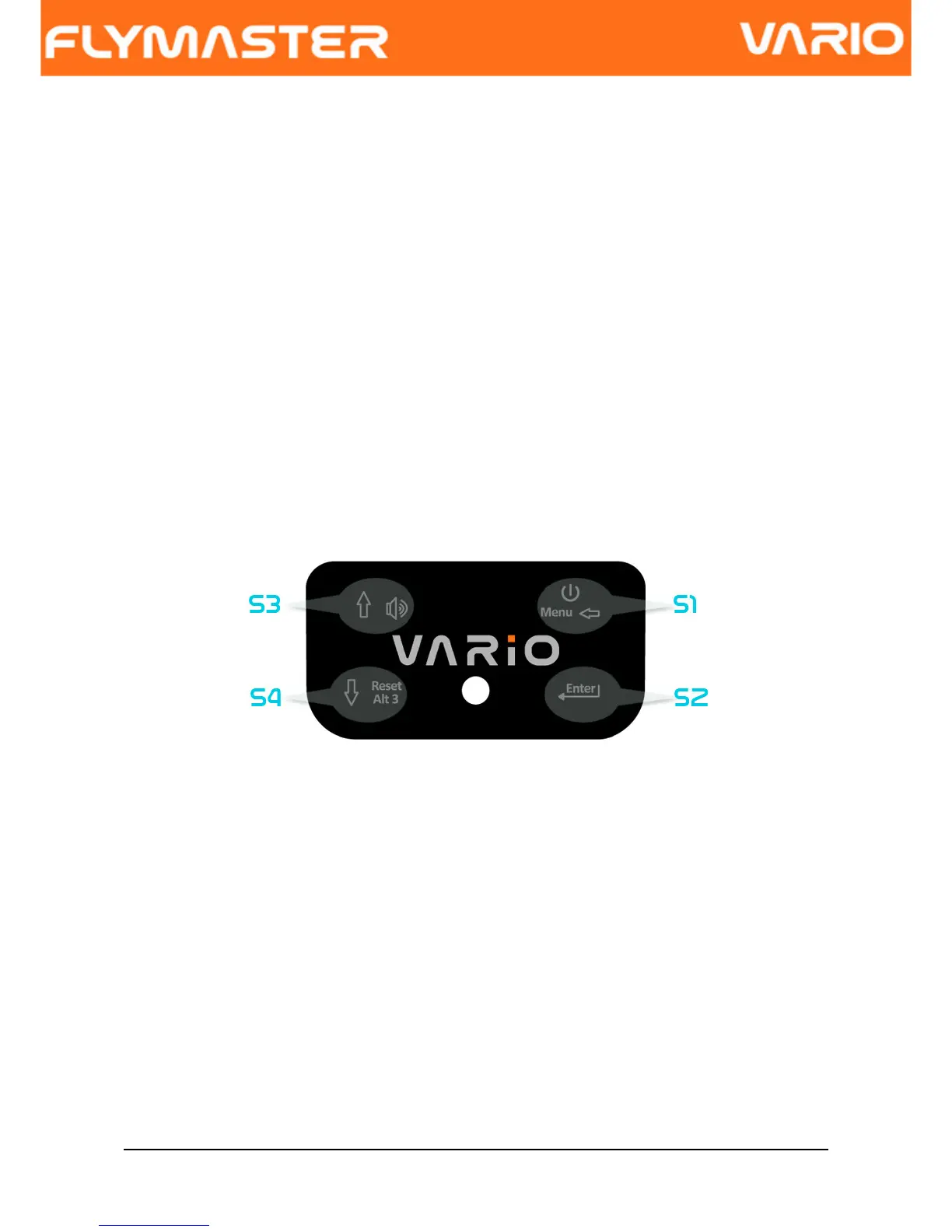
Four keys are used to interact with VARIO (see Figure. 3). In this manual we will call
MENU key to S1, ENTER key to S2, UP key to S3, and DOWN key to S4. Each key has 2
functions depending on whether the device is in flight mode or in menu mode. Additionally
the MENU key is used to “power-up” the VARIO when it is switched off.
Figure. 3: Keys
In Flight Mode each key has a specific functions, which is indicated by a symbol draw in
the key. The symbol are self explanatory, so key S4 allows resetting Altimeter 3, S1
change to menu Mode, S2 switch the layout page, and S3 to change the volume. The
volume can also be changed trough the Menu (see section 6.4.5 )
3.3 Using keys Inside Menu
Changing parameters on the VARIO can be performed through the menu. Changing a
parameter involves accessing the menu, selecting an option, and then changing a specific
field value.
Accessing the main menu can be done by pressing the MENU key in flight mode. Once in
Document version: 2.0 Page 7



 To Next Page