FMUSER INTERNATIONAL GROUP INC. 广州市汉婷生物技术开发有限公司
16
9 Broadcast Automation System Link-up
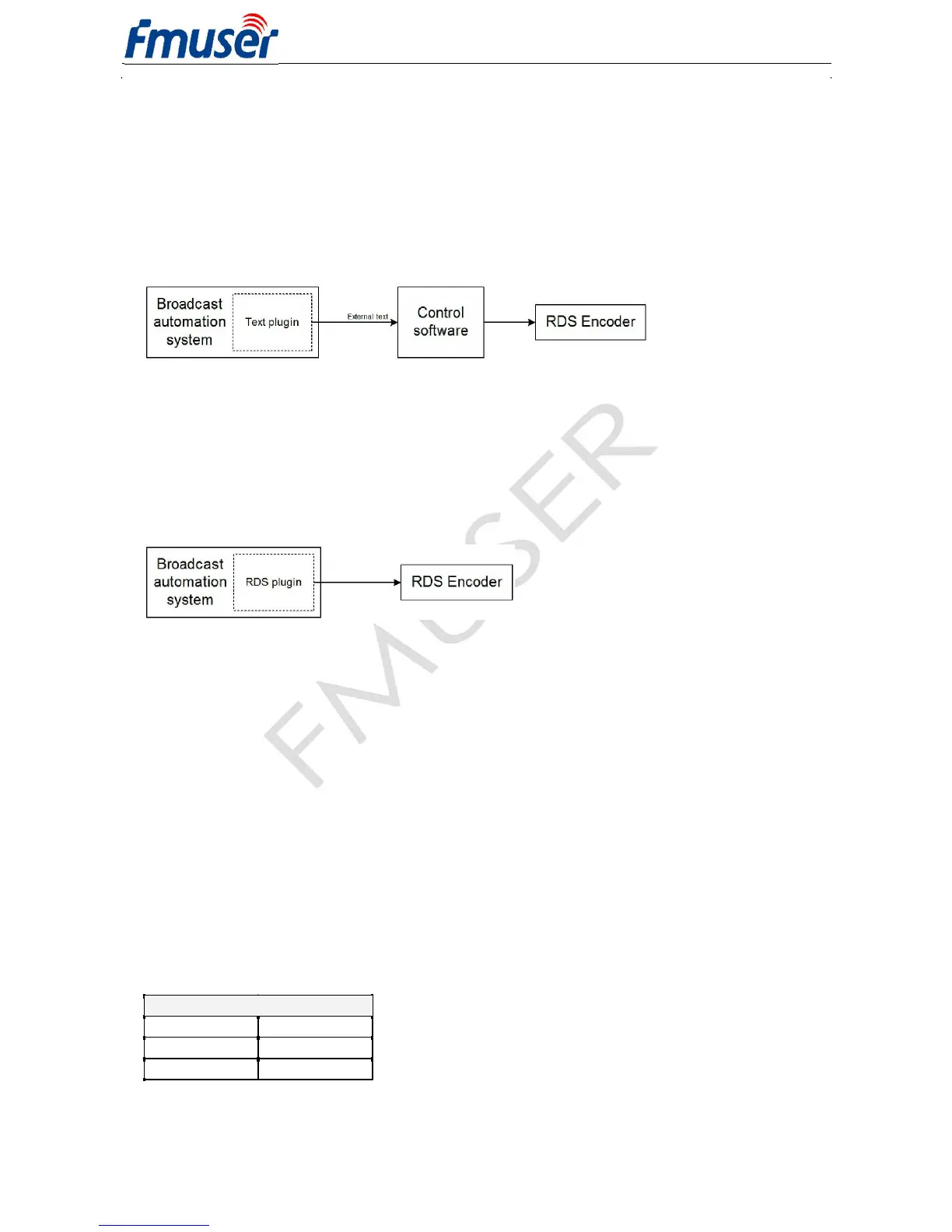
To send dynamic data via the RDS it's very useful to link the RDS encoder with your broadcast automation system.
This usually results in a possibility of sending commercials, actual song information, program announcements and
more. Almost any broadcast system can be linked with the RDS-C. The link may be either indirect or direct.
9.1 Indirect Link
Default Windows control software for the RDS-C RDS encoder is the Magic RDS 3 . This application including
documentation and examples of use can be downloaded from the Website, section Software.
Since probably hundreds of automation systems are used around the world and new versions are released often,
information in this manual cannot be full-scale. For more information about how to configure the broadcast
automation system text output read its documentation or contact the vendor.
9.2 Direct Link
9.2.1 Recommended procedure step-by-step
1. For the present turn off the RDS encoder support in the broadcast automation system.
2. Connect the RDS encoder and configure all basic parameters like PI, default PS, text setup, individual text
features enable settings etc. using the Windows control software or terminal application and command line.
Store all setting into EEPROM. Exit the Windows control software or the terminal.
3. Find out the baudrate (speed) that is used by the broadcast automation system for communicating with the RDS
encoder. If this parameter is not clear from the documentation and no baudrate control is provided in the
broadcast automation system, configure the RDS encoder for the default value (2400 bps).
4. Turn on the RDS encoder support in the broadcast automation system.
Important note: By default only one software application can access one communication port at the same time!
For more information about how to control the RDS encoder contact the broadcast automation system vendor.
9.2.2 Compatibility commands
To reach the best possible compatibility with broadcast automation systems, the RDS-C includes a special set of
compatibility commands. In the systems where the PIRA32 is not directly supported (or the system is older version)
the user may try to select another RDS encoder model to send text messages. Where possible, set the
communication as unidirectional. The most frequent communication speed in this case is 9600 bps.
Command Translated to
TEXT=
RT1=
DPS=
DPS1=
PS_SCROLL=
DPS1ENQ=
Moreover the RDS encoder includes UECP support (see chapter 13).



 To Next Page