25
Installation and Operation Manual
System 2000
pump will stop but other system monitoring functions will
continue. Without foam concentrate injection, the water
flowmeter will display the current flow rate of the water.
If water flow requirements exceed the capacity of the
pump to deliver foam concentrate, the pump will run
at maximum rate and “HI FLO” will flash on the Digital
Display Control Module so the operator realizes that the
system capacity is being exceeded.
If the flow decreases such that the required injection
rate is less than the lowest rating of the pump, the pump
will run at its minimum rate and “Lo.Flo” will flash on the
display so the operator will know the system is running
rich on foam percentage.
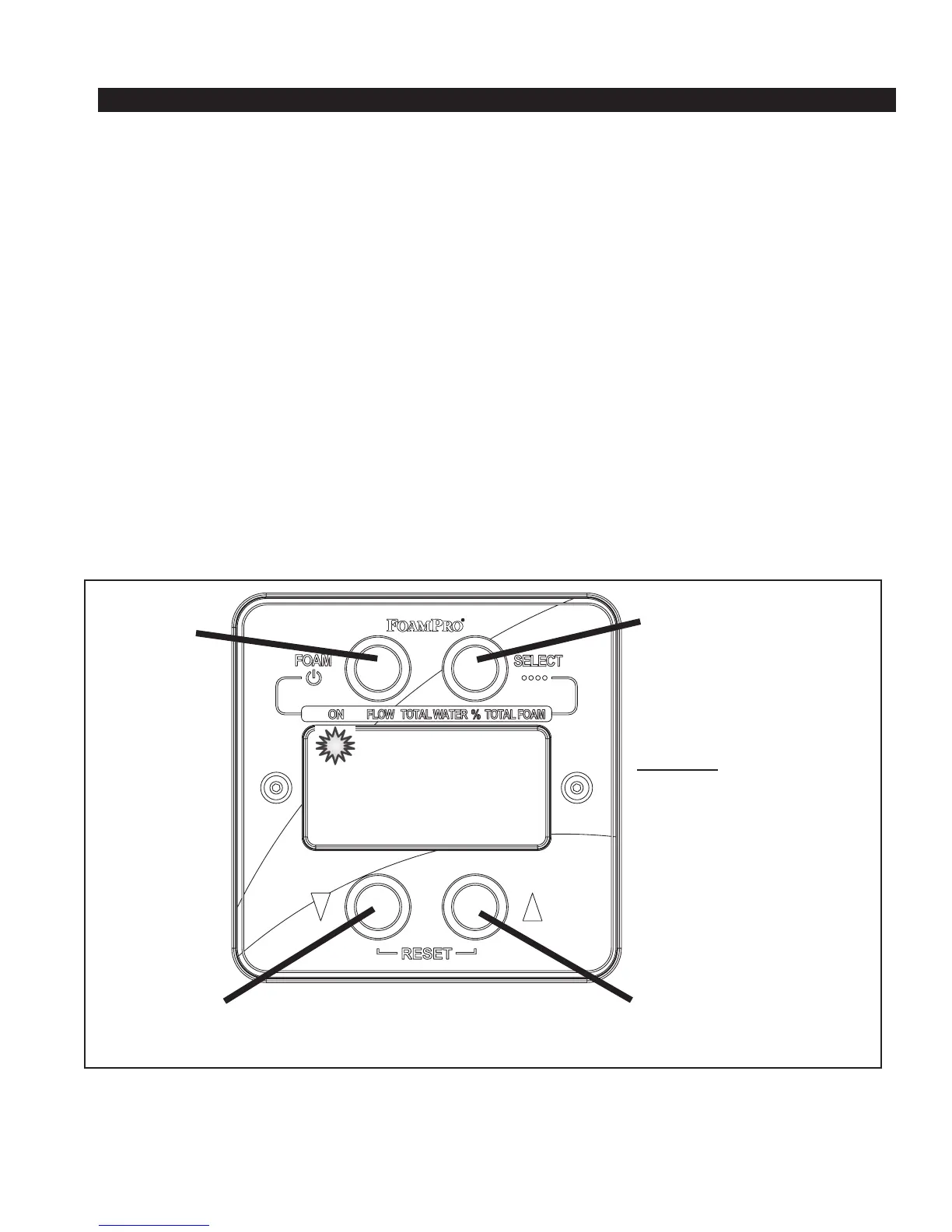
Figure 26. Digital Display Control Module Operation
NORMAL SYSTEM OPERATION
Once the system has been set up and calibrated,
operation is very simple and is controlled by the buttons
on the Digital Display Control Module (See Figure 26).
For setup and calibration instructions, see Section 9.
When the “FOAM” button is pressed, the “ON” status
lamp will illuminate, indicating that the system is
ready. The “ON” status lamp will flash when foam is
being injected. The FoamPro system will monitor the
water flows and control foam injection at the specified
concentrate injection rate. The system responds to
variations in water flow by increasing or decreasing the
speed of the foam pump. When the “FOAM” button
is again pressed, the “ON” status lamp will extinguish,
indicating that the system is in Standby mode and the
Status Lamps
ON — Run/Standby status
FLOW — Water flow rate
TOTAL WATER — Total water flowed
% — Foam flow percentage
TOTAL FOAM — Total concentrate flowed
Up Arrow ( )
Increase value shown
SELECT
Select Display Functions
FOAM
Turn FoamPro
system ON/OFF
10 Operating Instructions
Ô
Ô
Down Arrow ( )
Decrease value shown



 To Next Page