30
Installation and Operation Manual
PRIMING THE FOAM PUMP WHEN FOAM
TANK HAS RUN DRY
In some instances, the foam tank may run dry while
operating the FoamPro system. The foam pump
is designed to pump liquid. When the fire pump is
running, the foam pump cannot pump air efficiently
against 100 to 150 psi back pressure. To re-establish
foam concentrate flow quickly, the following procedure
can be used.
1. Turn the CAL/INJECT valve to the Calibrate position.
2. With the fire pump flowing water from foam
discharge and the FoamPro on, observe the hose
from the CAL/INJECT valve.
3. When foam concentrate flows from the unit, turn
the CAL/INJECT valve back to the INJECT position.
The pump is now primed and ready for normal
operation.
4. If the fire pump is not running, place the FoamPro
into the simulated flow mode and proceed with
above steps.
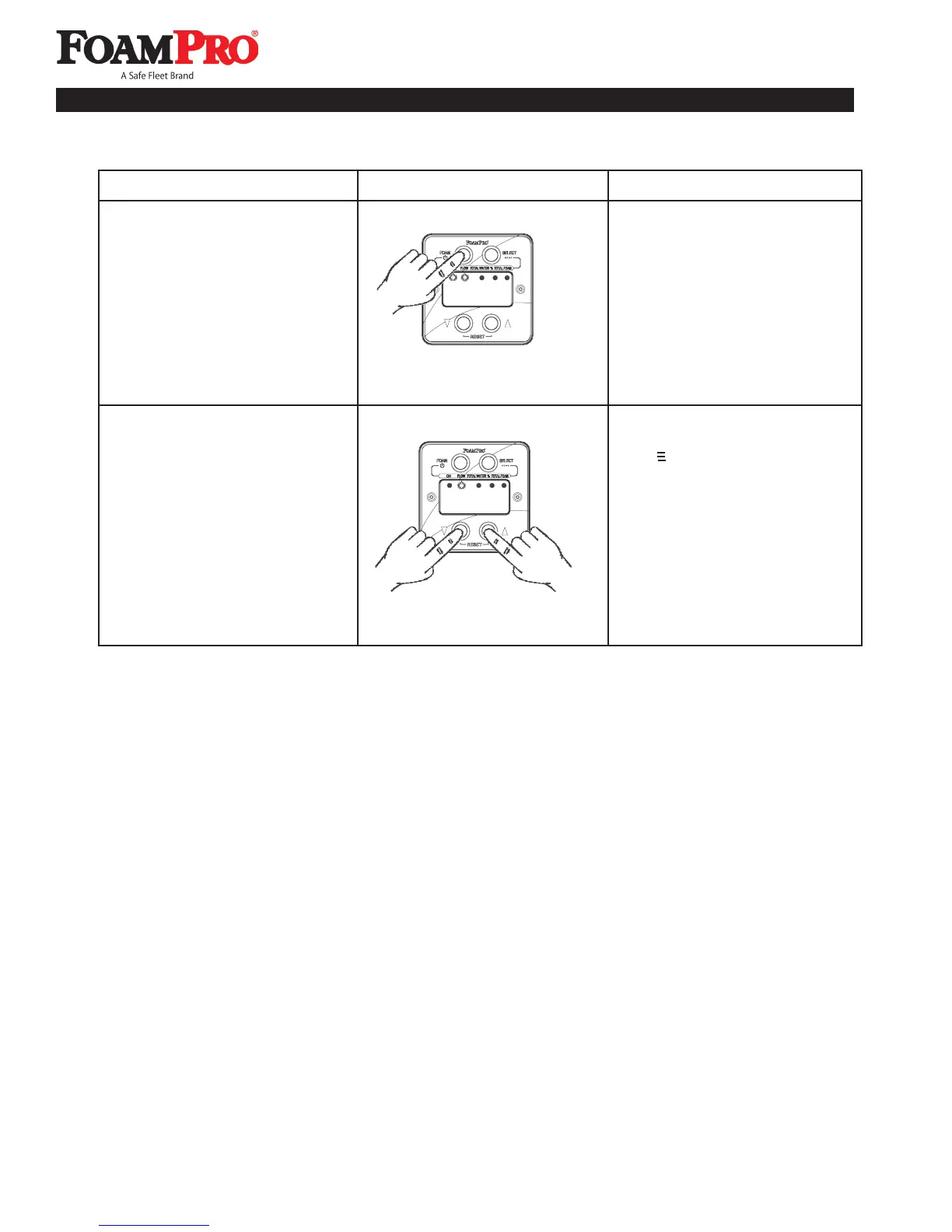
Simulated Flow Operation Summary
How to Display Action
4. Place a suitable container under
the CAL/FLUSH outlet tube.
Place the CAL/INJECT valve in
the CAL/FLUSH position. Press
the FOAM button. The foam
pump will operate and foam
concentrate will be discharged
from the outlet tube.
NOTE: FoamPro must be in
Simulated Flow Mode.
5. Press both rate adjustment
buttons at the same time. The
symbol will leave the display
and the FoamPro will operate
automatically from the flow
sensor signal. Turning the
apparatus Master or Battery
switch off will also turn off the
Simulated Flow Function. The
next time the power is turned
on, the FoamPro will return to
the original automatic default
settings.
4. Empty the Foam Tank.
5. Turn the Simulated Flow
Function off and return to
automatic operation.
0
830



 To Next Page