13
EXAMPLES OF USAGE
The Clarett+ 2Pre is an excellent choice for many recording and monitoring applications. Some
typical configurations are shown below.
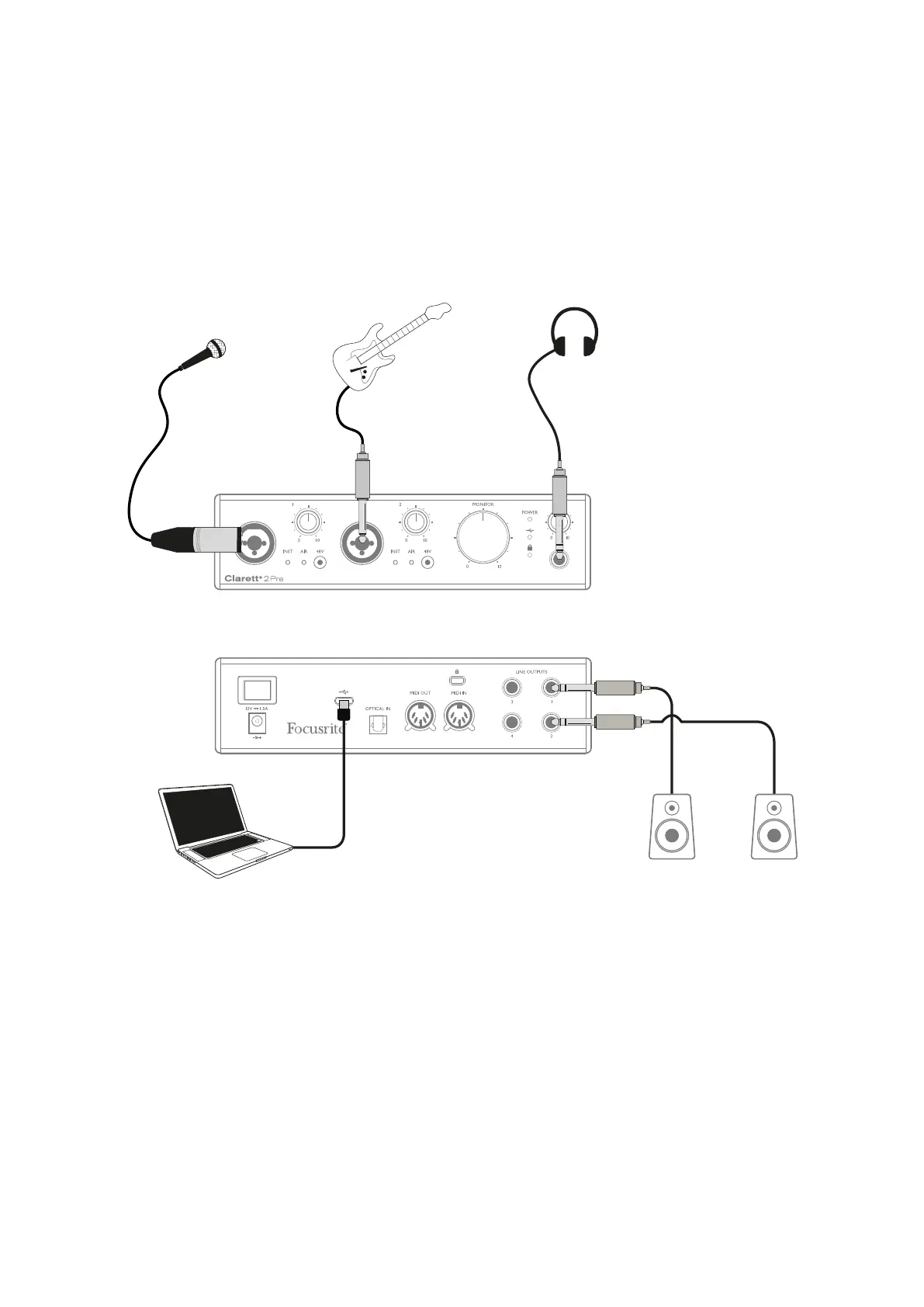
1. Recording a solo artist
This setup illustrates a typical configuration for multitrack recording with DAW software on your
computer.
In this case, two sources – a microphone and a guitar – are connected to the Clarett+ 2Pre’s inputs.
As the guitar is connected to Input 2, ensure Instrument mode is selected for Input 2 from Focusrite
Control, and the INST LED is illuminated.
The connection to the computer running DAW software is via a USB cable. This will carry all input and
output signals between the DAW and the Clarett+ 2Pre. Once the audio setup is correctly configured
in the DAW, each input source will be available for recording.
A mix of the recorded tracks will be available at Line Outputs 1 and 2, so you can hear the results in
the speakers.














 To Next Page