15
2. Using the optical connections
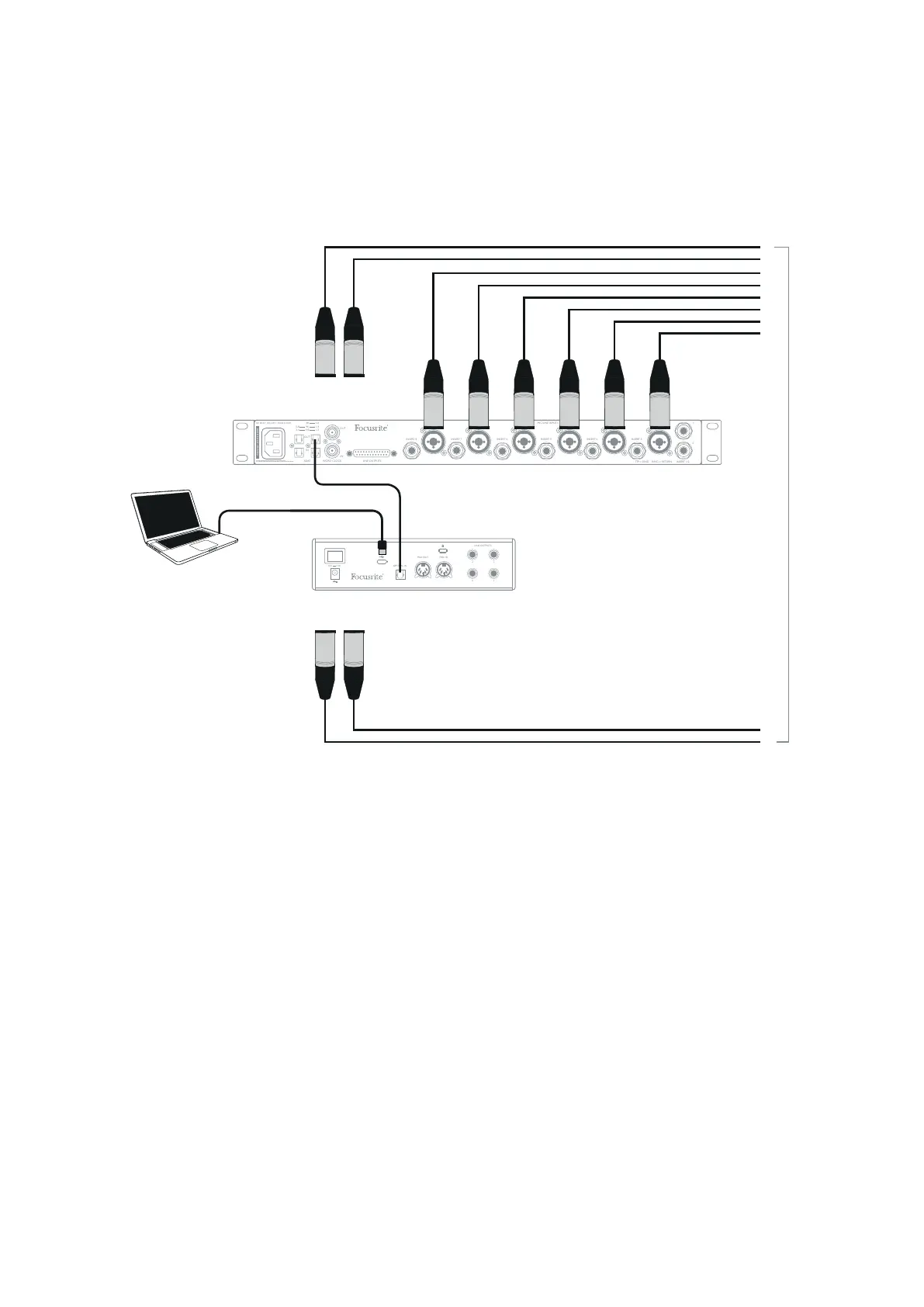
In addition to two analogue inputs, the Clarett+ 2Pre has an ADAT input port (OPTICAL IN) which
can provide eight additional audio inputs at 44.1/48 kHz sample rate or four at 88.2/96 kHz. Using a
separate 8-channel microphone preamplifier equipped with an ADAT output – such as the Clarett
OctoPre – provides a simple method of expanding the Clarett+ 2Pre’s input capability.
AREIL DOIT ETRE MIS A LA TERRE
THIS EQUIPMENT MUST BE EA
To inputs 1 & 2
on front panel
Up to 10 Mic/Line Sources
To inputs 1 & 2
on front panel
Clarett+ Octopre
8 channel Mic Amp
Optical ADAT connection (TOSLINK)
Computer running DAW
and Focusrite Control
The Clarett OctoPre’s OPTICAL OUT port is connected to the Clarett+ 2Pre’s OPTICAL IN port with a
single TOSLINK optical cable. The two devices must be synchronised to ensure audio passes cleanly,
without clicks and pops. To do this in Focusrite Control go to Device Settings and set the Clock
Source to ADAT. Both devices must be set to the same sample rate.
You can route the additional ADAT inputs in the same way as other inputs in Focusrite Control. The
ADAT inputs can form part of any musician’s headphone mix, as needed.














 To Next Page