9
Rear Panel
25
4
1
36 7
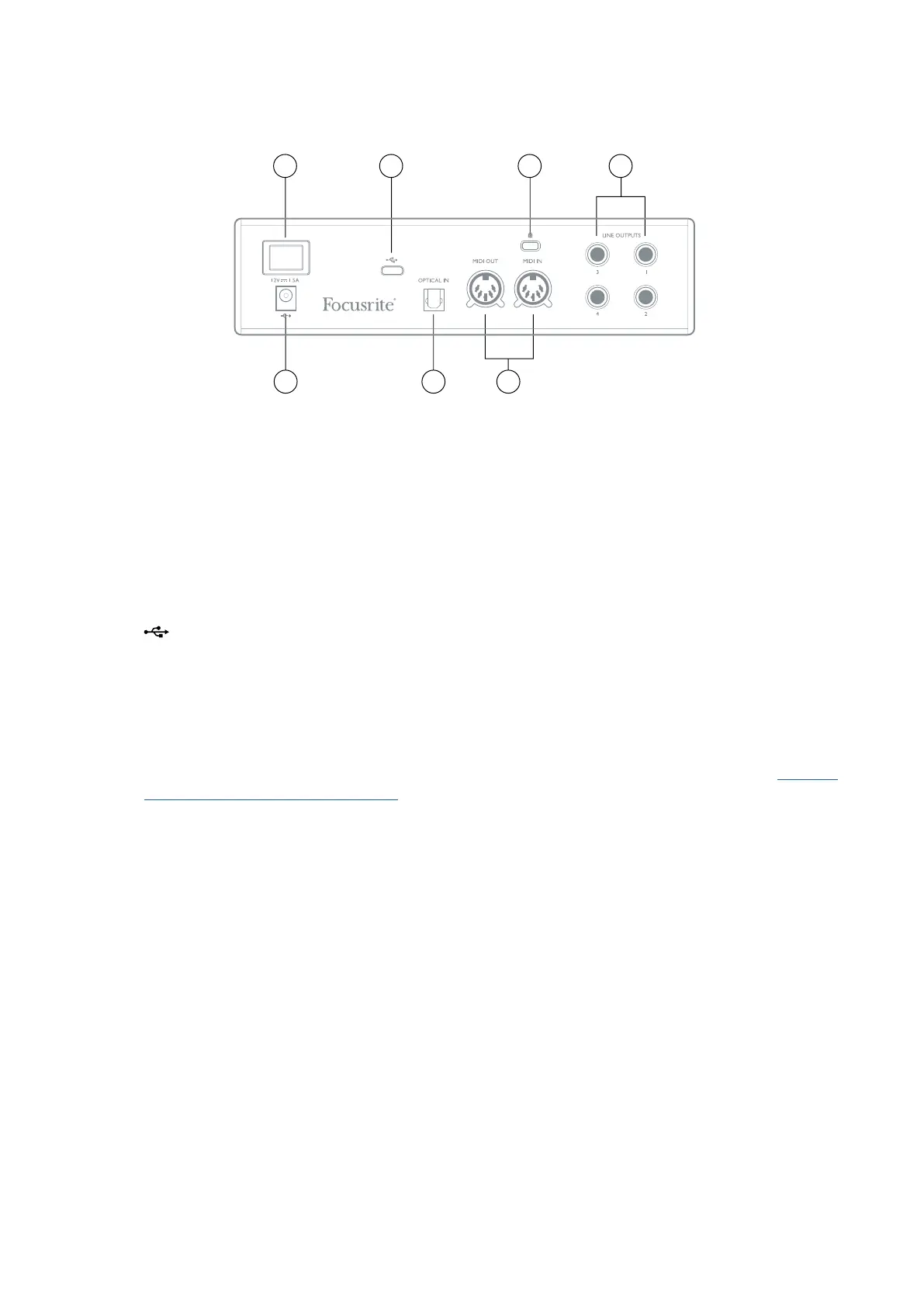
1. LINE OUTPUTS 1 to 4 – four balanced analogue line outputs on ¼” jack sockets; use TRS jacks
for a balanced connection or TS jacks for unbalanced. Line Outputs 1 and 2 will generally be
used for driving the main L and R speakers of your monitoring system, while Outputs 3 and
4 can be used for connecting additional line level equipment (e.g., outboard FX processors).
Signals routed to all the outputs may be defined in Focusrite Control.
2. OPTICAL INPUT – a TOSLINK connector carrying eight channels of digital audio in ADAT
format at 44.1/48 kHz sample rate or four channels at 88.2/96 kHz. This input is disabled at
176.4/192 kHz sample rates. This input is also capable of accepting a stereo optical S/PDIF
source.
3.
– USB-C™ connector; connect the Clarett+ 2Pre to your computer with either the supplied
USB-C to USB-C or USB-C to USB-A cable.
4. MIDI IN and MIDI OUT – standard 5-pin DIN sockets to connect external MIDI equipment. You
can send/receive MIDI data between your computer and external MIDI devices.
5. External DC power input – power the Clarett+ 2Pre via the separate AC adaptor (PSU) supplied.
The PSU is a 12 V DC unit rated at 1.5 A. The Clarett+ 2Pre can also be powered from a
computer via USB connection, provided the computer has a 15 W Type-C™ port. See Clarett+
2Pre USB Bus Power Information to check if your computer has this port: if not, please use
the supplied AC adaptor.
6. Power On/Off switch.
7. Kensington security slot– secure your Clarett+ 2Pre to a suitable structure if desired.














 To Next Page