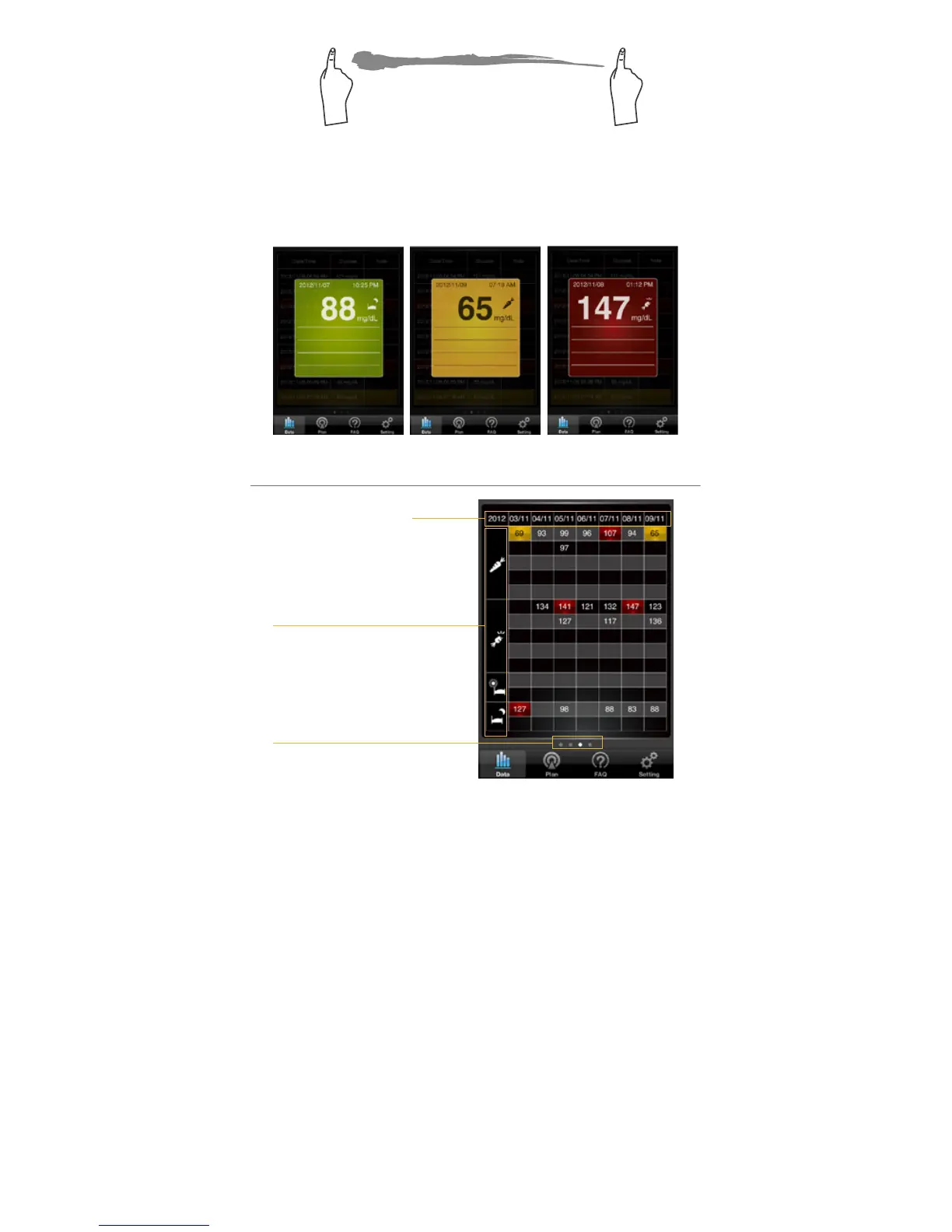
2.Click at any data record to nd out more
information
Detailed information will pop up with a semi-
transparent window.
Sections of testing times
Page Indications
Reviewing Logbook
Date
1.Select the Logbook mode from the Floating
Menu.
Select Logbook in the Floating Menu to enter. The
rst page you see is the current 7 days of glucose
testing data under the measurement 4 different
modes. You can swipe to the left to see the previous
weekly record or swipe to the right to return to the
recent Logbook record.



 To Next Page