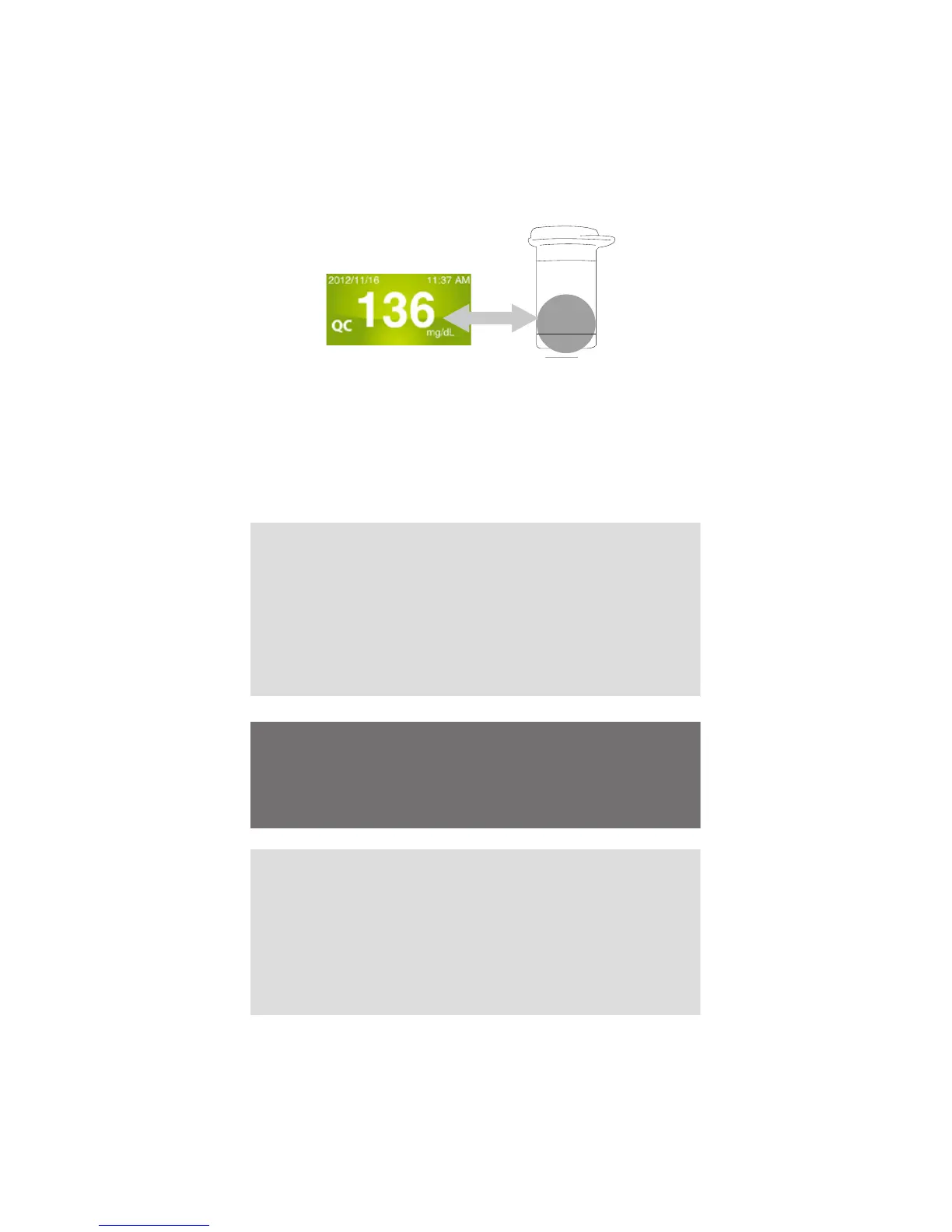
4. Read and Compare the Result
After “Processing” message appears, the control
solution test result will then show on the display.
Compare this result with the range printed on the
test strip vial and it should fall within this range. If
not, please read the instructions again and repeat
the control solution test.
An example: (136mg/dL = 7.5 mmol/L; 109-165 mg/
dL =6.0-9.1 mmol/L)
109~165
Normal
Out-of-range results
If you continue to have test results fall outside the
range printed on the test strip vial, the meter and
strips may not be working properly. Do NOT test
your blood. Contact the local customer service or
place of purchase for help.
NOTE:
● The control solution range printed on the test
strip vial is for control solution use only. It is not a
recommended range for your blood glucose level.
● See the Caring for Your FORA iDiamond Meter
Set section for important information about your
control solutions.
WARNING:
To reduce the chance of infection:
● Never share a lancet or the lancing device.
● Always use a new, sterile lancet. Lancets are for
single use only.
● Avoid getting hand lotion, oils, dirt, or debris in or
on the lancets and the lancing device.
Preparing the Lancing Device for Blood Testing
Please follow the instructions in the lancing device
insert for collecting a blood sample.
Preparing the Puncture Site
Stimulate blood perfusion by rubbing the puncture
site before blood extraction has a signicant
inuence on the glucose value obtained.
Important Information about
Testing Your Blood Glucose
Level



 To Next Page