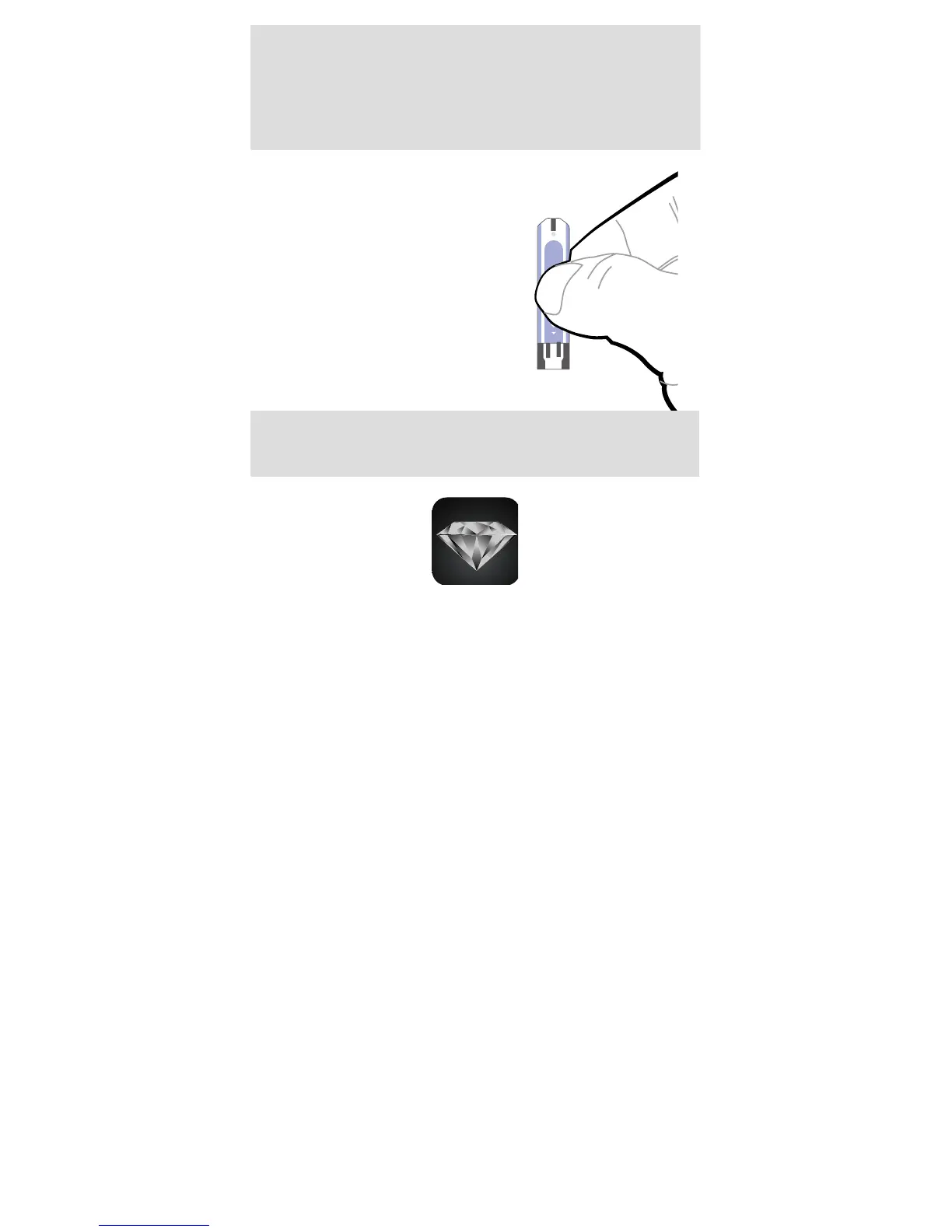
The front side of test strip
should face up when inserting
test strip.
Test results might be wrong
if the contact bar is not fully
inserted into the test slot.
ATTENTION:
NOTE:
The FORA iDiamond monitor should only be used
with FORA iDiamond Test Strips. Using other
test strips with this meter can produce inaccurate
results.
How to Install and Update the
iFORA Diabetes Manager App
FORA iDiamond is designed to be used in
conjunction with the iFORA App, available on
iTunes or the App Store for free download. You
must be connected to the internet to download
the App. The App Store can be accessed through
the iTunes or by tapping the App Store icon on
your iOS devices.
iFORA is designed to assist you in easy
blood glucose testing, recording, tracking and
monitoring.
It is simple and intuitive to use, for better
understanding of your current condition and to
achieve better diabetes control.
System Requirement
● iOS version 5.0.1 or higher.
To nd more product information about FORA
Diamond Series please visit our website: www.
foraminisite.com/diamond.
Updating
When new features are added to the iFORA App,
the App Store will notify you automatically. Please
perform the updates accordingly to provide you
with the latest features that we have developed in
your best interest.



 To Next Page