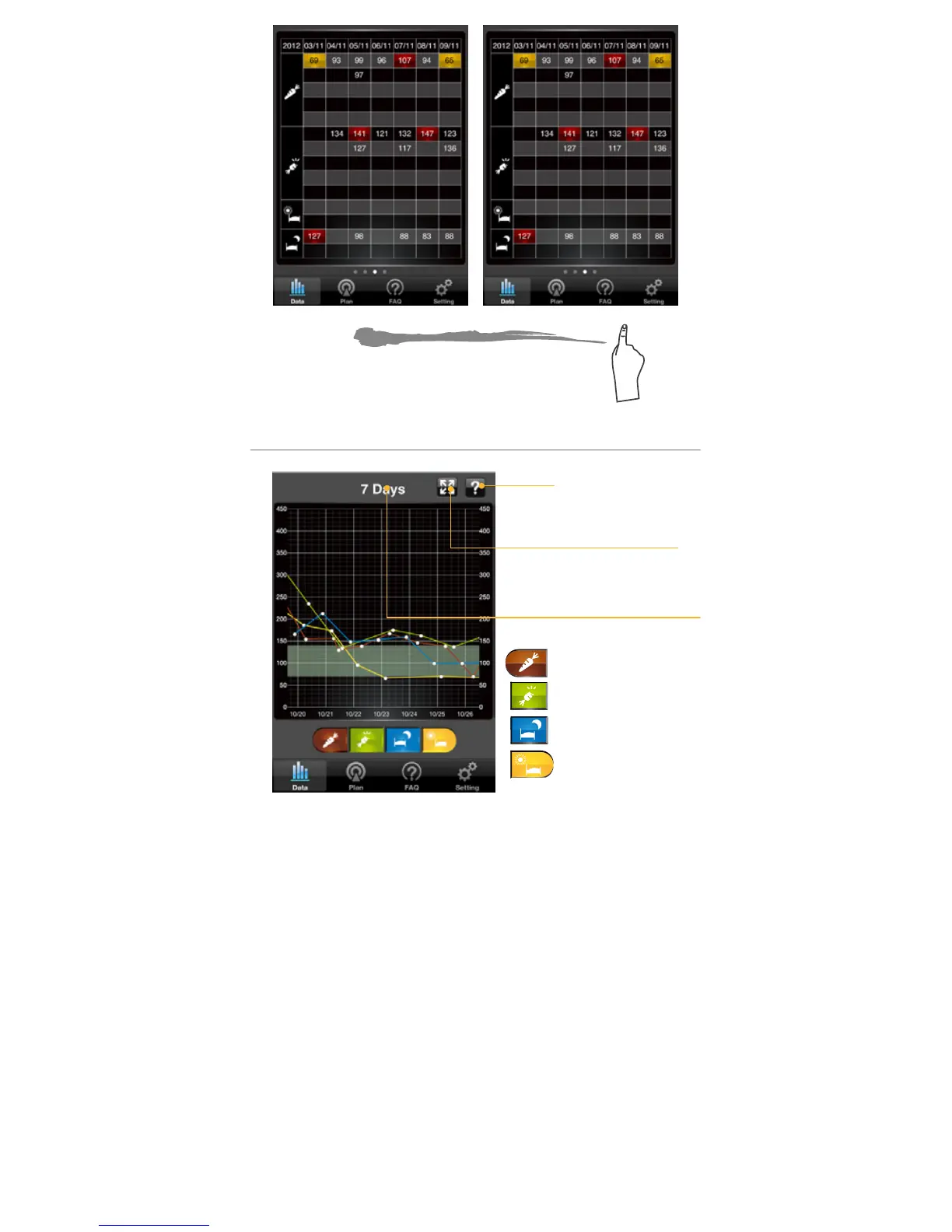
Reviewing Trend Graph
Help
Pre-Meal
Post-Meal
Before Bed
Morning
Zoom In and Out option
for 7-14-30 Days view
7-14-30 Days Glucose
Test Trend Graphs
1.Select the Trend Graph mode from the
Floating Menu.
Select Trend Graph in Floating Menu to enter. The
rst page you will see is the 7-Days data record
of the blood glucose test results under the four
measuring modes. If you select a particular option,
then it will show individual trend graph. Also you
can select 2, 3 or 4 options to show individual trend
graph at the same time.



 To Next Page