ACTION REQUIRED:
DIGITAL DISPLAY:
SETUP MENU continued...
QUESTIONS ? Help Hotline: 1-800-893-6723
W.22
File: T4\NEW O&M 2007\W22 WIZ NEW PR328 SETUP7.tcw
03/21/08 MT
14 DIAGNOSTICS continued...
Step 6
#1 MIN CAL VALUE
LBS= 0.0
Step 5
#1 SPAN FTR
Step 7
RAW A/D
NO YES
NUMBER = 2.32423
Step 3
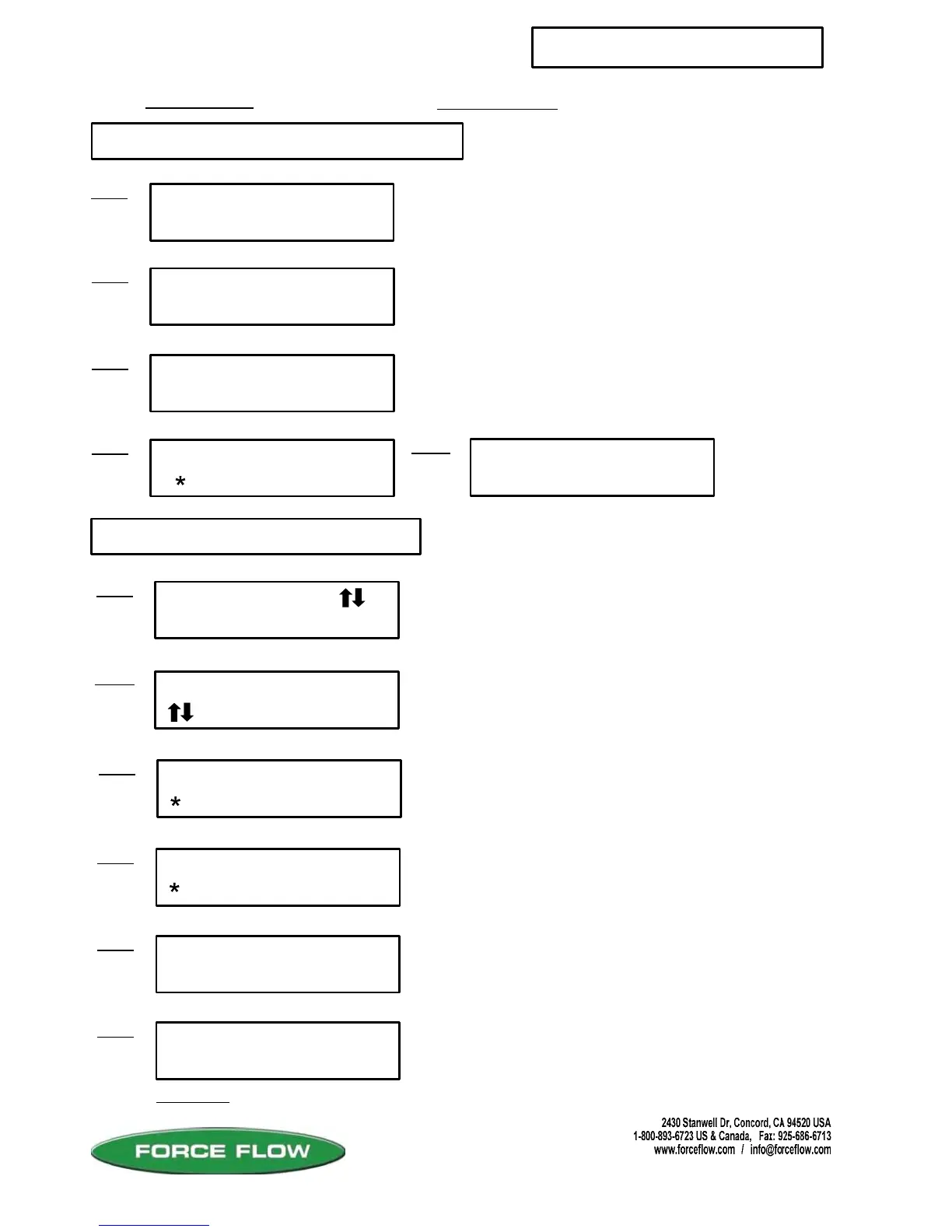
SETUP MENU
FIELD CAL
Step 1
15 FIELD CAL
#1 ZERO ONLY ?
15
NO YES
Step 4
Step 4
#1 ZERO COUNTS
NUMBER= 23281
#1 FULL CAL ?
NO YES
Step 6
#1 APPLY MINIMUM
THEN PRESS ENTER
Step 5
WAIT . . . .
Continued....
If YES:
3282 5970
201019 350447
SELECT CHANNEL
, enter CH# 1
Step 2:
Zero factor for Channel #1.
Value at which zero was set for Channel #1.
Span factor for Channel #1 .
Raw A/D Signal.
Press "DEL" to quit.
Your indicator has been factory calibrated. This
function allows you to field calibrate your indicator
by setting the zero and span with known weights
or values.
Press "ENTER" key to continue.
Enter which channel to calibrate.
Choose "YES" if you only want to re-zero. If you
want to do a full calibration, choose "NO".
Choose "YES" for full calibration procedure.
Remove cylinder/drum from scale; empty a fixed
tank or remove most of the chemical.
Wait for instructions.



 To Next Page