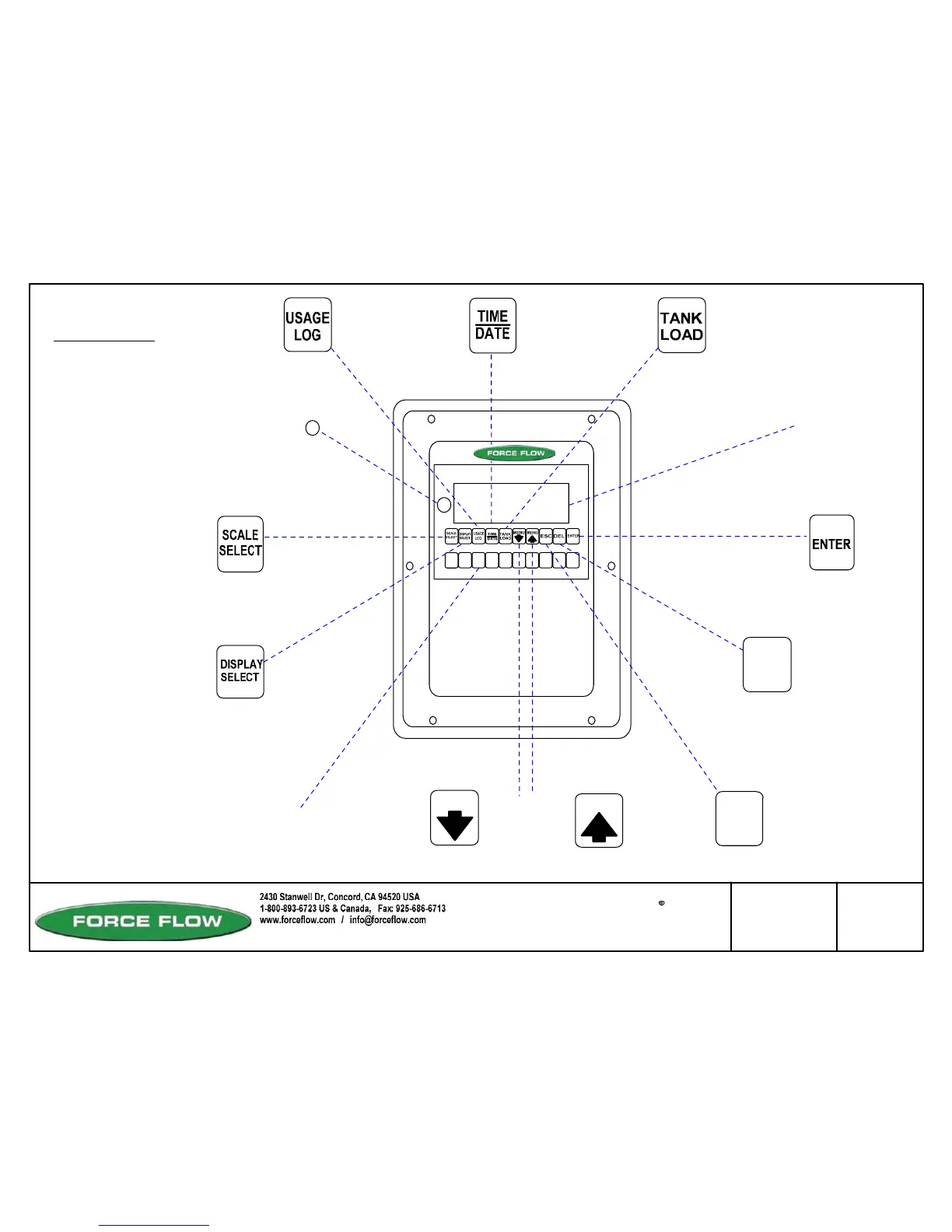
WIZARD 4000 +
0
1
23
456
7
89
MENU
MENU
DEL
Toggles through a
multi-function display
for each scale.
Displays Daily Usage
for past 31 days
Toggles
Between
Individual
Scales
Return to Main
Default Screen
Backspace
or Back to Previous
Screen
Data Entry
and Advance
to Next Screen
Time and
Date
"NET WEIGHT"
"YES * NO"
ENTER SCALE #
Single or Dual
Display (16
Characters
per Line Screen)
Net Weight
Bar Graph
Feed Rate
Daly Use
Days Until Empty
Total Use
% Full
Base Units
Bulk
Scrolls Forward
and Backward
Through the Menu
Loading
New Tanks
or Chemicals
Numeric
Data Entry
Key Pad
Drawn by: SLP/MN
Date: 11/03/05 MN
Revised:
Scale: NONE
Drawing Number
File: T4\NEW O&M 2007\W6 WIZ NEW PRO328 BUTTONS.tcw
03/21/08 MT
30831
WIZARD 4000
KEYPAD FUNCTIONS
W.6
#3 NET 57.11 GL
Checked by: MN
ESC
#3 BULK 0.0 GL
*TO USE RESET BUTTON
*Reset Button &
Displays Software
Version
1. Push and hold "DEL" key.
2. While holding "DEL" key, push
and hold "RESET" button for 2
seconds.
3. After 2 seconds release ONLY the
"RESET" button, but continue to hold
down the "DEL" key until the display
reads one of the following:
Release "DEL" key.
Press "MENU" arrow keys to choose "NO"
Press "MENU" arrow keys to choose different
number than you did before.



 To Next Page