22
Spill hazard: Donotremove the flexible, rubber bite valves at the bottom of the resin
cartridge. These bite valves control the release of the resin. Removing the bite valves
allows resin to continuously flow and causes extreme damage to the printer. This
damage is not covered by the warranty.
3. Lower the resin cartridge until the top of the cartridge is level with the top of the printer.
The cartridge sits loosely inside the cartridge slot. This ensures the load cell can accurately
measure cartridge resin levels.
4. Press the vent cap open, so that the resin tank fills correctly.
4.11 Installing the Form4B Finish Kit
The Form4B comes with a finishing kit that includes a variety of post-processing tools. After
printing, use the tools to remove prints from the build platform, wash prints in solvent, and
remove supports.
4.11.1 Installing the rinse bucket
To fill the rinse bucket with solvent:
1. Select your wash solvent.
2. Place the rinse bucket on a flat, clean surface. If you are using a flammable solvent, keep
the rinse bucket away from any ignition sources.
3.
Carefully pour solvent into the rinse bucket. The minimum amount of solvent required
depends on the volume of the printed parts to be cleaned.
Ensure that you have sucient solvent (isopropyl alcohol or tripropylene glycol monomethyl ether)
to wash your prints. For more information about solvent handling, visit support.formlabs.com.
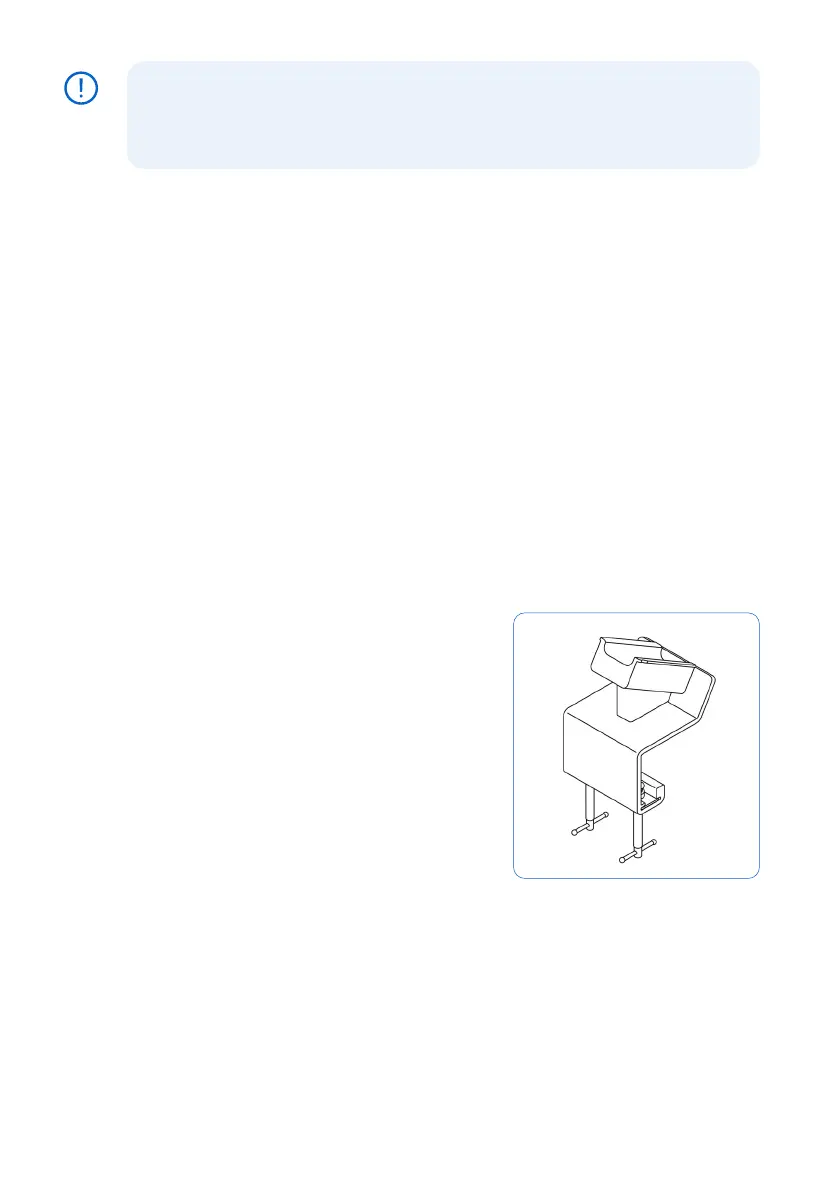
4.11.2 Installing the build platform jig
The build platform jig is designed to stabilize the build
platform for the secure removal of prints. Secure the
build platform jig to the edge of your work surface by
tightening the jig screw clamps underneath the work
surface. Ensure that there is enough space in front of
the jig for the build platform.
Slide the build platform onto the mount on the top
of the jig to secure it in place while removing your
printed parts.
Resin-coated surfaces can be slippery. Point sharp
tools away from yourself when separating printed parts
from the build platform.
4.12 Transporting the printer
Refer to the section 4.3 Form4B package for product weight and dimensions. Keep the
packaging for transportation or shipping. For detailed guidance and visual assistance, visit
support.formlabs.com.
The printer’s complete packaging kit consists of:
NOTICE



 To Next Page