18
4.4 Serial name
The serial name is a unique identifier used to track the history of manufacturing, sales, and
repair. The serial name for the Form4B is located on a sticker next to the A/C input on the
back panel in the format Form4-AdjectiveAnimal. The serial name is also available on the
printer’s touchscreen.
To access the serial name the printer’s touchscreen:
1. Tap the printer icon on the Home screen. The printer status screen appears.
2. The serial name is listed in the top-left corner.
4.5 Installing the printer
After selecting a location for the Form4B, connect the
power supply and turn on the printer. Depending on your
internet setup, you may need to connect an Ethernet
cable to establish an internet connection on the printer.
4.5.1 Connecting the cables
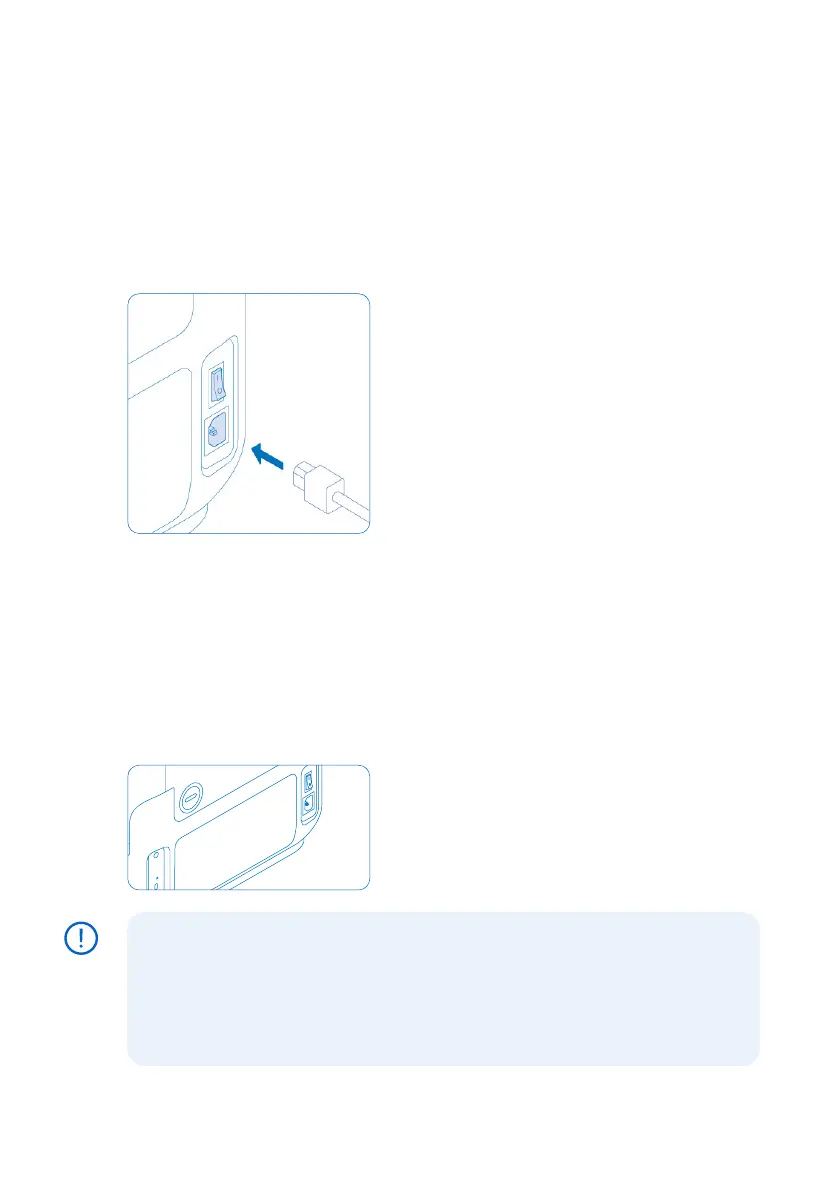
Connect the power cable to the printer and to the
power supply. Files can be uploaded via Wi-Fi, Ethernet,
or USB. For USB, connect the printer to a nearby
computer. For Ethernet, connect the printer to your
LAN. Refer to section 4.6. Connecting the printer to a
network for more information.
4.5.2 Turning on the printer
To turn on the printer:
1.
Plug the included power cable into the power port on the back of the machine and connect
the power cable to a power outlet.
2. Flip the power switch to the ON (|) position.
3. The printer initiates.
To put the printer into sleep mode or turn o completely, refer to section 5.6.5 Turning o
the printer.
4.6 Connecting the printer to a network
Connect the Form4B to a secure network via Wi-
Fi, Ethernet, or USB, providing it internet access for
remote printing, remote troubleshooting, and sending
diagnostic logs. The Form4B can connect directly to
a computer with a USB cable. For detailed guidance
and visual assistance, visit support.formlabs.com.
Form4B printers need to be temporarily connected to the internet when the printer is
being set up for the first time. While connected to the internet, the printer quickly and
securely registers a Formlabs biocompatible materials lifetime license. This is a one
time configuration that is saved for the lifetime of your printer, even if you perform a
factory reset on the machine. When a Form4B printer is set up correctly, the status
bar on top of the printer touch screen will be blue and say Form4B.
NOTICE



 To Next Page