NT8 User's Guide | Chapter 6: Initial Setup
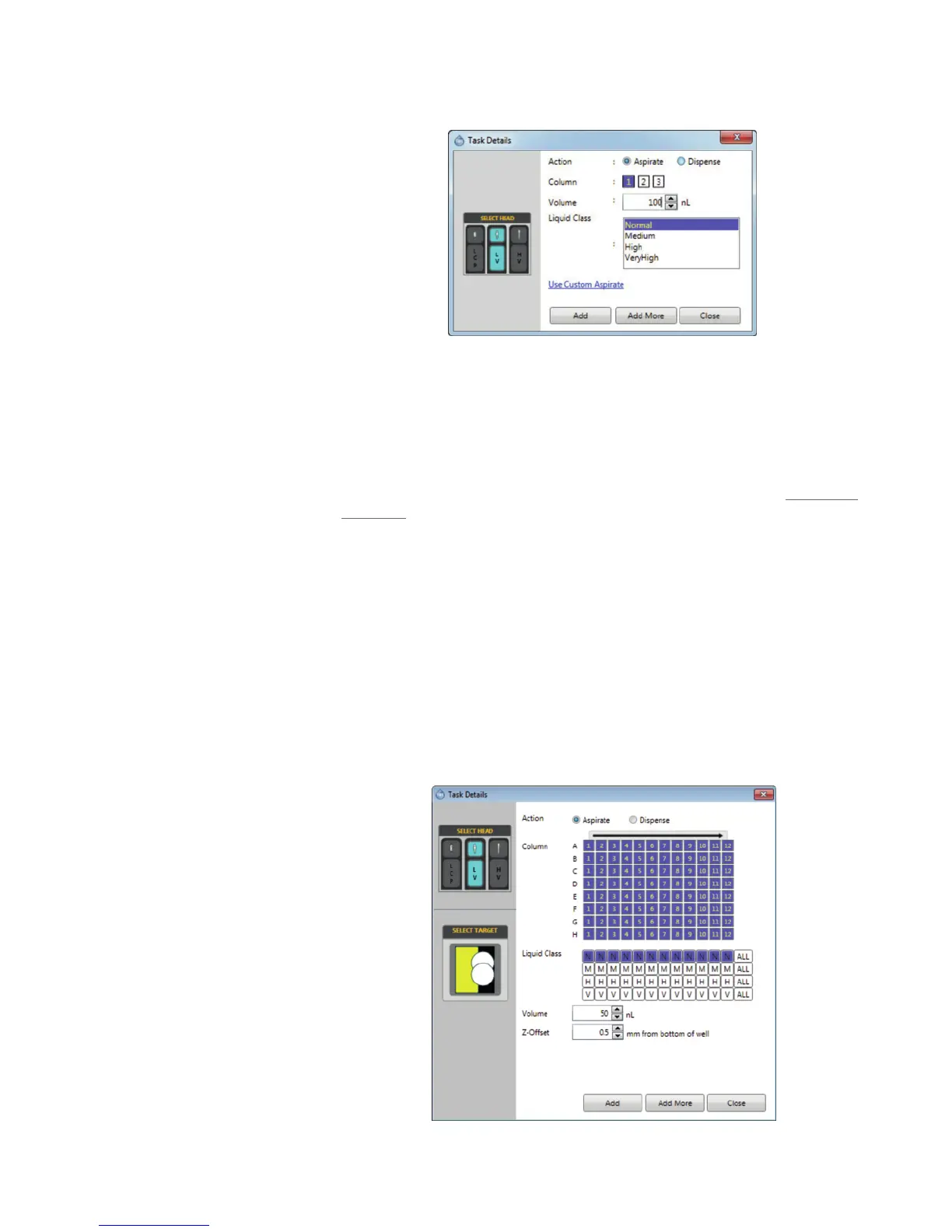
5. Double-click the Protein Station.
6. Select Aspirate next to Action.
7. Select the location of your protein sample. This should correlate to the number
button next to the Column field where you've put your protein.
8. Fill the volume field with the actual drop volume of solution you wish to aspirate.
9. Select the appropriate protein liquid class from the Liquid Class list (see Liquid Class
Guidelines).
10. Click Add.
Adding a Plate and Setting the Aspirate Volume
1. Drag and drop the appropriate plate for your experiment from the Plate Type Library
to the desired microplate station.
2. Double-click the microplate to set the aspirate details.
3. From the SELECT TARGET field, select the well (highlighted in yellow). The two
circles represent drop locations.



 To Next Page