NT8 User's Guide | Chapter 12: Mixing LCP Drops
3. Click OK to confirm. A notification appears and asks you to connect the mixer plunger
to the stage.
Set up the NT8 hardware:
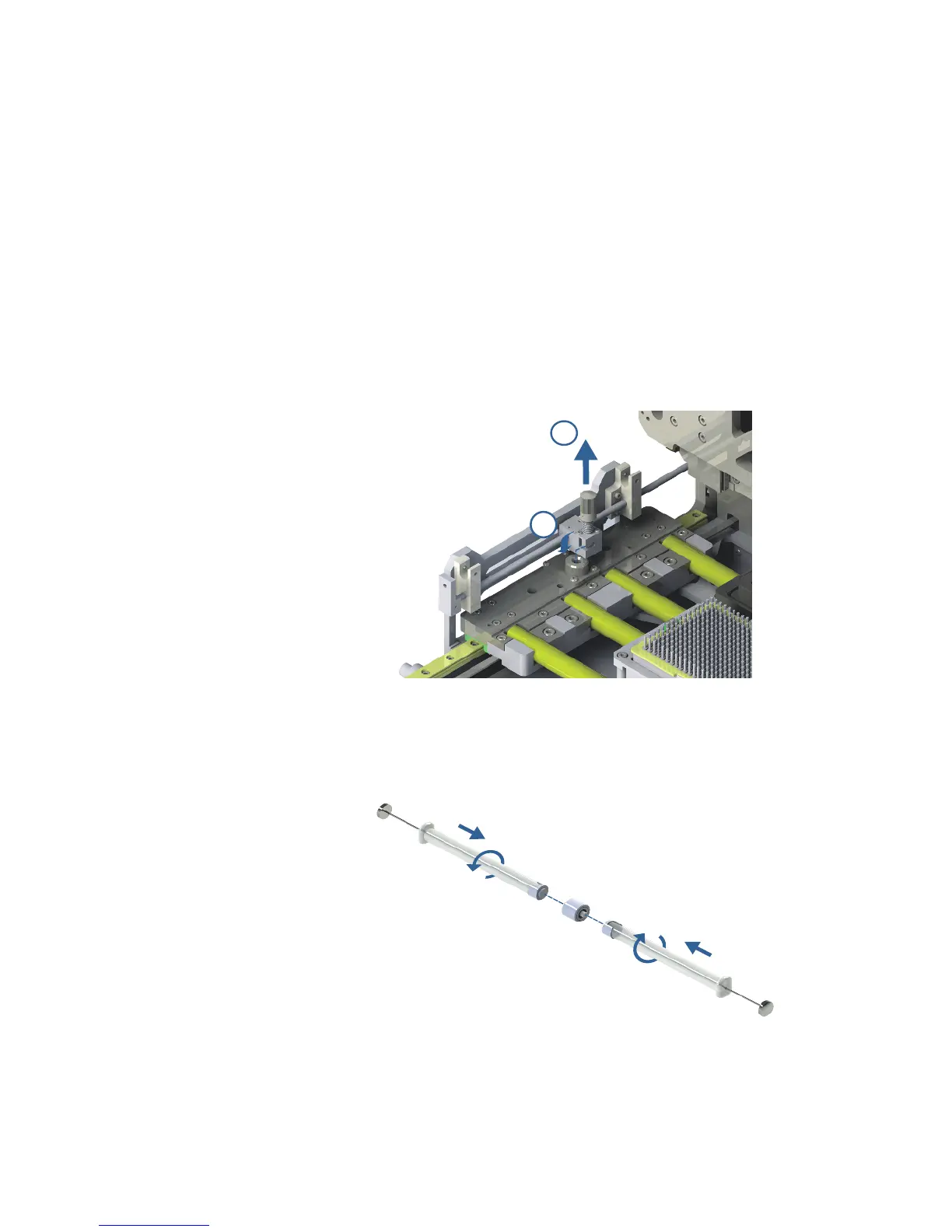
1. Connect the mixer plunger to the stage.
2. The mixer plunger should be positioned on the top of the reference hole located on
the stage.
3. Bring the mixer plunger to the hole by sliding it.
4. Press down the locking knob until it gets into the hole and tighten the knob by
turning it counterclockwise. Please make sure it firmly locks the mixer plunger.
5. Prepare two LCP glass syringes that have been filled with solution and protein.
6. Mount the coupler on the LCP syringe, and join the two LCP syringes using the
coupler. Make sure both syringes are conjoined.
1



 To Next Page