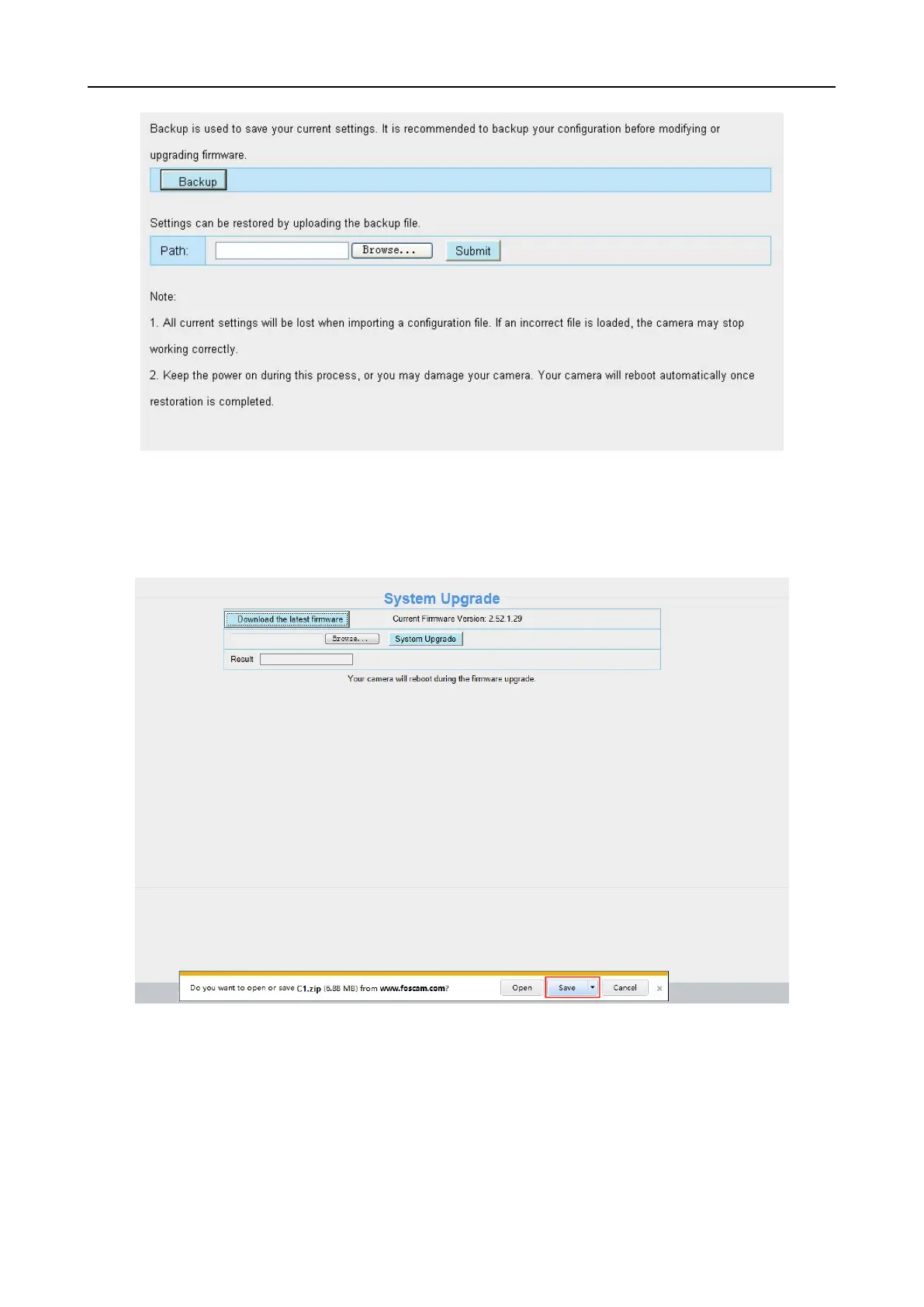
parameters.
4.10.2 System Upgrade
Click “Download the latest firmware”, you will see the following screen. And click “save” to save the
firmware on your computer locally.
Your current firmware version will be displayed on your screen. You may go to the Status Device
Information page to check for the latest firmware versions available.
Click Browse, choose the correct bin file and then click System upgrade.
Don’t shut down the power during upgrade. After upgrading, you can see the upgrade result.



 To Next Page