EasyManua.ls Logo

Fostex FD-8 - Initial Settings

Fostex FD-8
28 pages
Print Icon
To Next Page IconTo Next Page
To Previous Page IconTo Previous Page
Loading...
FDSteX
Initla!
settings
Before
you
start
recording,
please
remember
the
following:
You
need
to
reset
all
the
controls
(faders,
switches,
and
buttons)
on
the
control
panel
to
their
initial
settings
before
you
start
recording,
playing,
or
editing.
This
procedure
prevents
important
data
from
being
erased,
and
incorrect
operation
of
the
FD-8
because
of
prior
settings.
This
procedure
is
called
“Initializing
the
FD-
8,”
and
should
be
performed
before
you
start
each
new
session.
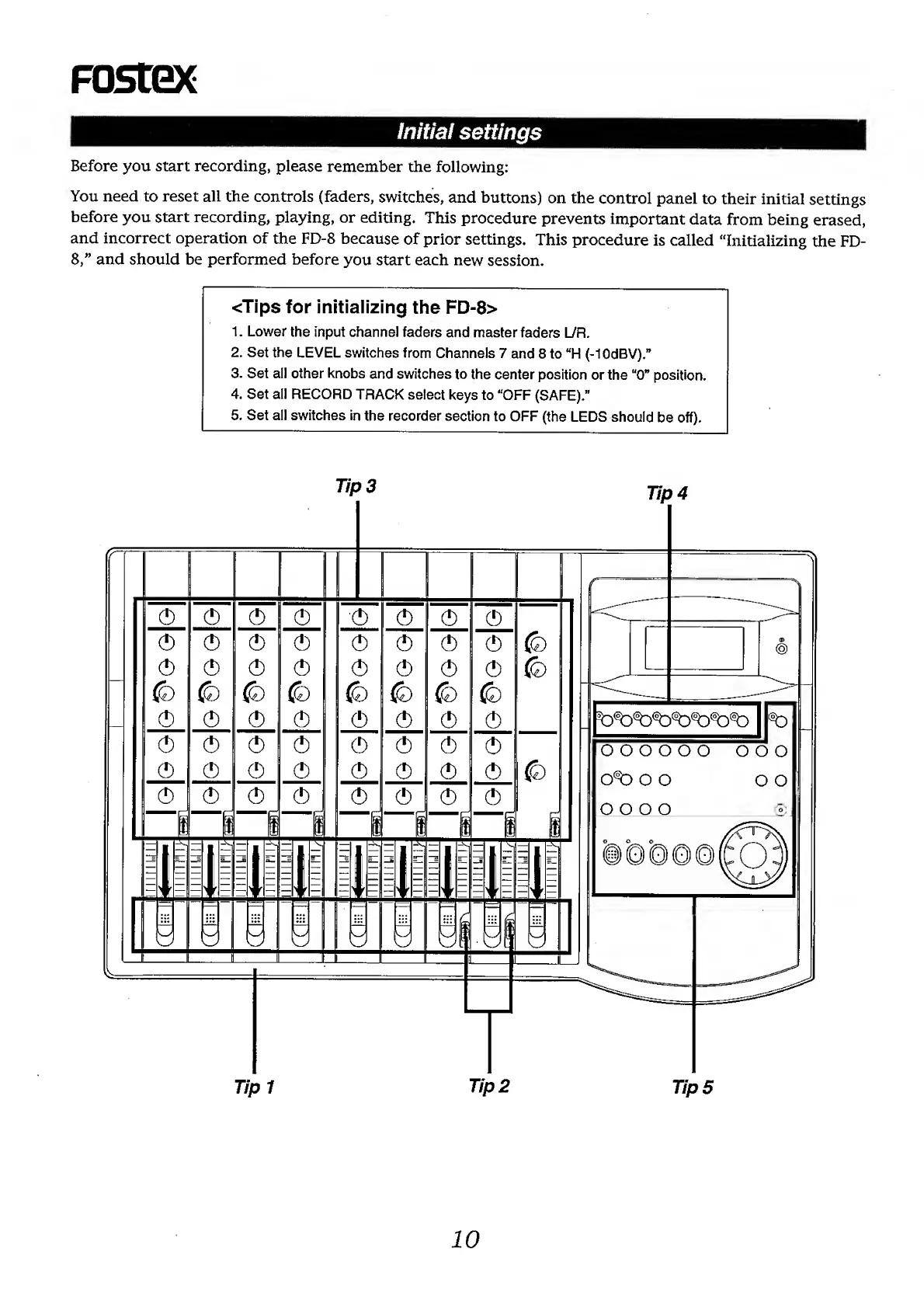
<Tips
for
initializing
the
FD-8>
1.
Lower
the
input
channel
faders
and
master
faders
L/R.
2.
Set
the
LEVEL
switches
from
Channels
7
and
8
to
“H
(-lOdBV).”
3.
Set
all
other
knobs
and
switches
to
the
center
position
or
the
“0”
position.
4.
Set
all
RECORD
TRACK
select
keys
to
“OFF
(SAFE).”
5.
Set
all
switches
in
the
recorder
section
to
OFF
(the
LEDS
should
be
off).