EasyManua.ls Logo

Fostex FD-8 - Page 13

Fostex FD-8
28 pages
Print Icon
To Next Page IconTo Next Page
To Previous Page IconTo Previous Page
Loading...
Fostex
8.
While
playing
the
guitar,
gradually
raise
the
channel
1
input
fader.
Set
the
optimum
recording
level
while
observing
the
level
of
meter
1.
As
you
raise
the
fader,
meter
L
respond.
This
means
that
the
signal
is
routed
to
stereo
bus
L
(STEREO
OUT
L
output).
Try
to
set
the
fader
so
that
the
meter
peaks
at
“0”.
Note:
If
the
"OL"
segment
of
the
meter
lights
up
consecutively,
the
sound
will
distorted
during
re¬
cording.
Adjusting
the
monitor
ievei
9.
Turn
the
MON
knob
located
in
the
channel
1
MON
mix
section
to
“TRK1”
and
rotate
the
MASTER
knob
clockwise
in
the
monitor
section.
Adjust
the
monitoring
balance
using
the
MON
PAN
knob.
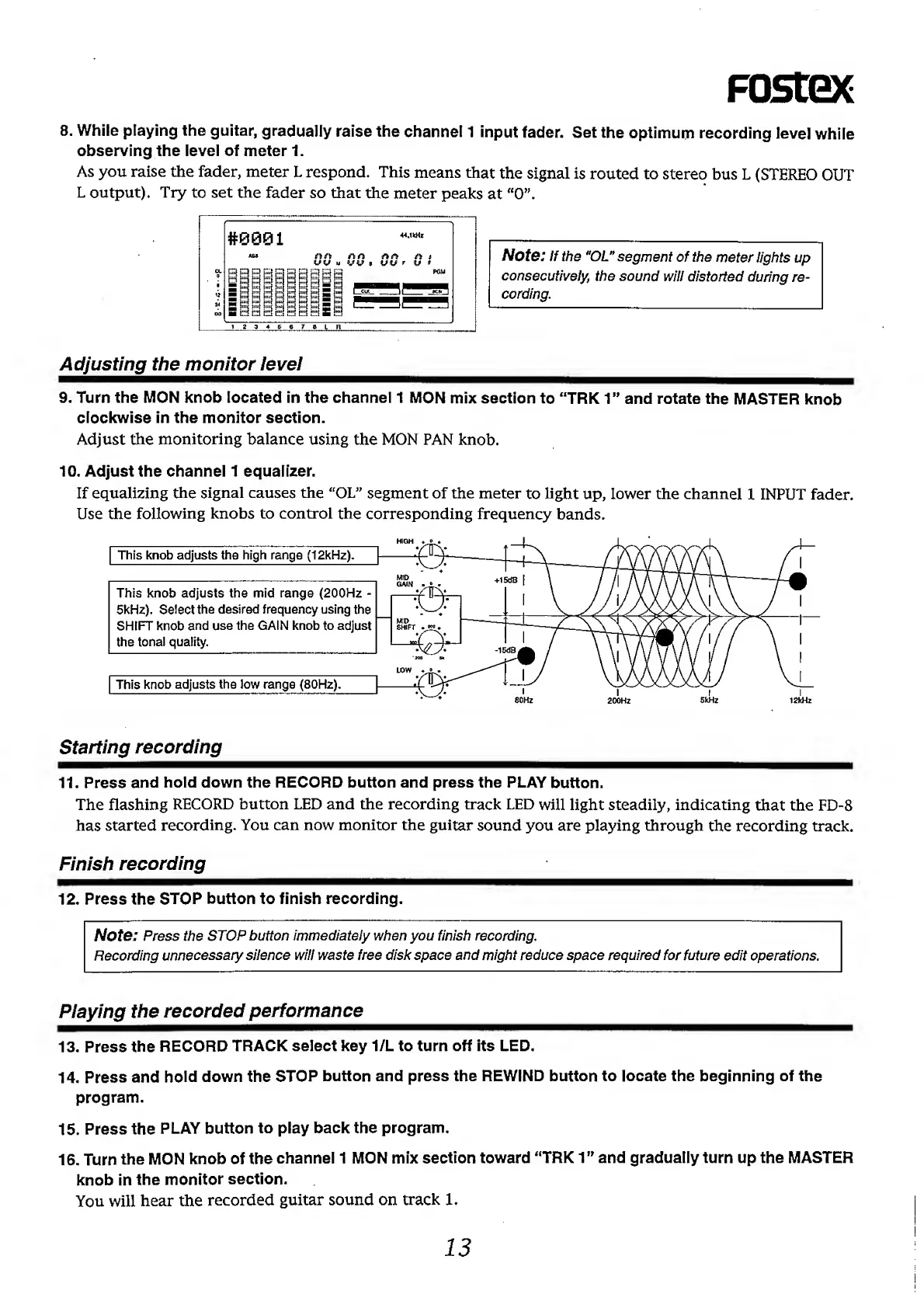
10.
Adjust
the
channel
1
equalizer.
If
equalizing
the
signal
causes
the
“OL”
segment
of
the
meter
to
light
up,
lower
the
channel
1
INPUT
fader.
Use
the
following
knobs
to
control
the
corresponding
frequency
bands.
Starting
recording
11.
Press
and
hold
down
the
RECORD
button
and
press
the
PLAY
button.
The
flashing
RECORD
button
LED
and
the
recording
track
LED
will
light
steadily,
indicating
that
the
FD-8
has
started
recording.
You
can
now
monitor
the
guitar
sound
you
are
playing
through
the
recording
track.
Finish
recording
12.
Press
the
STOP
button
to
finish
recording.
Note:
Press
the
STOP
button
immediately
when
you
finish
recording.
Recording
unnecessary
silence
will
waste
free
disk
space
and
might
reduce
space
required
for
future
edit
operations.
Piaying
the
recorded
performance
13.
Press
the
RECORD
TRACK
select
key
1/L
to
turn
off
its
LED.
14.
Press
and
hold
down
the
STOP
button
and
press
the
REWIND
button
to
locate
the
beginning
of
the
program.
15.
Press
the
PLAY
button
to
play
back
the
program.
16.
Turn
the
MON
knob
of
the
channel
1
MON
mix
section
toward
'‘TRK
1”
and
gradually
turn
up
the
MASTER
knob
in
the
monitor
section.
You
will
hear
the
recorded
guitar
sound
on
track
1.
13

Other manuals for Fostex FD-8

Related product manuals