EasyManua.ls Logo

Fostex FD-8 - Recording Method and REMAIN Indicator

Fostex FD-8
28 pages
Print Icon
To Next Page IconTo Next Page
To Previous Page IconTo Previous Page
Loading...
FOStQX
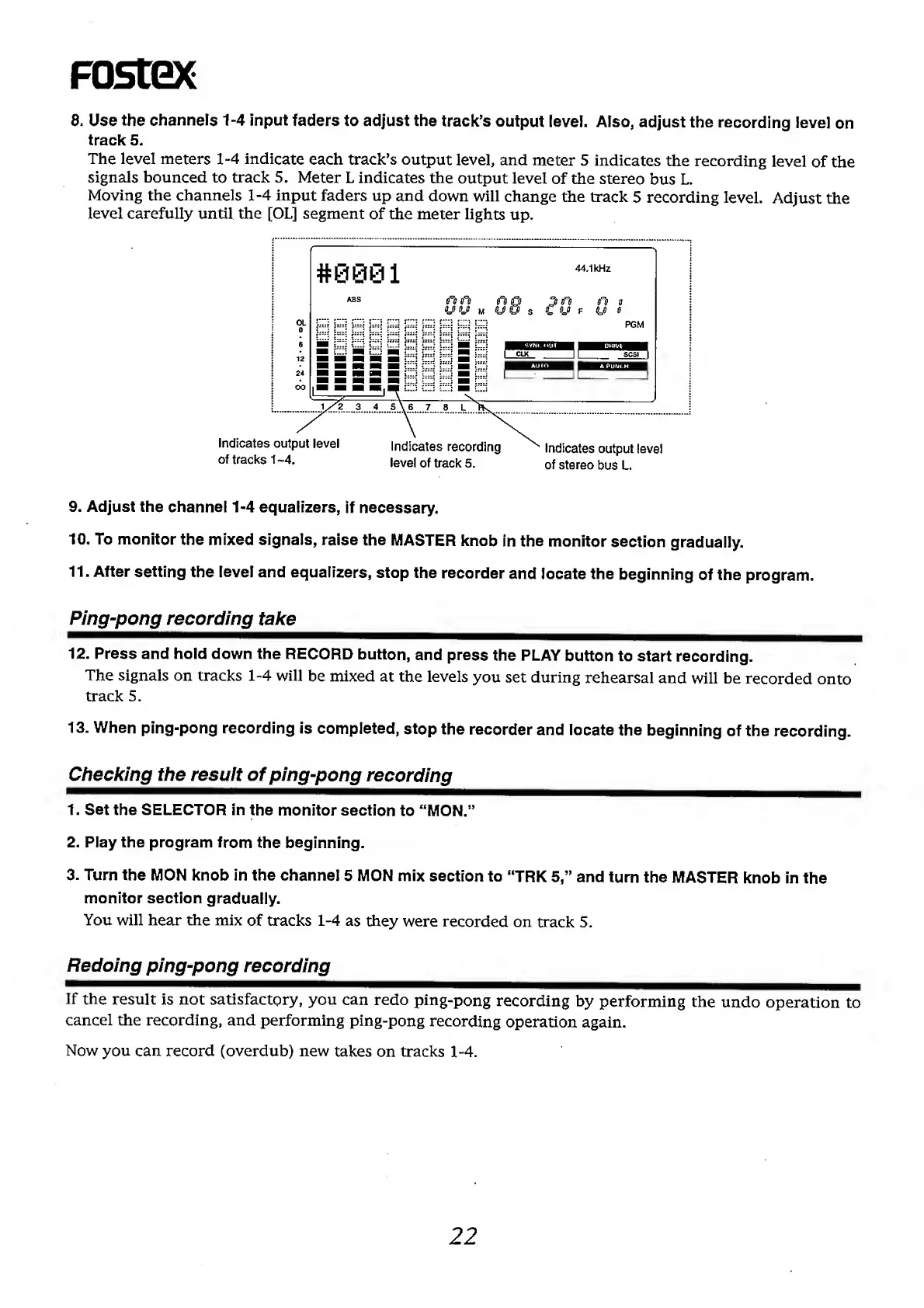
8.
U
se
the
channels
1-4
input
faders
to
adjust
the
track’s
output
level.
Also,
adjust
the
recording
level
on
track
5.
The
level
meters
1-4
indicate
each
track’s
output
level,
and
meter
5
indicates
the
recording
level
of
the
signals
bounced
to
track
5.
Meter
L
indicates
the
output
level
of
the
stereo
bus
L.
Moving
the
channels
1-4
input
faders
up
and
down
will
change
the
track
5
recording
level.
Adjust
the
level
carefully
until
the
[OL]
segment
of
the
meter
lights
up.
9.
Adjust
the
channel
1-4
equalizers,
if
necessary.
10.
To
monitor
the
mixed
signals,
raise
the
MASTER
knob
in
the
monitor
section
gradually.
11.
After
setting
the
level
and
equalizers,
stop
the
recorder
and
locate
the
beginning
of
the
program.
Ping-pong
recording
take
12.
Press
and
hold
down
the
RECORD
button,
and
press
the
PLAY
button
to
start
recording.
The
signals
on
tracks
1-4
will
be
mixed
at
the
levels
you
set
during
rehearsal
and
will
be
recorded
onto
track
5.
13.
When
ping-pong
recording
is
completed,
stop
the
recorder
and
locate
the
beginning
of
the
recording.
Checking
the
resuit
of
ping-pong
recording
1.
Set
the
SELECTOR
in
the
monitor
section
to
“MON.”
2.
Play
the
program
from
the
beginning.
3.
Turn
the
MON
knob
in
the
channel
5
MON
mix
section
to
“TRK
5,”
and
turn
the
MASTER
knob
in
the
monitor
section
gradually.
You
will
hear
the
mix
of
tracks
1-4
as
they
were
recorded
on
track
5.
Redoing
ping-pong
recording
If
the
result
is
not
satisfactory,
you
can
redo
ping-pong
recording
by
performing
the
undo
operation
to
cancel
the
recording,
and
performing
ping-pong
recording
operation
again.
Now
you
can
record
(overdub)
new
takes
on
tracks
1-4.
22