EasyManua.ls Logo

Fostex FD-8 - Signal Flow (The PAN Knob Function and Stereo Bus)

Fostex FD-8
28 pages
Print Icon
To Next Page IconTo Next Page
To Previous Page IconTo Previous Page
Loading...
Foscex
3.
Press
the
EXECUTE/YES
key.
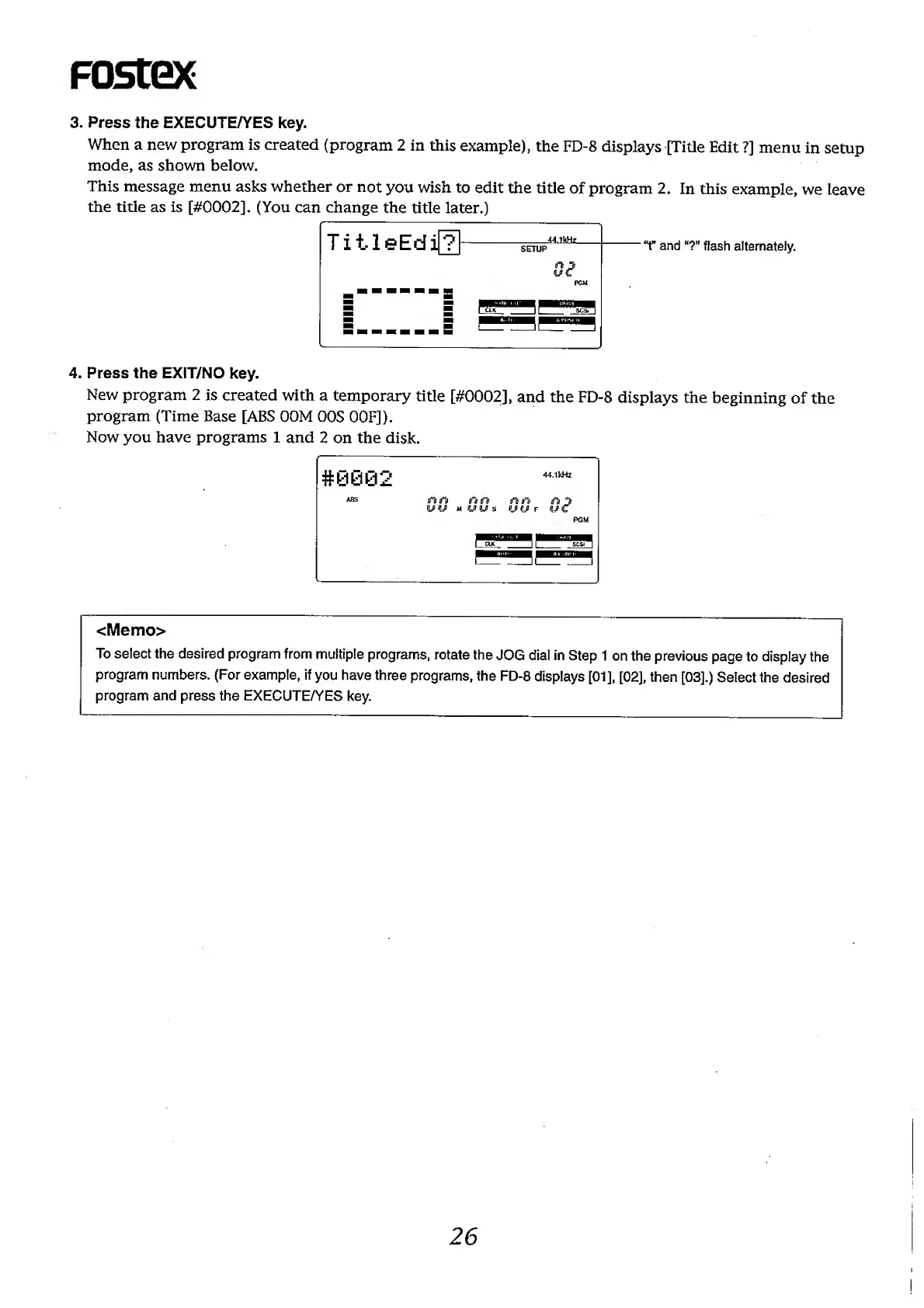
When
a
new
program
is
created
(program
2
in
this
example),
the
FD-8
displays
[Title
Edit
?]
menu
in
setup
mode,
as
shown
below.
This
message
menu
asks
whether
or
not
you
wish
to
edit
the
title
of
program
2.
In
this
example,
we
leave
the
title
as
is
[#0002].
(You
can
change
the
title
later.)
T
and
“?”
flash
alternately.
4.
Press
the
EXIT/NO
key.
New
program
2
is
created
with
a
temporary
title
[#0002],
and
the
FD-8
displays
the
beginning
of
the
program
(Time
Base
[ABS
OOM
OOS
OOF]).
Now
you
have
programs
1
and
2
on
the
disk.
<Memo>
To
select
the
desired
program
from
multiple
programs,
rotate
the
JOG
dial
in
Step
1
on
the
previous
page
to
display
the
program
numbers.
(For
example,
if
you
have
three
programs,
the
FD-8
displays
[01],
[02],
then
[03].)
Select
the
desired
program
and
press
the
EXECUTE/YES
key.
26