DRIVE
AUTO A.PUNCH
SYNC OUT
CLK
SCSI
?
SURE
44.1kHz
7. When you finish entering the title, press the
EXECUTE/YES key.
Program 2 (PGM 02) and its title are set.
The display shows the ABS Time Base indication of the
Program.
<Important!>
• When you create a new Program by selecting the [New PGM ?]
menu, a new Program is created with an increment number.
That is, if only one Program exists and when you create a new
Program, it will be named Program 2.
If Programs 1-5 already exist, a new Program number will be 6.
• If there is insufficient recording space on the disk, you cannot
create the new Program. Each time you create a new Program,
the recordable area on the disk will decrease.
Using a Program Change function
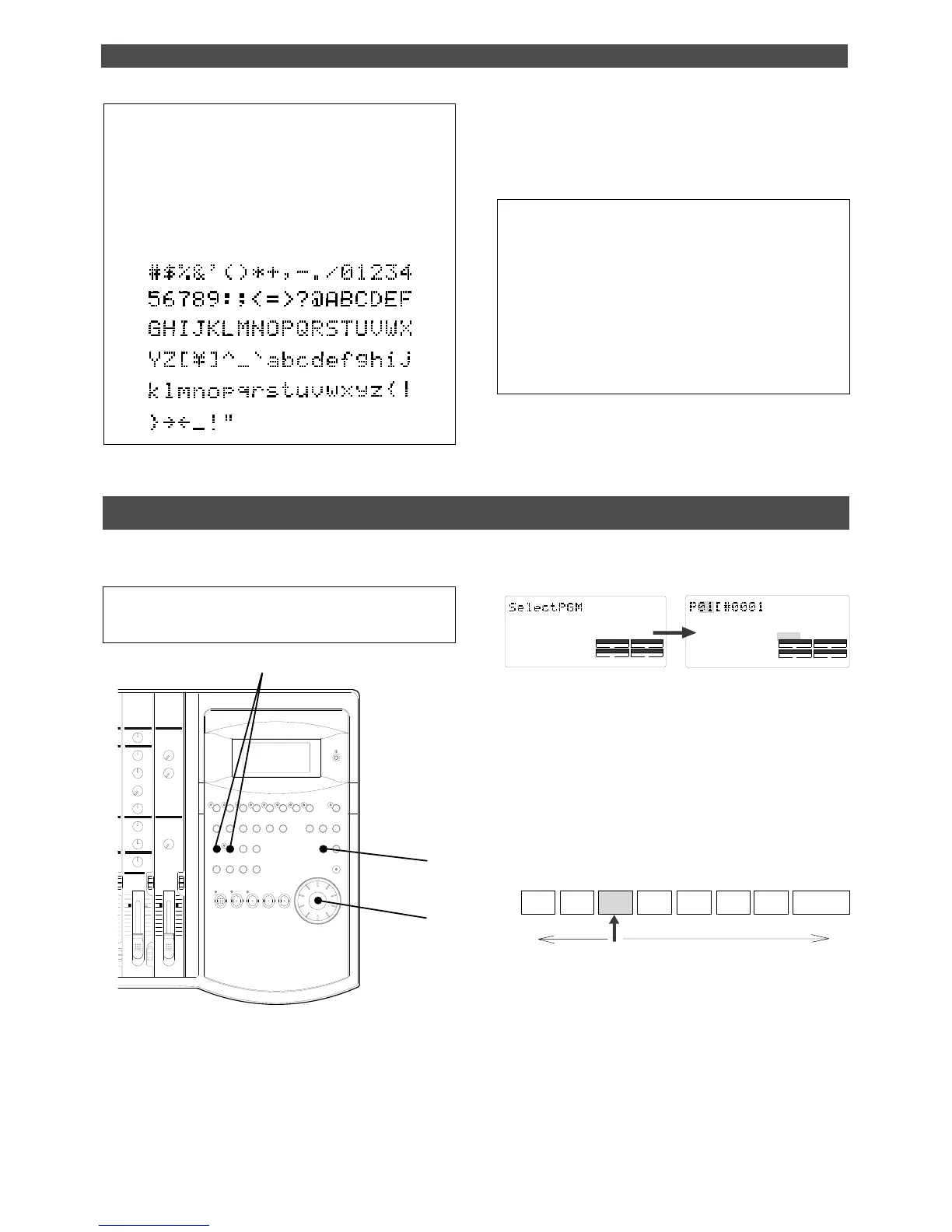
If multiple Programs exist on the disk, you need to select a Program to record, play, or edit. This section describes
how to select a Program.
Note:
You cannot use the Program Change function when the
FD-8 is in SETUP mode.
2. Turn the JOG dial to select the desired Program
number (flashing).
Rotating the JOG dial counter-clockwise decreases the
number, and rotating it clockwise increases the number.
If you turn the JOG dial clockwise all the way, [New PGM?]
will be selected. Select [New PGM ?] to create a new
Program as mentioned in the previous section “Creating
a new Program.”
For example, you can select one of seven Programs as
follows:
3. Press the EXECUTE/YES key.
The ABS Time Base indication for the selected Program
appears. In this way, you can be sure to select a Program
before you start working.
To enter a title:
• Turning the JOG dial will enter a character or number
at the location of the flashing cursor. You can enter up
to 16 characters, nine of which will appear on the display.
• To move the flashing cursor, press the HOLD/> key,
the REWIND button, or the F FWD button. The F FWD
button is the most convenient.
• You can enter the following characters and numbers:
1. When the FD-8 is stopped, press the STORE key
while holding down the HOLD/> key.
[Select PGM] appears on the display briefly, then changes
to a flashing “01” ([#0001 of PGM 01) and [SURE?] flash.
([#0001] is the default name of PGM 01.)



 To Next Page