38
Recording to a Metronome Sound
If the microphone has a
balanced (XLR) connector,
use INPUT 7 (XLR) jack on
the rear panel.
Compressor/Limiter
8761234 5
This chapter explains how to record your performance while you are playing an instrument accompanied by
a metronome based on the time signature and tempo specified in the Tempo Map. The metronome sound is
output from track 8.
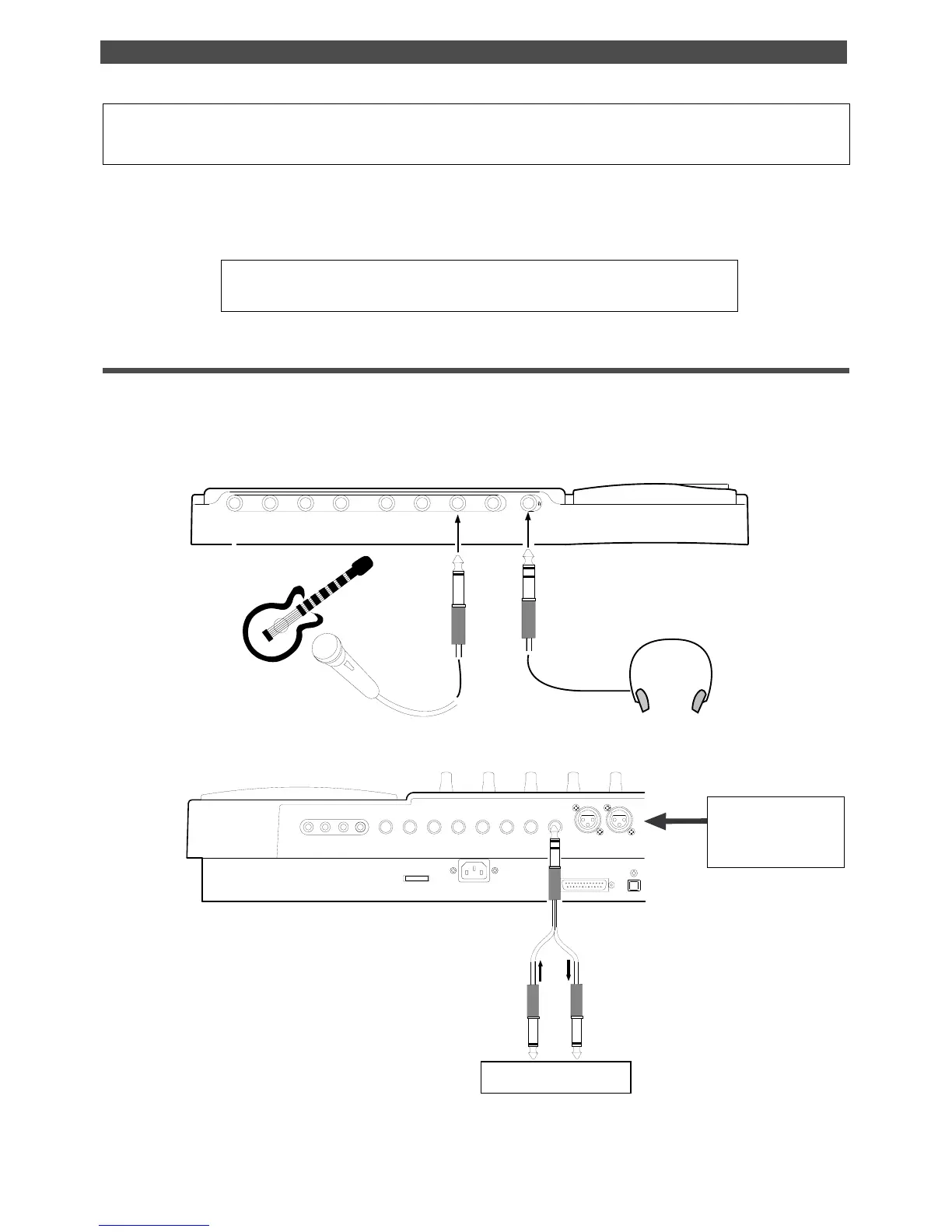
For example, record the acoustic guitar using a microphone to track 2 while using a compressor/limiter.
• Initialize the FD-8 before the operation.
• If multiple Programs exist, first select the desired Program.
Connecting a sound source and a effect unit
1. Connect a microphone to input jack 7.
If the microphone has a balanced (XLR) connector, use INPUT 7 (XLR) jack on the rear panel.
2. Connect a compressor/limiter to INSERT jack 7 on the rear panel.
The compressor/limiter will be applied to channel 3 signal.
Recording to a Metronome Sound
FD-8 front panel
Monitoring headphone
Acoustic guitar
Microphone
FD-8 rear panel
POWER
R MON OUT L
R ST OUT L
AUX RTN 2
R MONO/L2 AUX SEND 1
SCSI
IN
DATA
AUX RTN 1
R MONO/L
8 INSERT 7
INPUT 8 INPUT 7



 To Next Page