MIDI Synchronization
81
Connecting an external device
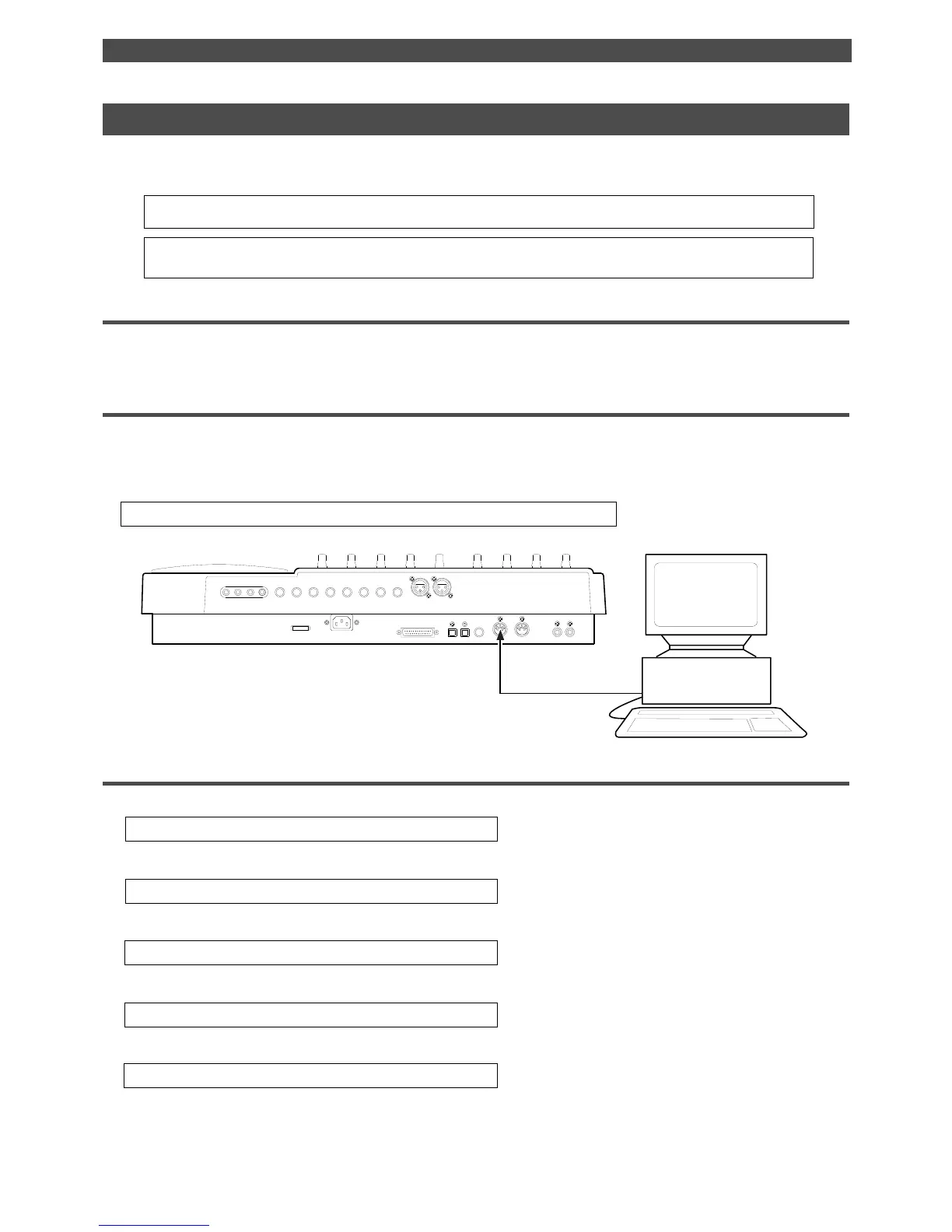
1. Connect the MIDI OUT jack of a computer running sequence software to the MIDI IN jack of the FD-8.
The connected computer should be running sequence software that supports MMC/MTC.
Setting up the external device
1. Set the following items on the sequence software.
• Set up the sequence software to output MTC.
• Set a frame rate of MTC.
• Check the start time of the song.
* Refer to the instruction manual that comes with the external device for more information.
Sync system in Slave mode
You can set up the system in which the FD-8 in Slave mode synchronizes to an external master MIDI device.
In this example, a master device is a computer running sequence software.
• Initialize the FD-8 before you start the operation.
• If multiple Programs exist, select the desired Program first.
Note:
Make sure to use an external MIDI device that is able to output MTC as a master device.
Setting the FD-8
1. Set the frame rate of the sequence software, as described in the “Setting an MTC frame rate” menu in SETUP mode.
* See “Setting an MTC frame rate” on page 104 for more information.
2. Set an offset time value in the “Setting an MTC offset value” menu in SETUP mode.
* See “Setting an MTC offset value” on page 104 for more information.
3. Set the desired mode in the “Setting Offset mode” menu in SETUP mode.
* See “Setting Offset mode” on page 105 for more information.
4. Turn Slave mode [on] in the “Setting the Slave mode” menu in SETUP mode.
* See “Setting the Slave mode” on page 106 for more information.
5. Set the slave type to [VAri] in the “Setting the Slave type” menu in SETUP mode.
* See “Setting the Slave type” on page 107 for more information.
6. Press the TIME BASE SEL key to display the MTC Time Base.
POWER
R MON OUT L
R ST OUT L
AUX RTN 2
R MONO/L2 AUX SEND 1
SCSI
OUT
IN
DATA PUNCH
IN/OUT
DATA
AUX RTN 1
R MONO/L
8 INSERT 7
INPUT 8 INPUT 7
R
RECORDER IN
L
IN
MIDI
OUT
MIDI
MTC
with Sequence Software



 To Next Page