50
Digital Recording
10
5, 12
Digital Equipment
Reverb Unit
7
11
14 6, 13
3
4, 8
7
1
2
9
Chorus Unit
Chorus Unit
Reverb Unit
Digital Equipment
Digital mixdown
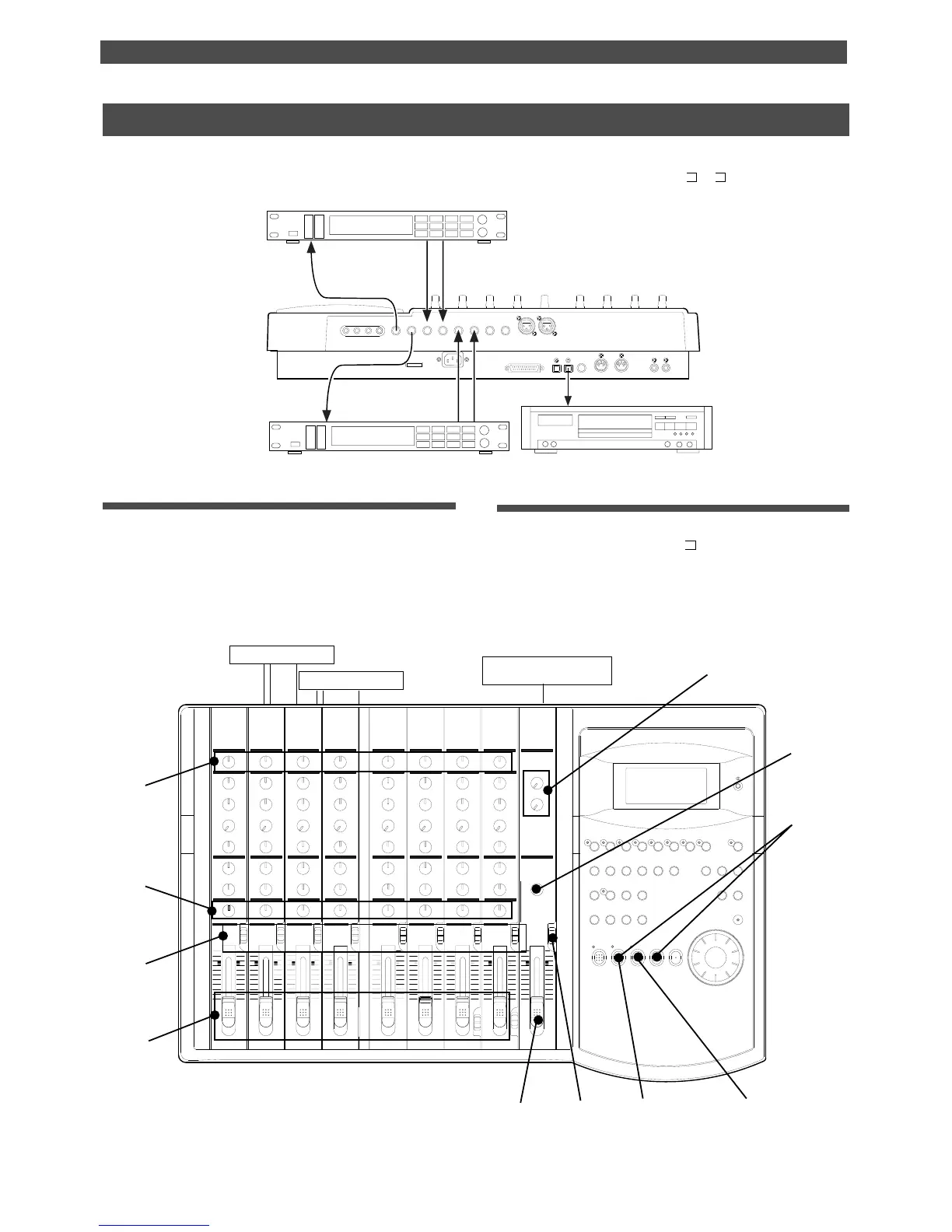
As described in the previous section, you may mix down digital signals from tracks 1-8 to an external digital
device using the procedure described in the basic mixdown section, in which you set [L-
, r- ] for digital output
tracks. Refer to the “Basic Multitrack Recording” chapter for information on how to connect effect units.
Assigning output tracks
* Use the “Setting digital output tracks” menu in
SETUP mode to select [L- , r-] as output tracks.
Refer to “Setting digital output tracks” of the “Changing
the Initial Settings (SETUP Mode)” chapter.
Connecting an external digital device
* Connect the DATA OUT jack of the FD-8 with the
OPTICAL IN jack of an external digital device using
an optical cable.
* Input and output of both reverb and chorus are
connected to the FD-8 AUX SEND 1, 2 and the AUX
RTN 1, 2.
POWER
R MON OUT L
R ST OUT L
AUX RTN 2
R MONO/L2 AUX SEND 1
SCSI
OUT
IN
DATA PUNCH
IN/OUT
DATA
AUX RTN 1
R MONO/L
8 INSERT 7
INPUT 8 INPUT 7
R
RECORDER IN
L
IN
MIDI
OUT
MIDI



 To Next Page