38
NOTE: to set the relay 2 alarm output please refer to the sound alarm output configuration setting section.
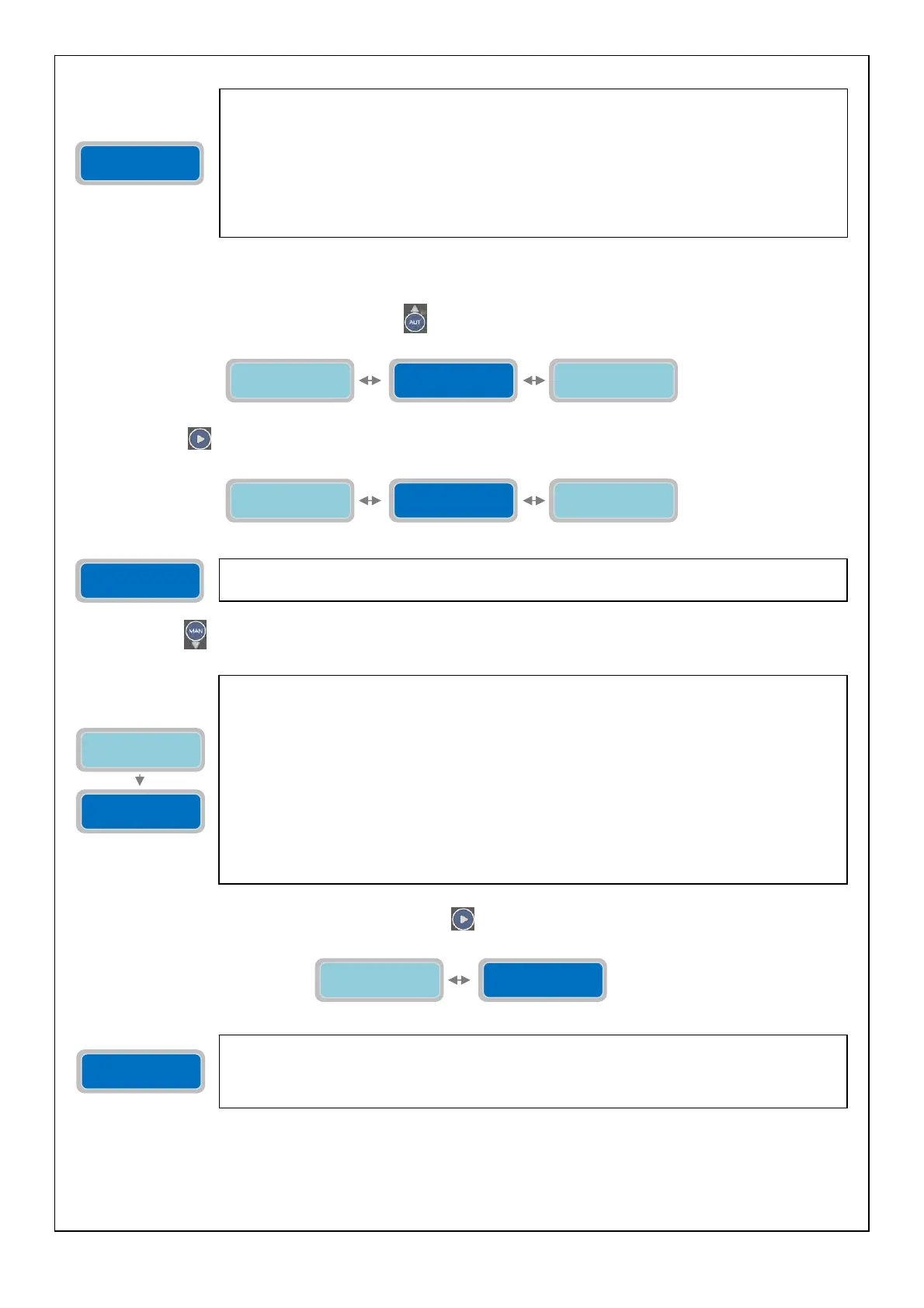
To go back to the horizontal menu press the button
. Back to the horizontal menu “Configuration Relay 2”:
Press the button
to move to the configuration of the next alarm output:
Press the button
to configure the GSM Alarm:
To move to the next horizontal parameter press the button
:
NOTE: to set the GSM alarm output please refer to the sound alarm output configuration setting section
The vertical parameter “Configuration Relay 2” will set the operating mode of the Q1 alarm
output on the control panel. It is an output relay with changeover contact (voltage free) with
screw terminals connectors (see page 40) (electric contacts characteristics: 250Vac, 5A in
AC1). The following contacts will be present in the terminals:
-COM: common
-N.C.: contact normally closed
-N.A.: contact normally open
The output can be used to send the status of alarm to a device with dry contacts or to drive via
relay contacts a device to be activated with a separate power supply.
Configuration
Relay 2
The vertical parameter “Configuration GSM Alarm” it is possible to define which alarms will be
send to the phone numbers specified in the menu “Setting GSM Modem”.
Configuration
GSM Alarm
The parameter “Mode” of the GSM Alarm will set the mode to send the SMS messages of alarm.
Every GSM Modem installed in the Full-app can manage up to a maximum of 3 phone numbers;
This “Mode” parameter will set which phone numbers to send the SMS Alarms.
The “X” indicates the setting of the parameter to modify.
0=NOT IN USE (no SMS alarm will be sent)
1=Send SMS only to “Phone nr.1”
2=Send SMS only to “Phone nr.2”
3=Send SMS to “Phone nr.1” and “Phone nr.1”
4=Send SMS only to “Phone nr.3”
5=Send SMS to “Phone nr.1” and “Phone nr.3”
6=Send SMS to “Phone nr.2” and “Phone nr.3”
7=Send SMS to “Phone nr.1”, “Phone nr.2”, and “Phone nr.3”.
Factory default setting: 0.
Configuration
XXXXXXXXXXXXXXX
Mode
1=Tel1 2=Tel2 X
Configuration
XXXXXXXXXXXXXXX
With the parameter “Configuration” GSM Model alarm output is possible to set which alarms will
trigger the sending of the SMS messages (with the Mode previously described)
The “X” indicates the setting of the parameter to modify.
Factory default setting: 000000000000000.
Configuration
GSM Alarm
Mode
1=Tel1 2=Tel2 X
Configuration
GSM Alarm
Configuration
Relay 2
Configuration
Sound Alarm
Configuration
Relay 2
Configuration
Relay 1
Configuration
GSM Alarm



 To Next Page