Appendix
114
2-3 Installing the graphics cards drivers
1. Power on your computer and boot into Operating System.
2. Install the NVIDIA graphics card drivers and restart your computer.
2-4 Enabling the NVIDIA
®
SLI
TM
technology
1.
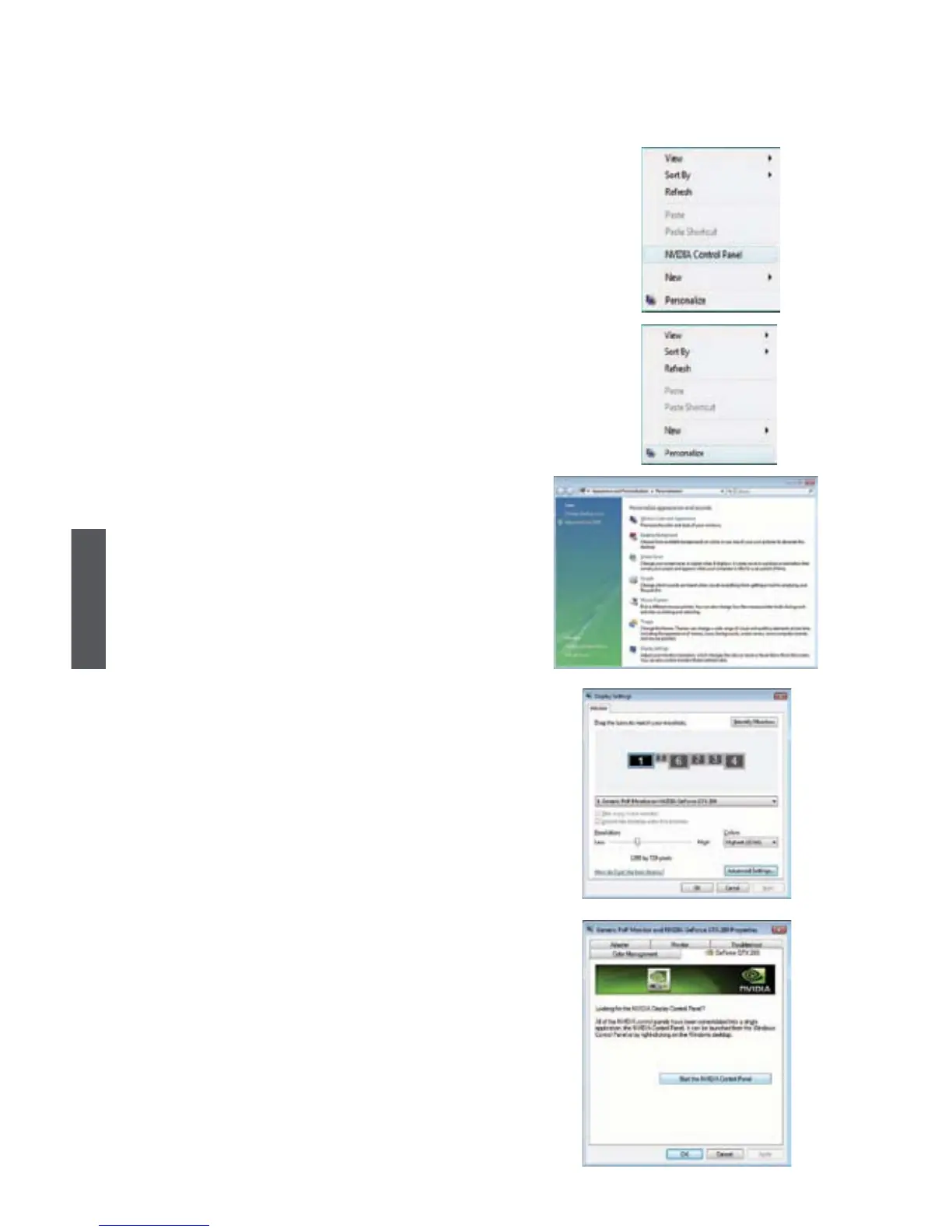
Right click on the empty space of Windows®
and select "NVIDIA Control Panel" to open it.
If you cannot see the NVIDIA Control Panel
item, select "Personalize", then follow the
procedure below:
From the "Personalization" window, select
"Display Settings".
Click "Advanced Settings..." from the dialog box.
Select the NVIDIA GeForce tab, then click
"Start the NVIDIA Control Panel".













 To Next Page