3
24
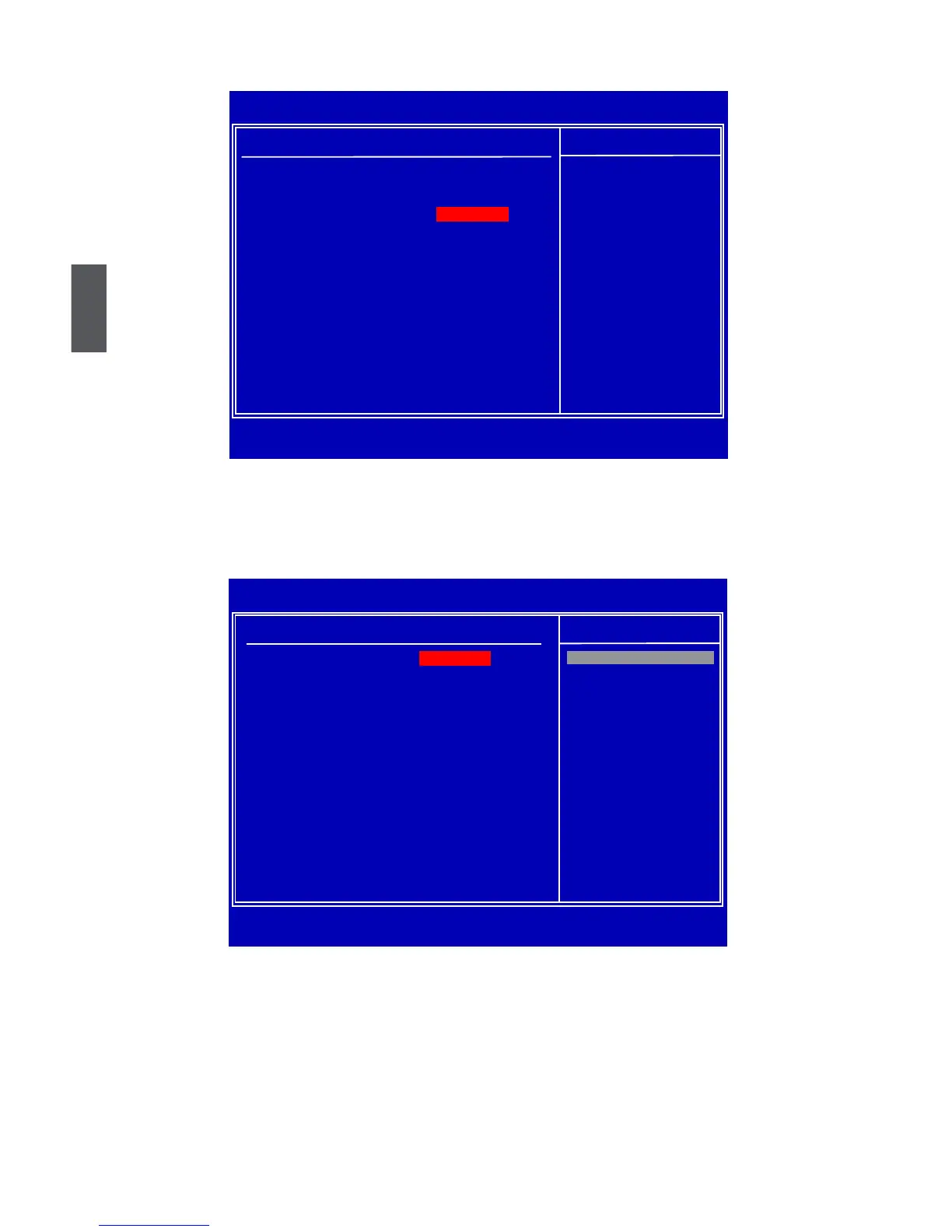
Advanced BIOS Features
► IDE Conguration/SuperIO Conguration/OnBoard Device Conguration
Press <Enter> to go to relative submenu.
IDE Conguration
► SATA#1 Configuration
SATA#1 are the SATA ports 1, 2, 3, 4 of the motherboard. This item allows you select the
mode of the SATA ports. Setting values are: [Disabled], [Compatible], [Enhanced].
► Configure SATA#1 as
This item is used to set the operation mode of your SATA ports 1, 2, 3, 4. Setting values are:
[IDE]; [RAID]; [AHCI].
[IDE] - This congures the SATA ports to support IDE mode.
[RAID] - When you enable RAID, it means all your SATA drives must also support AHCI.
[AHCI] - The Advanced Host Controller Interface (AHCI) specication describes the register
CMOS Setup Utility - Copyright (C) 1985-2008, American Megatrends, Inc.
Advanced BIOS Features
Advanced Settings Help Item
WARNING: Setting wrong values in below sections Configure the IDE
may cause system to malfunction. device(s).
► IDE conguration [Press Enter]
► SuperIO Conguration
[Press Enter]
► OnBoard Device Conguration [Press Enter]
↑↓←→:Move Enter:Select +/-/:Value F10:Save ESC:Exit F1:General Help
F9:Optimized Defaults
[Press Enter]
CMOS Setup Utility - Copyright (C) 1985-2008, American Megatrends, Inc.
IDE Conguration
IDE Configuration Help Item
SATA#1 Conguration [Compatible]
Configure SATA#1 as [IDE]
SATA#2 Conguration [Enhanced] Disabled
Compatible
► Primary IDE Master [Not Detected]
Enhanced
► Primary IDE Slave
[Not Detected]
► Secondary IDE Master [Not Detected]
► Secondary IDE Slave [Not Detected]
► Third IDE Master [Not Detected]
► Fourth IDE Master
[Not Detected]
► Fifth IDE Master
[Not Detected]
► Fifth IDE Slave
[Not Detected]
► Sixth IDE Master
[Not Detected]
► Sixth IDE Slave
[Not Detected]
IDE Detect Time Out [35]
↑↓←→:Move Enter:Select +/-/:Value F10:Save ESC:Exit F1:General Help
F9:Optimized Defaults
Options
[Compatible]













 To Next Page