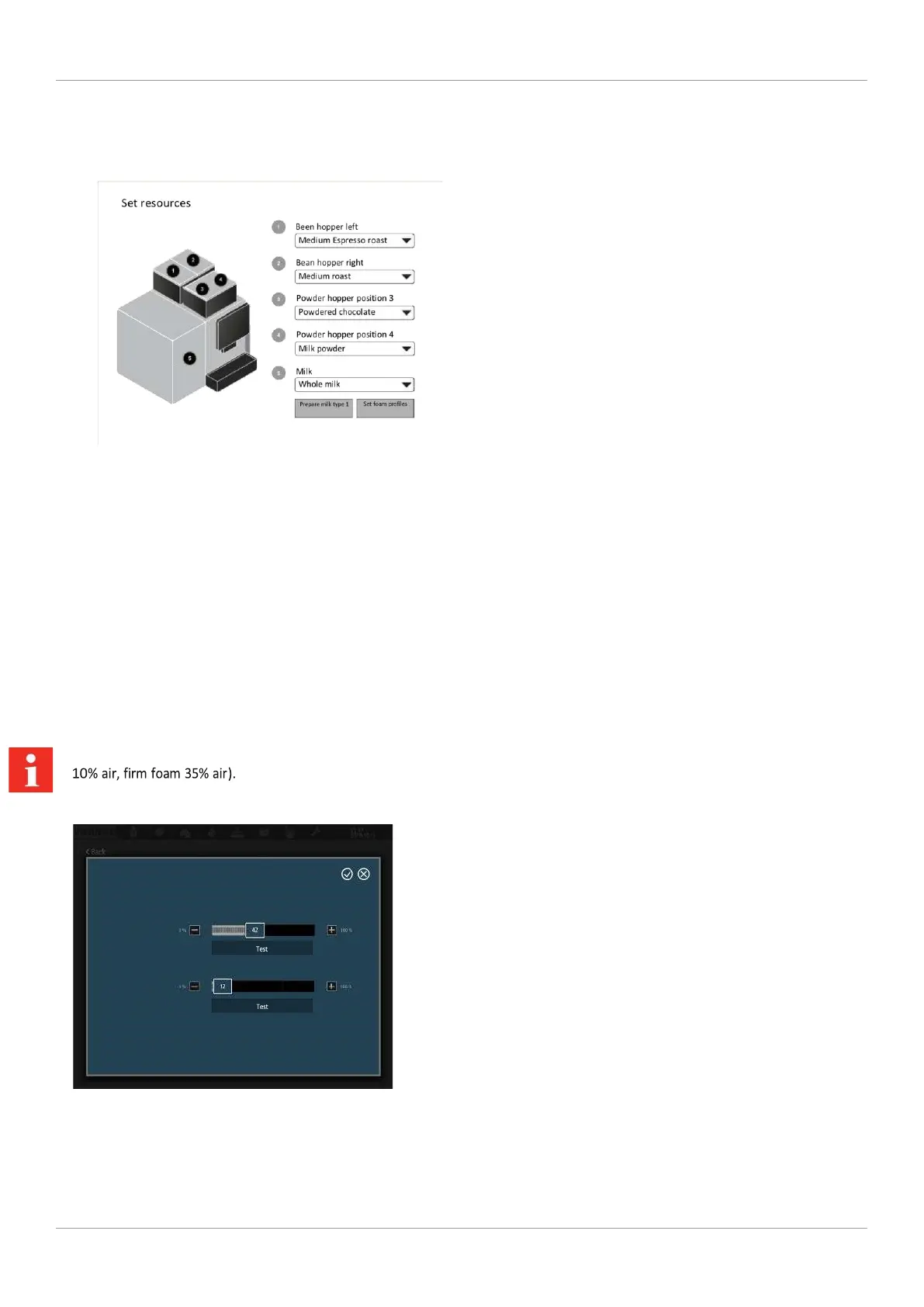
For each container, a list of available resources is stored from which you can choose.
Allocating resources
1. To allocate a resource to a container, tap the 3. Repeat this process for all containers.
preset resource type.
4. To fill the milk lines, select Prepare milk type 1.
2. Select the appropriate resource type from the list.
User manual A300 35 8 | Configuration Franke Kaffeemaschinen AG
On the A300 FM EC, you can configure the foam profiles for firm
and liquid foam (standard settings: Liquid foam



 To Next Page