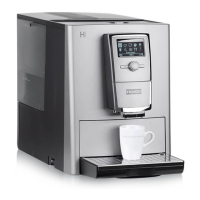
Incorrect filling of the hoppers
Incorrectly filling the hoppers can produce defective products and the machine can be damaged as a
result. a) Fill the bean hopper with coffee beans.
b) Fill the powder hopper with powder suitable for automatic coffee makers.
9.2 Using and storing roasted coffee beans
The crucial factor when it comes to optimal in-cup quality is the freshness of the coffee beans used.
– Do not pour roasted coffee beans into the bean hoppers until you are just about to make a drink. This
ensures that you retain as much of the flavor as possible. Only pour in as much as you intend to use in the
next few hours on the same day. Bean hoppers are not storage containers.
– Always close the bean hoppers properly. Make sure that you reseal open coffee packets properly after use.
– Store roasted coffee in a cool, dry place away from direct sunlight. Do not store it in a cooling unit.
– Order only as much roasted coffee as you need – ordering small quantities regularly ensures that you always
drink coffee at its freshest.
– Opt for smaller packets, e.g. 250 or 500 g instead of 1 kg. This way, you avoid having to store open packets
or having too many beans in your bean hoppers.
Monitor how much you use over a specific period, e.g. over the course of a week. Take note of when you need
to refill and how much, and use this information to ensure that you always have fresh beans available for the
next few hours. Mark the maximum fill level on each bean hopper, e.g. using a sticker.
9.3 Filling beans



 To Next Page