5 | Description of machine Franke Kaffeemaschinen AG
28 User manual SB1200
– Improved guided payment process
– Two customizable operating modes: Step by Step and Pop-Up
The Individual Operating Mode only works with Step by Step and Pop-Up.
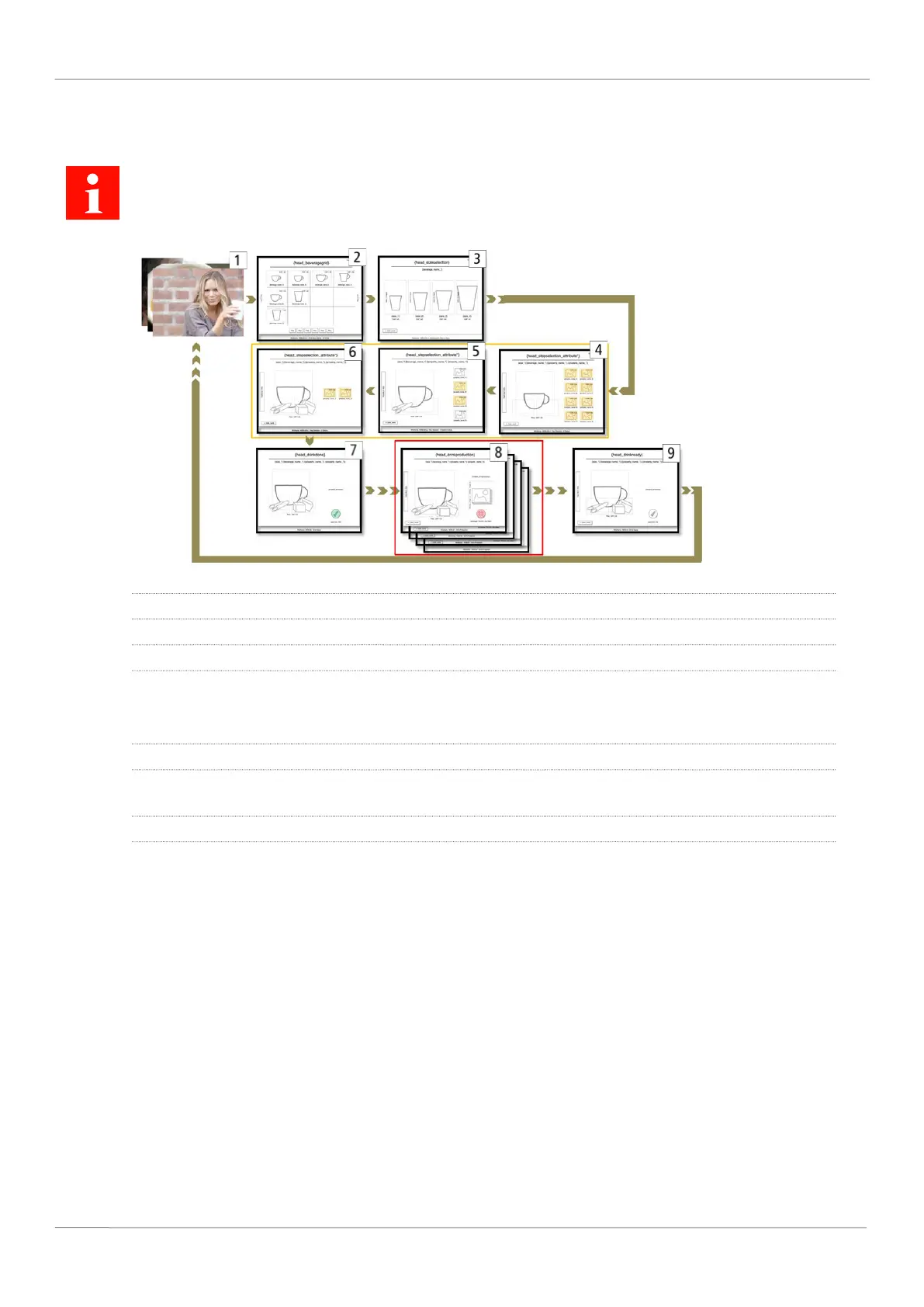
Step by Step
1 Screen saver
2 Select beverage
3 Select cup/mug size
4-6 Select filter attribute values for filter attributes like flavor or milk type.
Customers are guided through the Individual Operating Mode GUI, step by step. Each filter attribute
is shown on a separate screen. Up to eight filter attributes can be used.
7 Start beverage preparation: confirm beverage selection, select payment type
8 The beverage is being prepared. Advertising media, e.g. images and videos, can be displayed while
the beverage is being prepared.
9 Beverage preparation completed



 To Next Page