7 | Filling and emptying Franke Kaffeemaschinen AG
40 User manual SB1200
7.5 Filling the Flavor Station
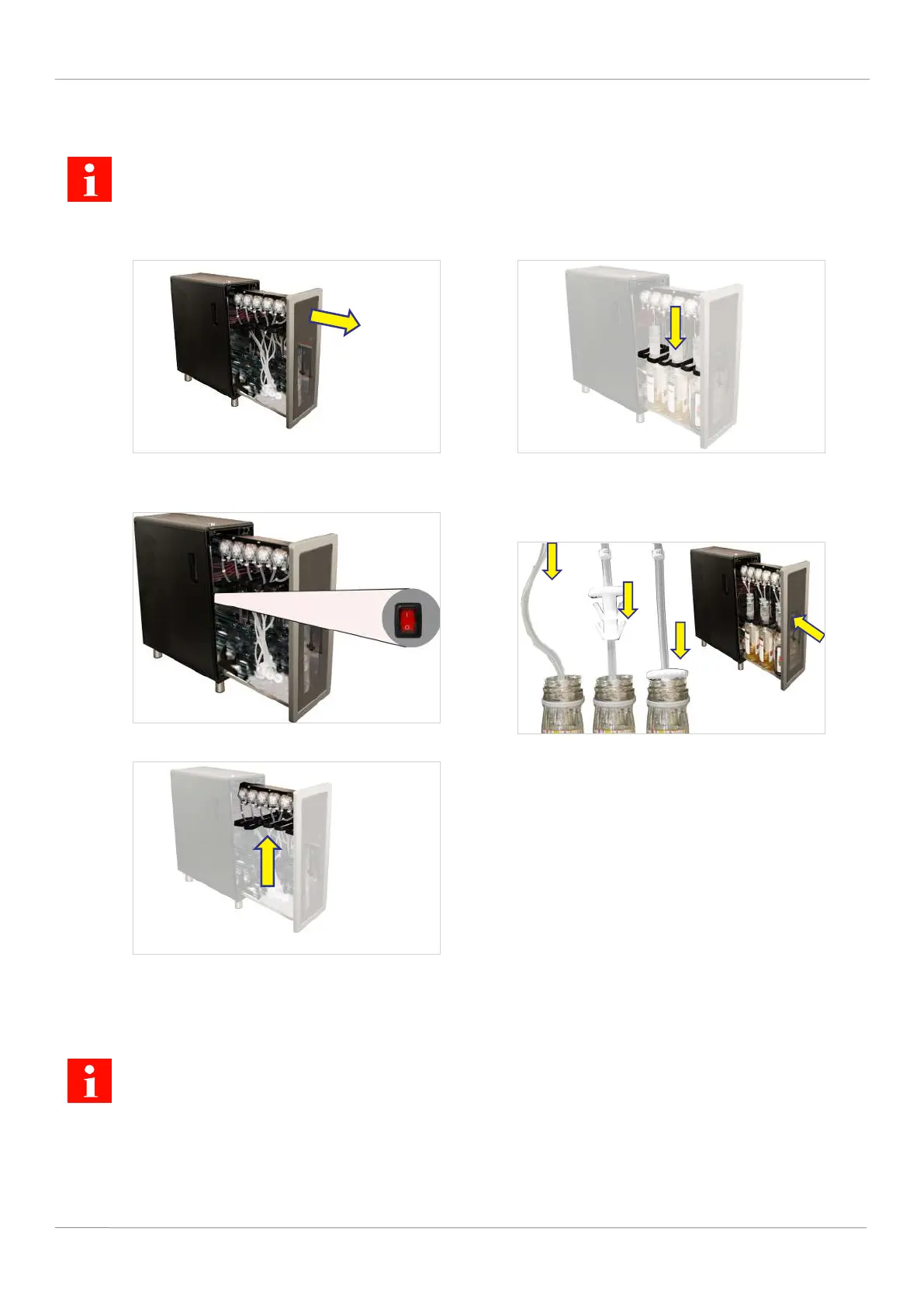
The on/off switch of the Flavor Station FS is located inside, on the left-hand side of the rear panel.
1. Use the key to unlock the Flavor Station.
2. Press the unlocking button and open the Fla-
vor Station.
3. Switch on the Flavor Station.
4. Lift the bottle holders.
5. Place the bottles in the Flavor Station.
6. Pull the bottle holders down.
7. Push the hose connection on the hose up-
wards.
8. Insert the hose into the bottle.
9. Push the hose connection into the top of the
bottle.
10. Close the Flavor Station.
11. Confirm Prepare Flavor Station on the display.
ð The hoses of the Flavor Station are pre-
filled with syrup.
7.6 Filling the FSU60 CM Flavor Station
The switch for switching on the FSU60 CM is located at the front, in the center of the housing.
1. Open the counter furniture. 2. Pull the Flavor Station out so that the appli-
ance is accessible.



 To Next Page