Franke Kaffeemaschinen AG Configuration | 10
User manual SB1200 65
Parameter Value range Remarks
M3-M4 – None
– Cold Brew
– Own cold medium
1-6
Prepare Button The coffee machine guides through the process
Set foam profiles Button Only available for M1-M2. Opens a separate menu
with setting options for air content and temperature.
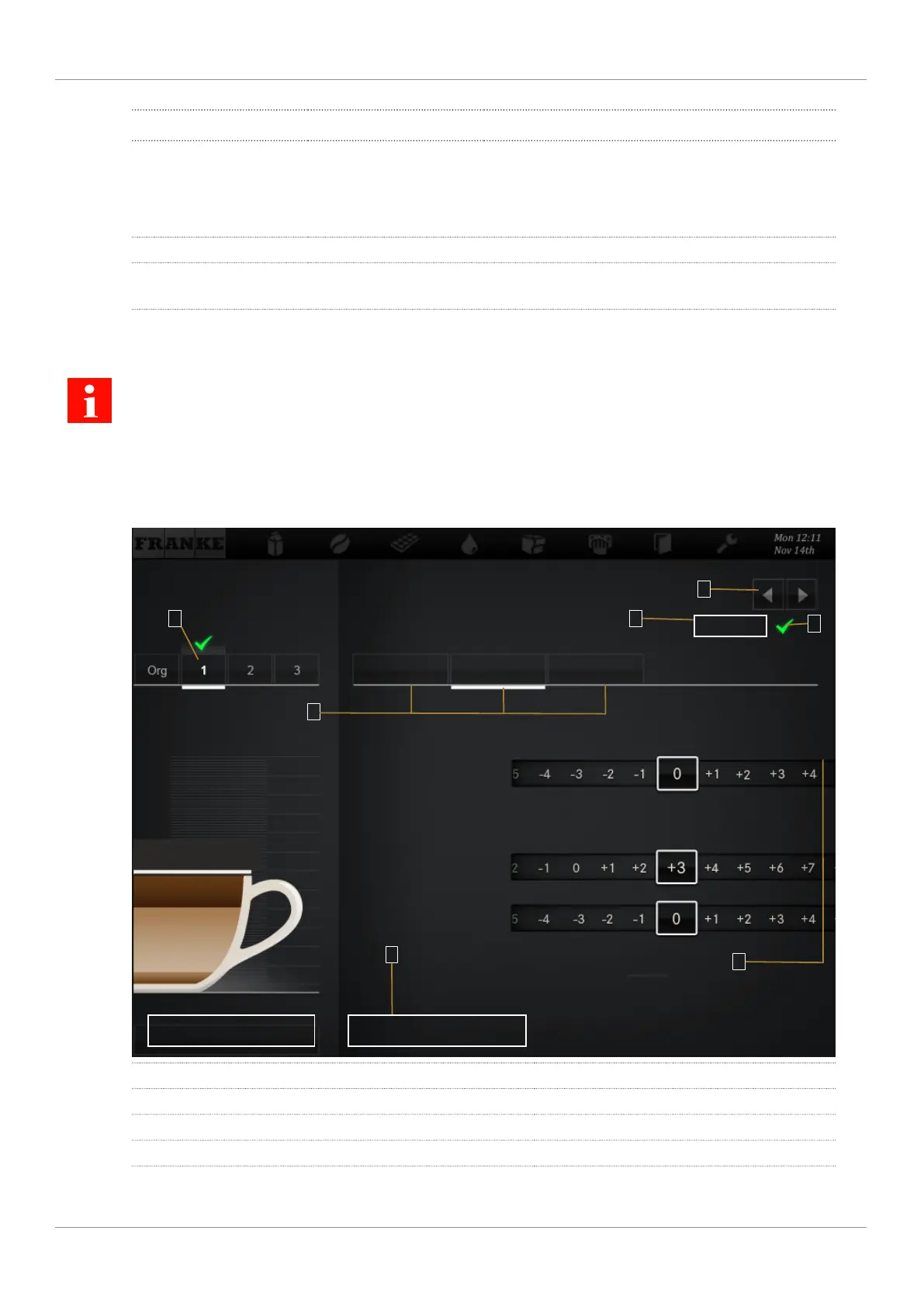
10.5.3 Menu 2 Customize beverages
You can save each product in three user-specific variations. The original cannot be changed.
Only parameters that are relevant for the product are displayed.
The percentage specifications are always based on the preset value.
For tips on setting the parameters, see the chapter
Help with problems concerning product quality
[
}
81]
.
All values configured in menu 2 are saved in the configuration and can be re-imported.
1
2
3
7
4
5
6
Test
General Coffee
Back
Save
Brewing quantity
Water quantity
Grind quantity
Grinder 1
Grinder 2
1 Select variant 2 Select area
3 Save settings 4 Select product
5 Confirm variant 6 Prepare a test product
7 Adjust parameters



 To Next Page